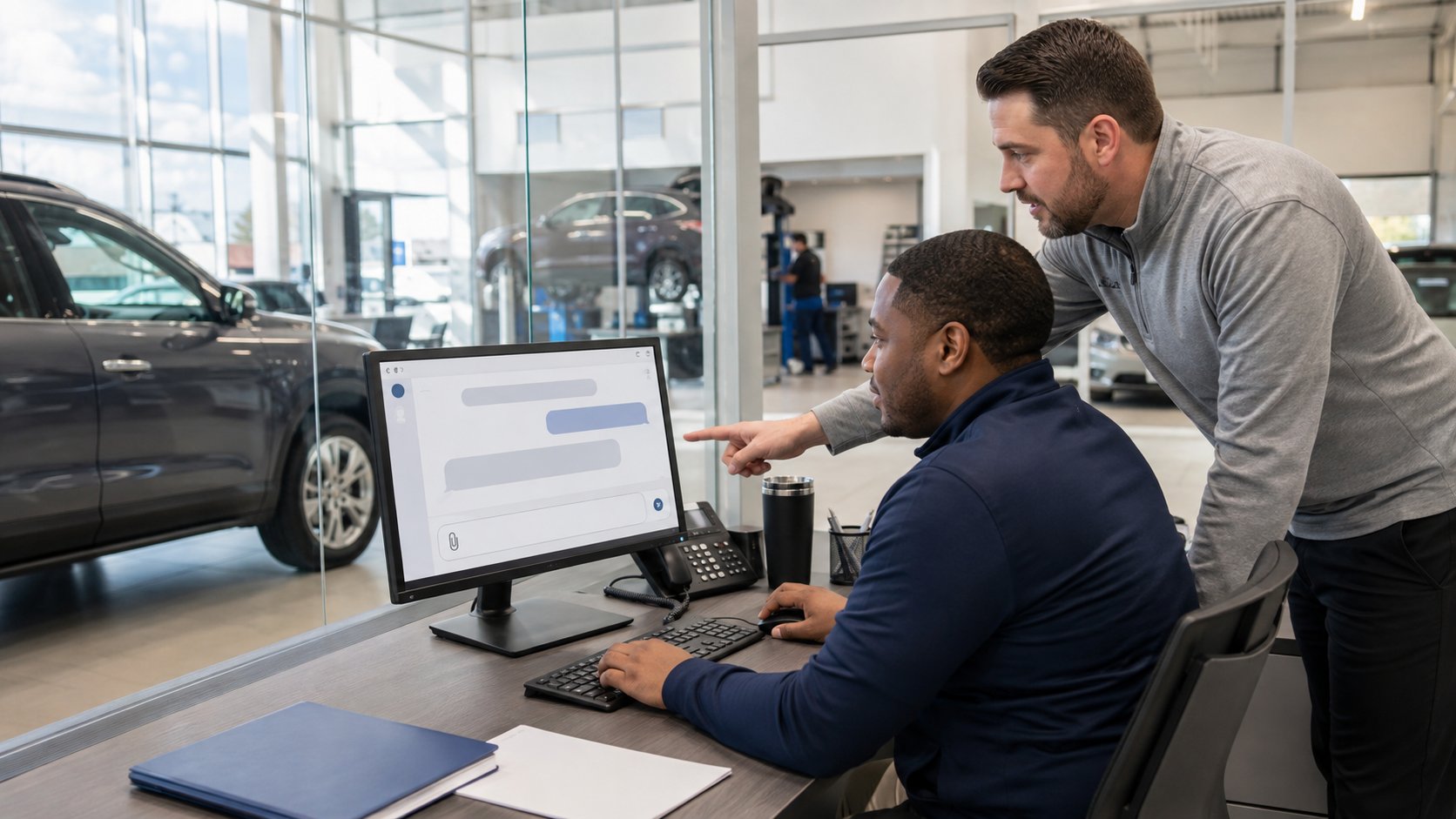
AI is already finding its way into everyday dealership work.
A salesperson might use it to help draft a customer follow-up. A manager may ask it to summarize a long document. Someone in marketing may use it to develop ideas for a promotion. An employee trying to save time may upload a spreadsheet, paste an email into an AI tool, or ask it to analyze a report.
Most of those employees are not trying to create a security problem. They are trying to get their work done faster.
The question for dealership leadership is not whether employees will use AI. It is how to let them use it productively without putting customer information, employee data, passwords, financial information, or other sensitive dealership data somewhere it should not go.
For auto dealerships, a practical AI policy should address nine things: approved AI tools, what information employees can enter, customer and financial data, account access, verification of AI output, employee training, AI integrations, vendor review, and human oversight.
The goal is not to make employees afraid of AI. It is to give them enough guidance that they do not have to guess.
1. Decide Which AI Tools Employees Are Allowed to Use
Before writing a long AI policy, start with a much simpler question:
What AI tools are employees already using?
The answer may include ChatGPT, Microsoft Copilot, Google Gemini, AI features built into software the dealership already uses, browser extensions, transcription tools, writing assistants, or applications individual employees found on their own.
That matters because not every AI service handles business information the same way.
Business versions of major AI platforms can include privacy, security, administrative, and data-handling protections intended for organizational use. For example, OpenAI states that business data from ChatGPT Business, Enterprise, Edu and its API platform is not used to train its models by default. Microsoft says Microsoft 365 Copilot and Copilot Chat provide enterprise data protection for organizational use, and Google states that Workspace customer data is not used to train its generative AI models outside the organization's domain without permission.
That does not mean every AI tool is automatically appropriate for dealership information.
Instead of telling employees, “Use AI carefully,” give them a clearer answer:
- These tools are approved.
- These tools are not approved for dealership work.
- This is the type of information you may use with them.
- This is what you should never enter without specific approval.
- If you are unsure, ask before uploading it.
That is much easier for an employee to follow.
2. Decide What Information Should Not Be Entered Into an Unapproved AI Tool
Imagine an employee wants help summarizing a complicated customer email.
Copy. Paste. Ask AI to summarize it.
That takes about 20 seconds.
But what was in the email?
Maybe just a scheduling question.
Or maybe it contained a customer's name, address, phone number, driver's license information, financing information, account information, or other sensitive details.
The AI question is not simply: “Can this tool summarize an email?”
It is: “Are we comfortable putting the information in this email into this particular AI system?”
For a dealership, information that deserves particular care can include:
- Customer financial information
- Credit or finance applications
- Driver's license or identification information
- Social Security numbers
- Bank or payment information
- Employee information
- Payroll information
- Passwords and authentication codes
- Confidential financial reports
- Contracts
- Internal pricing or acquisition information
- Cybersecurity information
- Network or system credentials
- Nonpublic customer lists
- Other confidential dealership records
The FTC Safeguards Rule requires covered auto dealers to maintain an information security program designed to protect customer information. Its dealership-specific guidance also addresses access controls and the responsibility to oversee service providers with access to customer information or systems containing it.
That does not mean dealerships cannot use AI with business information. It means leadership should make a deliberate decision about which tools are approved for which information, instead of letting each employee make that decision independently.
A good default rule is simple:
If the information is sensitive and the AI tool has not been approved for that type of data, don't put it in.
3. Treat Customer Information Differently From Public Information
Not all data carries the same risk.
There is a big difference between asking AI:
“Give me five ideas for a Presidents' Day service promotion.”
and:
“Analyze these 300 customer records and tell me who is most likely to buy another vehicle.”
The first prompt may not contain any dealership information at all.
The second could involve a large amount of customer data.
This is why a useful AI policy should not simply say AI allowed or AI prohibited.
Create categories.
Lower-Risk Uses
These might include:
- Brainstorming general marketing ideas
- Improving the wording of nonconfidential text
- Creating an outline
- Generating general questions for a meeting
- Summarizing public information
- Drafting a generic job description
- Creating a checklist from information that is not sensitive
Uses That Need More Care
These might involve:
- Customer information
- Financial information
- Employee information
- Internal reports
- Contracts
- Dealership financial performance
- Customer communications containing personal information
- Proprietary business information
- Information pulled directly from the DMS or CRM
The actual rules will depend on the dealership, the AI platform, how it is configured, and what information is involved.
What matters is that employees understand the difference between asking AI for an idea and giving AI dealership data to analyze.
4. Don't Give AI More Access Than the Employee Needs
AI is increasingly being built into applications employees already use.
That changes the conversation.
An employee may no longer have to copy and paste information into an AI tool. The AI system may be able to access email, files, documents, calendars, or other business information directly, depending on the product and permissions that have been configured.
Microsoft, for example, explains that Microsoft 365 Copilot can use organizational content that the individual user already has permission to access. Google similarly states that Gemini in Workspace retrieves content based on the user's existing Workspace permissions.
That makes your existing permissions even more important.
If an employee has access to files they no longer need, connecting AI to those files does not solve the underlying permissions problem.
The same principle applies whether you are dealing with a person or an AI system:
People should have access to the information they need to do their jobs - not everything that has accumulated over the years.
Before connecting AI to email, shared files, cloud storage, CRM information, or other dealership data, review what the users of that AI system can already access.
This is especially important for multi-location dealer groups where permissions may have accumulated as employees move between departments or rooftops.
5. Never Assume AI Is Correct Because It Sounds Confident
AI can produce an answer that sounds polished, detailed, and completely certain.
It can also be wrong.
NIST identifies this as a significant generative-AI risk, using the term confabulation for situations where generative AI confidently produces erroneous or false information. NIST's generative AI guidance specifically addresses the need to manage risks associated with inaccurate output.
For dealership employees, the practical rule should be:
Use AI to help with the work. Don't automatically let AI become the final authority.
For example, an employee should verify AI-generated information before using it for:
- Customer communications involving important facts
- Vehicle information
- Financial decisions
- Compliance questions
- Legal or contractual matters
- Pricing
- HR decisions
- Policies
- Technical instructions
- Management reports
- Anything else where an incorrect answer could create a meaningful business problem
AI can be excellent at helping someone organize information, create a first draft, identify questions, or work through ideas.
That is different from assuming the answer is correct because it was presented professionally.
If you would normally verify the information when it came from an employee, website, or vendor, you should probably verify it when it comes from AI too.
6. Give Employees a Simple AI Policy They Can Actually Follow
An AI policy does not need to start as a 20-page document.
In fact, if employees cannot understand the rules, the policy will not accomplish much.
A dealership's basic AI-use rules might say:
- Use only approved AI tools for dealership work.
- Do not enter customer financial information or other sensitive dealership information into an unapproved AI system.
- Never enter passwords, MFA codes, API keys, or other login credentials.
- Verify important AI-generated information before acting on it or sending it to a customer.
- Do not connect an AI tool to dealership email, files, CRM, or other systems without approval.
- Follow the same confidentiality rules with AI that apply to other business systems.
- Ask before using AI if you are unsure whether the information is appropriate.
That is something employees can remember.
The dealership can then build more detailed procedures around departments or use cases that need them.
A salesperson using AI to improve the wording of a generic follow-up has different considerations from accounting uploading a financial spreadsheet or F&I working with customer information.
The policy should recognize that difference.
7. Train Employees Using Real Dealership Examples
Generic AI training can become abstract very quickly.
“Protect sensitive information.”
“Use AI responsibly.”
“Verify output.”
Those statements are correct, but employees need to know what they mean during an actual workday.
Use dealership examples instead.
Example 1: Marketing
Employee: “Can I ask AI to write five social-media ideas for our Labor Day sale?”
Probably a straightforward use if no confidential information is involved.
Example 2: Customer Email
Employee: “Can I paste this customer's entire email thread into an AI tool so it can write my response?”
Now you need to consider what information is contained in the thread and whether the tool is approved for it.
Example 3: F&I
Employee: “Can I upload these finance applications and ask AI to summarize them?”
That should immediately trigger a different level of review because customer financial information may be involved.
Example 4: Management
Employee: “Can I upload our monthly sales report and ask AI to identify trends?”
Possibly—but first determine whether the tool is approved for the dealership's confidential business data.
Example 5: IT
Employee: “Can I paste an administrator password into AI so it can help troubleshoot a login problem?”
No. Credentials should not be entered into an AI prompt.
The point is not to give employees a thousand rules.
It is to teach them to pause for one question:
“What information am I giving this tool?”
Once employees start asking that question, many of the decisions become much easier.
8. Review AI Vendors Before Connecting Them to Dealership Data
An AI tool can look incredibly useful during a demonstration.
It can summarize email. Analyze documents. Search files. Listen to calls. Generate customer responses. Connect to other applications.
The more useful it becomes, however, the more important it is to understand what information it can access.
Before approving an AI product that will handle dealership data, ask practical questions:
- What information will the AI system receive?
- Where does that information come from?
- Is the data retained?
- Is it used to train or improve models?
- Who can access it?
- What administrative controls are available?
- Can employees connect outside applications themselves?
- Can access be removed when an employee leaves?
- What happens to the dealership's information if the service is cancelled?
- What security and privacy commitments does the vendor make?
- Does the tool inherit the employee's existing permissions?
- Can the dealership restrict which information the AI can access?
Do not assume that one version of a product has the same privacy terms and controls as another.
For example, OpenAI, Microsoft, and Google all publish specific business or enterprise data protections for organizational AI offerings. Those published protections are a good reminder that the version, account type, configuration, and contractual terms matter when evaluating an AI tool for business use.
For covered dealerships, vendor review may also intersect with the FTC Safeguards Rule when a service provider receives customer information or has access to systems containing it.
Your IT provider can help evaluate the technology and access side of the tool. Legal, compliance, privacy, or other advisors may also need to be involved depending on the information and intended use.
9. Keep a Person Responsible for the Final Decision
AI can help an employee get to an answer faster.
It should not automatically become the person making the decision.
That distinction becomes especially important when the decision affects a customer, employee, financial transaction, security issue, or important dealership operation.
A useful rule is:
AI can assist. A responsible person still owns the outcome.
If AI drafts an email, someone reviews it.
If AI summarizes a contract, someone familiar with the agreement checks the important provisions.
If AI identifies a trend in dealership data, management decides what the trend means.
If AI suggests a cybersecurity change, IT verifies that the recommendation actually applies to the dealership.
If AI provides information affecting compliance or legal obligations, the appropriate qualified person confirms it.
This is not an argument against using AI.
It is how you get the benefit of AI without treating software as if it has judgment, context, and accountability that actually belong to the people running the dealership.
Should Auto Dealerships Ban Public AI Tools?
Probably not as a blanket rule without first understanding what employees are doing with them.
Simply blocking every AI website can push the behavior out of sight without answering the real question: what are employees trying to accomplish?
Maybe marketing wants help brainstorming.
Maybe sales wants assistance writing emails.
Maybe managers want documents summarized.
Maybe accounting wants help with spreadsheets.
Those are legitimate productivity goals.
A better approach is usually to understand the use cases, identify the risks, select appropriate tools, and establish rules around what information employees can use with them.
There may absolutely be tools or uses the dealership decides to prohibit.
But the decision should be based on the information involved and how the tool handles it - not simply whether the application has “AI” in its name.
Who Should Own AI Use at the Dealership?
AI should not quietly become an IT responsibility simply because it is technology.
IT has an important role, particularly around security, approved applications, accounts, integrations, access permissions, and data protection.
But dealership leadership needs to establish the business rules.
A practical approach might involve:
Leadership deciding what the dealership is comfortable using AI for.
IT evaluating tools, access, integrations, accounts, and technical risks.
HR or management addressing employee expectations and training.
Department managers identifying useful applications and risky workflows within their departments.
Legal, compliance, insurance, or privacy advisors becoming involved when a use case raises questions in their areas of responsibility.
The goal is to avoid two extremes.
One is allowing every employee to decide independently how AI should be used.
The other is making AI so difficult to use that employees lose opportunities to improve productivity.
There is a reasonable middle ground.
Start by Asking What Your Employees Are Already Doing
Before buying another AI platform or drafting a complicated policy, talk to employees.
Ask:
- Are you currently using AI for work?
- Which tools?
- What are you using them for?
- What information do you normally enter?
- What tasks would you like AI to help with?
- Have you uploaded dealership documents?
- Are you using personal AI accounts for dealership work?
- Are any AI tools connected to dealership applications?
The answers may be more useful than leadership expects.
You may find employees using AI in reasonable, low-risk ways that can be formally supported.
You may also find situations where an employee simply did not realize that uploading a document was different from asking a general question.
The purpose of the conversation is not to catch people doing something wrong.
It is to understand the current environment before setting rules for it.
That is consistent with the way dealership technology should be managed generally:
Understand what is happening first. Then decide what needs to change.
A Simple AI Safety Checklist for Auto Dealerships
Before expanding AI use, dealership leadership should be able to answer these questions:
- Do we know which AI tools employees are using?
- Have we identified approved AI tools?
- Do employees know what information they should not enter?
- Have we addressed customer and financial information specifically?
- Are employees using dealership-managed accounts where appropriate?
- Do we understand what business data connected AI tools can access?
- Are important AI-generated answers being verified by a person?
- Have employees received practical AI training?
- Do we review AI vendors before connecting them to dealership systems?
- Does somebody own the dealership's AI policy and review it as the technology changes?
If several answers are “I don't know,” that is a useful place to start.
It does not mean the dealership has an AI problem.
It means the dealership's use of AI may have moved faster than its process for managing it.
Frequently Asked Questions About AI Use at Auto Dealerships
Can dealership employees use ChatGPT for work?
Yes, ChatGPT can be used for many work tasks, but the dealership should establish which account or business offering employees are authorized to use and what information is appropriate to enter.
OpenAI states that data from its ChatGPT Business and Enterprise offerings is not used to train its models by default and provides administrative and security controls intended for organizational use.
That does not mean every type of dealership information should automatically be uploaded. The dealership still needs rules based on the sensitivity of the data and its specific obligations.
Should employees put customer information into AI?
Not without knowing that the AI tool and particular use have been approved for that type of information.
Dealerships that fall under the FTC Safeguards Rule have obligations to protect covered customer information. AI should therefore be treated like any other outside system that may receive or access sensitive data: understand what information is involved and how it will be protected before using it.
Is Microsoft Copilot safe for dealership business information?
Microsoft provides enterprise data protection for Microsoft 365 Copilot and Microsoft 365 Copilot Chat when used in the applicable organizational environment. Microsoft says prompts and responses receive enterprise protections and are not used to train the underlying foundation models.
The dealership should still review its Microsoft 365 configuration, employee permissions, licensing, and intended use before deciding what information employees should use with Copilot.
Is Google Gemini safe for dealership information?
Google publishes business-data protections for Gemini within Google Workspace. Google states that Workspace Gemini interactions stay within the organization and customer content is not used to train generative AI models outside the domain without permission.
As with other platforms, the dealership should evaluate the specific Workspace environment, permissions, configuration, and use case rather than relying on the product name alone.
Can AI give employees incorrect information?
Yes.
Generative AI can produce plausible-sounding information that is incorrect. NIST identifies this risk as “confabulation” and includes it among the risks organizations should manage when using generative AI.
Important information should therefore be verified before the dealership relies on it.
Does the FTC Safeguards Rule prohibit dealerships from using AI?
The FTC's dealership-specific Safeguards Rule guidance does not establish a blanket prohibition on AI. It requires covered dealers to protect customer information through an appropriate information security program and addresses areas such as access controls and oversight of service providers.
The practical question is therefore not simply whether a system uses AI, but what customer information it receives or can access and whether the dealership is meeting its applicable obligations.
How often should an auto dealership update its AI policy?
There is no universal schedule that fits every dealership.
Review it when the dealership introduces significant new AI tools, connects AI to additional business systems, changes how sensitive information is being used, or discovers new employee use cases. A periodic review is also sensible because AI products and their capabilities are changing quickly.
AI Should Save Work, Not Create Another Problem to Manage
There is a lot of useful work AI can help with at an auto dealership.
It can help employees organize ideas, draft communications, summarize information, analyze appropriate data, and get through routine work faster.
That opportunity is worth exploring.
But dealerships should not have to choose between using AI and protecting their information.
The better approach is to put a few practical rules around it.
Know what employees are using. Decide which tools are approved. Be clear about what information should not be entered. Review permissions before connecting AI to dealership systems. Verify important answers. Train employees using examples they actually recognize.
Most importantly, keep a person responsible for the outcome.
For Morris County and Northern New Jersey auto dealerships, Tech Marvel can help review how AI tools fit into the dealership's existing Microsoft 365, Google Workspace, cybersecurity, employee-access, and data-protection environment.
If your employees are already using AI and you are not completely sure what information is going into it, let's talk about your dealership.
Tech Marvel provides IT support for auto dealerships in New Jersey, from day-to-day help desk to cybersecurity and vendor coordination.
Want to know where your dealership stands? Book your free 20-Minute Automotive IT Risk Review →