Introduction
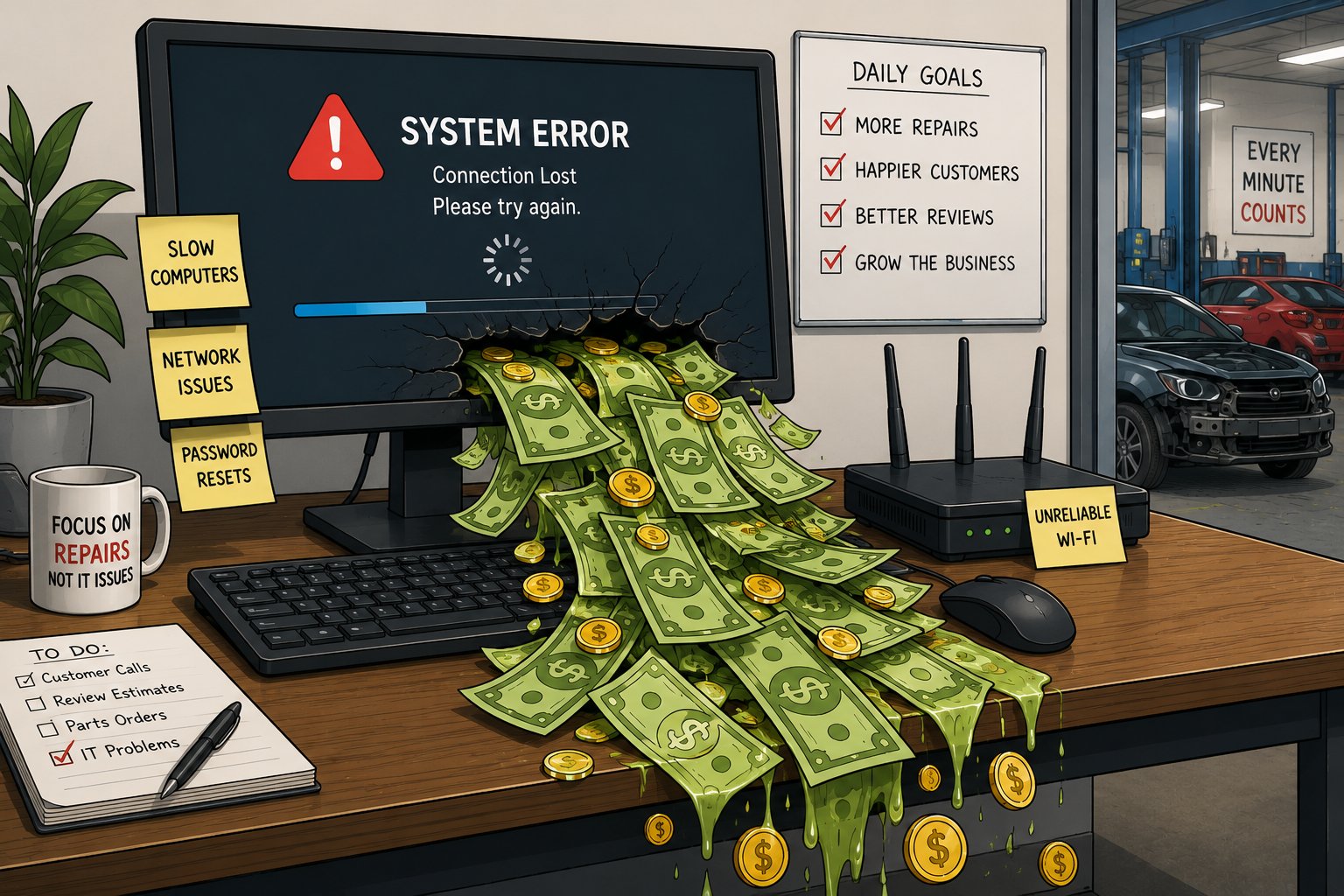
Technology downtime costs collision centers in five primary ways: lost employee productivity, slower repair throughput, increased management overhead, higher technology costs, and lost growth opportunities. While major outages receive the most attention, most businesses lose far more money to the small, recurring technology interruptions that happen throughout the workday.
A slow computer. An unreliable Wi-Fi connection. A password reset. Waiting for software to load. Calling multiple vendors to resolve a technology issue. Individually, these interruptions may seem insignificant. Collectively, they create operational friction that affects nearly every part of your business.
For collision centers, technology is more than office equipment. It supports estimating, parts ordering, production, customer communication, accounting, and nearly every administrative process that keeps vehicles moving through the shop. When technology isn't performing reliably, productivity declines, repair timelines are extended, and managers spend more time solving IT problems instead of running the business.
The challenge is that these costs are rarely measured. Most business owners notice a major outage because it brings operations to a halt. The smaller interruptions that occur every day often become accepted as "just the way things are," even though they quietly reduce efficiency and profitability over time.
In this article, we'll examine the five hidden costs of technology downtime for collision centers and explain how a proactive technology strategy can help reduce operational disruptions, improve productivity, and support long-term business growth.
| Hidden Cost | Business Impact |
|---|---|
| Lost Employee Productivity | Employees spend less time completing productive work and more time dealing with technology interruptions. |
| Slower Repair Throughput | Technology delays ripple through the repair process, increasing cycle times and slowing vehicle delivery. |
| Increased Management Overhead | Owners and managers spend valuable time coordinating vendors and troubleshooting issues instead of leading the business. |
| Higher Technology Costs | Reactive repairs, emergency replacements, and aging equipment increase the total cost of ownership. |
| Lost Growth Opportunities | Recurring technology problems consume the time and resources needed to expand and improve the business. |
Cost #1: Lost Employee Productivity
The most obvious cost of technology downtime is also the easiest to underestimate: lost employee productivity.
When a server crashes or the internet goes down, everyone immediately recognizes there's a problem. Those events are disruptive because they're impossible to ignore.
Most technology-related productivity losses aren't nearly as dramatic.
Instead, they happen a few minutes at a time.
An employee waits for their computer to finish booting. An application takes longer than expected to load. A printer won't respond. Someone has to reset a password before they can access Microsoft 365. A wireless connection drops in the middle of uploading vehicle photos. An employee waits for technical support before they can continue working.
Individually, none of these interruptions seem significant. Collectively, they represent productive time that your business has already paid for but isn't getting back.
For example, imagine a collision center with 15 employees. If each employee loses just 10 minutes per day to recurring technology issues, that's approximately two and a half hours of lost productivity every day. Over the course of a year, that adds up to more than 625 labor hours that could have been spent estimating repairs, communicating with customers, ordering parts, or repairing vehicles.
The exact number isn't what matters.
The important takeaway is that technology friction compounds over time. Every small interruption reduces the amount of productive work your team can accomplish during the day. Because these delays are spread across multiple employees and dozens of routine tasks, they often go unnoticed until someone steps back and looks at the cumulative impact.
High-performing collision centers understand that improving productivity isn't always about asking employees to work harder. Sometimes it's about removing the unnecessary obstacles that prevent them from working efficiently in the first place.
Cost #2: Slower Repair Throughput
Lost employee time is only part of the equation.
The bigger cost is what happens when technology delays the movement of vehicles through your repair process.
A collision center operates like a chain. Each step depends on the one before it. When technology slows one part of the workflow, the effects often spread well beyond the employee experiencing the problem.
Consider a common example.
An estimator is unable to upload photos because the network is running slowly. The estimate takes longer to complete, which delays approval. Parts can't be ordered until the estimate is finalized. The technician starts later than planned, and the vehicle remains in the shop longer than expected.
What began as a five-minute technology issue has now affected estimating, parts, production, and customer communication.
The same thing happens throughout the repair process.
- A customer service representative can't quickly access a repair update while a customer is on the phone.
- A parts coordinator loses access to an ordering portal.
- A technician waits for repair procedures to load.
- A manager can't review production reports because a system is unavailable.
None of these delays may be significant on their own, but together they reduce the efficiency of your entire operation.
This is why technology should be viewed as production infrastructure rather than office equipment.
Your estimating platform, wireless network, internet connection, Microsoft 365 environment, and supporting systems all contribute to how efficiently vehicles move through your shop. When those systems perform reliably, work flows smoothly from one department to the next. When they don't, delays begin to accumulate, affecting cycle times, customer communication, and overall productivity.
The goal isn't simply to keep computers running. It's to keep repairs moving.
The highest-performing collision centers recognize that reliable technology isn't just an IT objective. It's an operational advantage that helps employees complete work faster, reduces unnecessary bottlenecks, and supports a more predictable repair process.
Cost #3: Increased Management Overhead
One of the most expensive technology costs never appears on an invoice.
It's the time business leaders spend managing technology instead of managing the business.
In many collision centers, technology problems don't stop with the employee experiencing them. They quickly become the responsibility of an owner, general manager, office manager, or production manager.
An employee can't connect to the network.
The office manager starts troubleshooting.
The estimating system isn't responding.
The production manager calls technical support.
The internet slows down.
The owner spends an hour talking with the service provider.
If multiple vendors are involved, the situation becomes even more frustrating.
The internet provider says the connection is working properly.
The software vendor believes it's a network issue.
The network vendor recommends contacting Microsoft.
Meanwhile, someone inside your business is coordinating phone calls, repeating the same information to multiple vendors, and trying to determine who is responsible for fixing the problem.
This time is rarely measured, but it has real value.
Every hour a manager spends troubleshooting technology is an hour they aren't reviewing production, coaching employees, following up with customers, or identifying ways to improve the business.
As a collision center grows, these interruptions become more frequent because technology becomes more complex. Additional locations, cloud applications, cybersecurity requirements, and more connected systems all increase the number of moving parts that require coordination.
That's why mature IT management isn't just about fixing technical problems. It's about giving your leadership team their time back.
Instead of acting as the technology coordinator, your managers should be focused on improving operations, supporting employees, and delivering a better customer experience. The right technology strategy allows them to do exactly that by providing a single point of accountability for the systems that keep the business running.
Cost #4: Higher Technology Costs
It may seem counterintuitive, but delaying technology investments often leads to higher technology costs.
Many collision centers operate in a reactive mode. Computers are replaced only after they fail. Servers stay in production well beyond their recommended lifespan. Network equipment isn't upgraded until it causes a noticeable problem. Software issues are addressed only when employees can no longer work around them.
At first, this approach appears to save money because purchases are postponed.
In reality, it often has the opposite effect.
Emergency hardware replacements are rarely planned. When a critical computer or server fails unexpectedly, there isn't time to compare options, negotiate pricing, or schedule the replacement during a convenient window. Businesses often pay premium prices for expedited equipment, emergency labor, and after-hours support simply to get operations back online.
Older technology also becomes more expensive to maintain. As equipment ages, failures become more frequent, performance declines, and compatibility issues begin to appear with newer software and security updates. What started as an effort to extend the life of existing hardware often results in more service calls, more downtime, and higher support costs.
The same pattern applies to cybersecurity. Businesses that postpone security improvements may avoid spending money today, but a single ransomware attack, data breach, or prolonged outage can cost significantly more than years of preventative maintenance.
High-performing collision centers view technology as a planned business investment rather than an emergency expense. They replace equipment on a predictable lifecycle, budget for upgrades in advance, and make decisions before failures disrupt operations.
This approach doesn't eliminate technology spending. It makes it more predictable, reduces costly surprises, and lowers the total cost of ownership over time.
Cost #5: Lost Growth Opportunities
The most successful collision centers don't just solve today's problems. They invest time in preparing for tomorrow's opportunities.
Unfortunately, that's difficult to do when technology constantly demands your attention.
When owners and managers are busy responding to recurring IT issues, strategic initiatives often get pushed aside. Projects to improve workflows are delayed. New software goes unimplemented. Employee training is postponed. Expansion plans take longer to execute because the existing operation already requires too much day-to-day attention.
This becomes even more apparent as a business grows.
Opening a second location, acquiring another collision center, or adding new employees all depend on having reliable, scalable technology. If every new employee requires a custom computer setup, every location operates differently, or every technology issue requires management involvement, growth becomes more complicated and more expensive than it should be.
High-growth collision centers take a different approach.
They build standardized technology environments that can scale with the business. New employees receive the same equipment and software. New locations follow the same technology standards. Security policies, backup procedures, and user permissions are documented and consistently applied across the organization.
As a result, leadership can focus on growing the business instead of rebuilding its technology every time the company reaches the next stage.
Technology should enable growth, not limit it.
When your systems are reliable, standardized, and proactively managed, expanding your operation becomes a business decision instead of a technology challenge. That's when technology shifts from being a necessary expense to becoming a competitive advantage.
How High-Performing Collision Centers Reduce Technology Downtime
Reducing technology downtime isn't about eliminating every technical issue. Every business will occasionally experience hardware failures, software updates, or internet outages.
The difference is that high-performing collision centers don't rely on reactive support to keep their operations running. They build technology environments that prevent many common problems from occurring in the first place and minimize the impact when they do.
While every business is different, most successful technology strategies include the same five practices.
1. Standardize Technology Across Every Location
Using the same computers, network equipment, software, and security policies across the organization makes support faster and more consistent. Employees have a familiar experience regardless of location, and new team members can get up and running more quickly.
2. Replace Hardware Before It Becomes a Problem
Computers, servers, and networking equipment should be replaced on a planned lifecycle rather than after they fail. Proactive replacement reduces unexpected outages, improves performance, and allows technology investments to be budgeted in advance.
3. Monitor Systems Proactively
Modern IT management identifies many issues before employees notice them. Continuous monitoring helps detect failing hardware, storage issues, backup failures, and security concerns early, allowing problems to be resolved before they interrupt daily operations.
4. Assign a Single Point of Accountability
Technology problems often involve multiple vendors, including internet providers, software companies, hardware manufacturers, and cloud services. Having one trusted IT partner coordinate those relationships reduces confusion, shortens resolution times, and frees your leadership team to focus on running the business.
5. Treat Technology as a Business Strategy
The most successful collision centers don't make technology decisions only during emergencies. They review their technology regularly, plan for future growth, budget for upgrades, and align IT investments with business goals. As a result, technology becomes a competitive advantage instead of a recurring operational challenge.
Technology downtime will never disappear completely. However, by proactively managing your technology, you can significantly reduce its impact on productivity, repair throughput, leadership time, operating costs, and future growth.
Real Client Scenario: Reducing Technology Downtime Across Multiple Collision Centers
A multi-location collision center was experiencing the kind of technology issues that many growing businesses accept as "just part of the job." Employees dealt with slow computers, inconsistent Wi-Fi, aging network equipment, and recurring software problems. While none of these issues regularly shut down operations, they interrupted the repair process throughout the day and required managers to spend valuable time coordinating between multiple technology vendors.
Rather than addressing each issue individually, the collision center took a proactive approach. Technology was standardized across all locations, aging hardware was replaced on a planned lifecycle, systems were proactively monitored, and IT support was consolidated under a single point of accountability.
The result wasn't just fewer support requests. Employees experienced more consistent performance, managers spent less time troubleshooting technology, and the business gained a more reliable technology foundation that supported day-to-day operations and future growth.
This is the difference between reacting to technology problems and managing technology strategically. The goal isn't to eliminate every technical issue. It's to reduce the operational friction that quietly impacts productivity, profitability, and the customer experience every day.
Conclusion
Technology downtime is rarely caused by one catastrophic event.
More often, it's the result of dozens of small interruptions that quietly reduce productivity, slow vehicle throughput, consume management time, increase operating costs, and make it harder for a collision center to grow.
Because these problems develop gradually, they're easy to accept as part of doing business. Employees learn to work around slow computers. Managers become accustomed to coordinating multiple technology vendors. Hardware stays in service longer than it should because it's still functioning, even if it's no longer performing efficiently.
Over time, those small compromises become a hidden operational expense.
The good news is that most technology downtime is preventable. By standardizing your technology, replacing aging equipment before it fails, monitoring systems proactively, and following a long-term technology strategy, you can reduce interruptions and create a more reliable operation.
At Tech Marvel, we help collision centers build technology environments that support the way they actually work. From day-to-day support and cybersecurity to multi-location standardization and long-term IT planning, our goal is to help your team spend less time dealing with technology and more time repairing vehicles and serving customers.
If you're wondering how much technology downtime is really costing your collision center, we'd be happy to evaluate your current environment, identify opportunities for improvement, and help you build a technology strategy that supports your business today and as it grows.