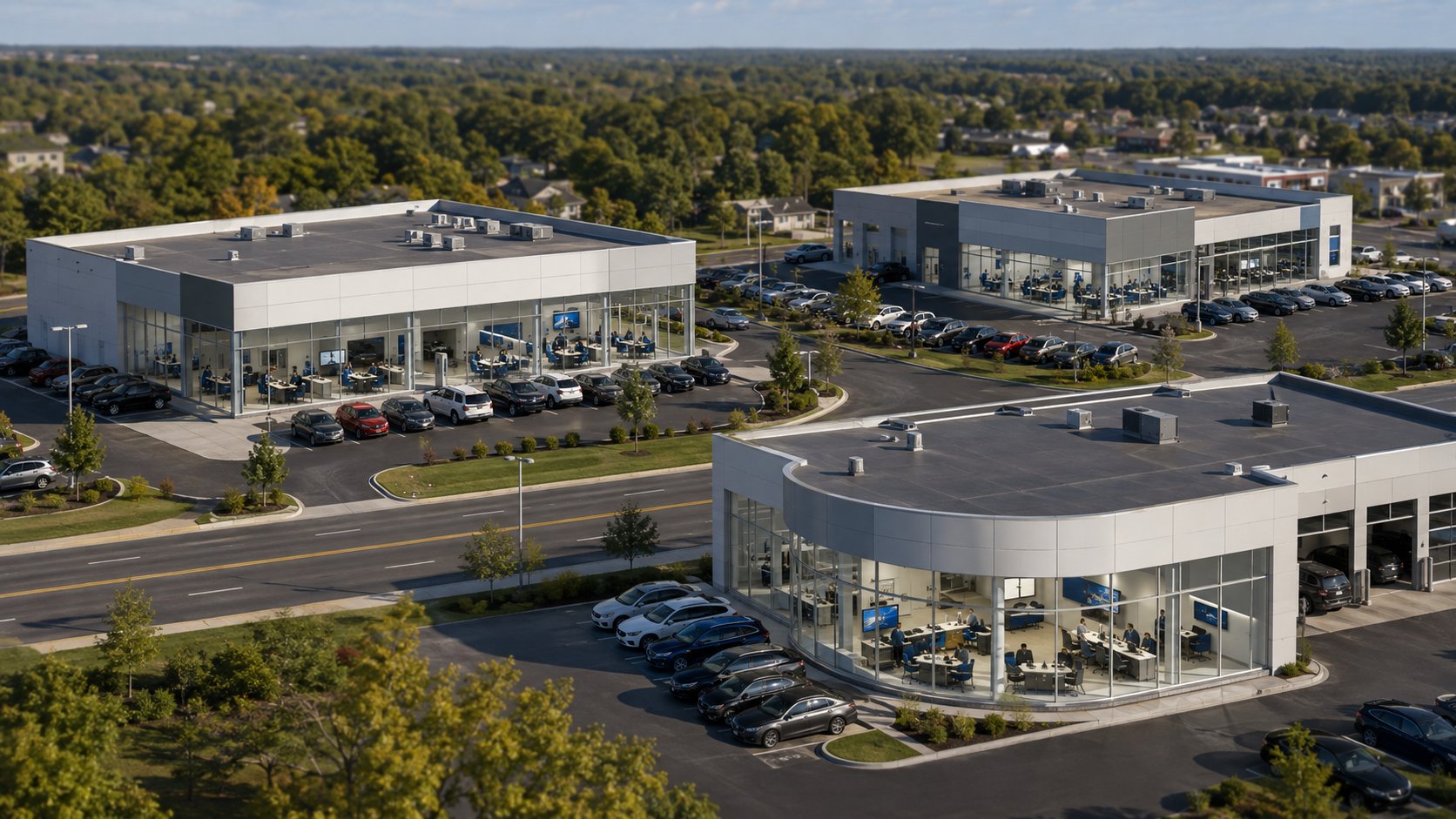
One dealership location buys computers when someone complains they are too slow. Another replaces them on a schedule. One rooftop calls the internet company when the Wi-Fi goes down, while another calls IT. Employees at one location have multi-factor authentication enabled everywhere it is supposed to be; another has a few older accounts that were never brought up to the same standard.
None of these differences necessarily started as bad decisions. They usually develop gradually as a dealership grows, adds employees, acquires locations, changes vendors, and solves problems as they come up.
Eventually, though, those differences create more work.
A multi-location auto dealership should have consistent standards for IT support, computers, networks and Wi-Fi, employee access, cybersecurity, backups, vendor coordination, documentation, and technology purchasing.
That does not mean every dealership must have identical equipment or use exactly the same applications. It means leadership establishes a common baseline so employees know what to expect, IT knows what it is supporting, and important security or operational responsibilities do not depend on which rooftop someone happens to work at.
Done well, standardization can make a dealer group easier to support, easier to secure, easier to budget for, and easier to grow.
What Should Be Standardized Across Multiple Dealership Locations?
Technology standardization does not mean forcing every location into an identical setup.
A recently acquired dealership may use a different dealer management system (DMS). One rooftop may need more wireless coverage because of the size of its service department. Another may have specialized equipment or manufacturer requirements that do not apply anywhere else.
Those differences can make perfect business sense.
The goal is to distinguish between things that legitimately need to vary and things that become unnecessarily complicated when every location handles them differently.
| Usually Worth Standardizing | May Legitimately Vary |
|---|---|
| Computer configuration standards | Exact computer model |
| Cybersecurity protections | Department-specific applications |
| Multi-factor authentication requirements | DMS platform |
| Employee onboarding and offboarding | OEM-specific systems |
| Backup standards | Building layout |
| Wi-Fi and network design principles | Number of access points |
| Support and escalation process | Specialized equipment |
| Documentation requirements | Location-specific workflows |
| Purchasing and replacement process | Certain vendor relationships |
| Remote-access rules | Manufacturer requirements |
A good standard gives people a framework without pretending every rooftop is the same.
The purpose of standardization is to reduce unnecessary variation, not operational flexibility.
1. Create One IT Support Process Across Every Dealership Location
Employees should not have to know which person, vendor, or phone number to call depending on where they are working.
If a service advisor cannot print, a salesperson cannot access the CRM, or accounting cannot reach an application, there should be a clear first point of contact.
From there, IT can determine whether the problem belongs to the dealership network, DMS provider, internet carrier, phone company, software vendor, or another provider.
This becomes increasingly important as a dealer group grows. Without a standard support process, each location can gradually develop its own way of handling problems. One manager calls a vendor directly. Another emails somebody at IT. Another asks the employee who is “good with computers.”
The result can be incomplete documentation, repeated troubleshooting, and very little visibility for leadership into how often the same problems are occurring.
A common support process makes it easier to answer:
- What is happening?
- Which locations are affected?
- Has this happened before?
- Who is working on it?
- Which vendor needs to be involved?
- Has the underlying problem actually been resolved?
Employees do not need to referee between technology vendors. They need to know where to report the problem and trust that someone will stay with it until there is a clear answer.
2. Set Standards for Dealership Computers and Equipment
Standardizing computers does not require buying the exact same model forever. Models change, pricing changes, and different employees have different requirements.
What helps is establishing a standard configuration.
For example, the dealership can determine the normal requirements for a sales workstation, accounting computer, service advisor workstation, or management laptop. When equipment needs to be replaced, the person purchasing it has a starting point rather than choosing whatever happens to be available.
This has several benefits.
IT knows what it is expected to support. New computers can be configured more consistently. Replacement planning becomes easier. Leadership can budget for equipment instead of being surprised whenever something fails.
It can also prevent one rooftop from keeping computers far beyond the dealership's normal replacement cycle while another replaces equipment much earlier.
The objective is not to replace good equipment simply because it reached a certain birthday. It is to know what the dealership owns, understand its condition, and have a consistent way to decide when replacement makes business sense.
This connects naturally to the dealership's broader technology budget and computer lifecycle planning rather than treating each failed computer as an isolated purchase.
3. Establish a Common Network and Wi-Fi Baseline
The network behind a dealership rarely gets much attention when it is working properly. When it is not, problems can reach several departments very quickly.
Phones, wireless devices, printers, computers, cameras, cloud applications, service equipment, and dealership systems may all depend on the underlying network or internet connection.
For a dealer group, every rooftop does not need the same number of switches, wireless access points, or internet connections. A large property will naturally have different requirements from a smaller store.
What should be consistent is how those networks are designed, secured, documented, monitored, and supported.
The dealership should know, for each location:
- What internet connections are in place
- What network equipment is being used
- How Wi-Fi is configured
- Which systems or devices should be separated from others
- Who can make configuration changes
- How network equipment is monitored
- What happens if the primary internet connection fails
- Who owns the relationship with the internet provider
This is where standardization makes troubleshooting much easier.
If every rooftop has been built differently over many years by several providers, diagnosing a problem can begin with figuring out how that particular location works. A documented standard gives IT a much better starting point.
4. Use the Same Employee Access Process Everywhere
A dealership group should not have one offboarding process at Location A and a completely different one at Location B.
The same basic rules should follow the employee.
When someone is hired, leadership should know who requests the computer, email account, DMS access, CRM access, OEM systems, lender applications, shared files, and other required resources.
When that person leaves, there should be an equally clear process for removing them.
The process becomes even more important when an employee moves between rooftops or changes jobs. A salesperson who becomes an F&I manager may need additional access, but that change should also trigger a review of permissions that are no longer necessary.
For dealerships covered by the FTC Safeguards Rule, access control is also part of the dealership's information-security responsibilities. The FTC's dealership guidance explains that covered dealers must implement safeguards including access controls and multi-factor authentication or an approved equivalent, and it addresses oversight of service providers with access to customer information.
The business benefit is broader than compliance, though.
A common onboarding and offboarding process means a General Manager or Controller does not have to wonder whether the answer changes depending on which store employs the person.
5. Establish a Cybersecurity Baseline for Every Rooftop
A dealership group can be well protected overall and still have one location that has fallen behind.
That is one reason cybersecurity should be managed as a group-wide standard rather than a collection of individual projects.
The baseline might address areas such as:
- Multi-factor authentication
- Endpoint protection
- Email security
- Security updates
- Administrator access
- Remote access
- Employee security training
- Backup and recovery
- Vendor access
- Incident response
The specific tools are less important than establishing what the dealership expects to be true across the organization.
If multi-factor authentication is required, where is it required?
If computers are supposed to receive security updates, how is that confirmed?
If endpoint protection is part of the dealership's standard, how does leadership know every appropriate device is covered?
If vendors have remote access, who approves and reviews it?
The important shift is from asking whether the dealership owns particular cybersecurity products to asking whether the expected protections are consistently in place across all locations.
Leadership does not need every rooftop to buy security independently. It needs a defined level of protection and a way to confirm that each location meets it.
6. Standardize Backup and Recovery Expectations
“Do we have backups?” becomes a surprisingly difficult question when a dealer group has several locations and many applications.
Some systems may be hosted by the DMS or another software provider. Microsoft 365 or Google Workspace data may have a separate backup process. A location may still have local files, a server, accounting information, or other data that the dealership is responsible for protecting.
The useful question is not whether every location uses the same backup product.
It is whether the dealer group has established the same expectations:
- What information are we responsible for backing up?
- How often is it backed up?
- Where are the backups stored?
- Who monitors whether they are successful?
- How is access to the backups protected?
- When was recovery last tested?
- Who makes decisions during a recovery?
For dealership leadership, the larger issue is business continuity. If one rooftop has a problem, the recovery process should not depend on discovering for the first time how that store's backups work.
7. Centralize Technology Vendor Coordination
Multi-location dealerships can accumulate a long list of technology vendors.
There may be different companies responsible for:
- DMS
- CRM
- Internet
- Phones
- Copiers and printers
- Security cameras
- Payment systems
- Websites
- Service applications
- OEM systems
- Cybersecurity
- Other specialty software
The dealership does not necessarily need to eliminate those relationships. Many are necessary.
The problem is allowing every rooftop to manage them independently without central visibility.
A useful standard is to maintain a current vendor list showing what each company provides, who the dealership contacts for support, relevant account information, and who has remote access to dealership systems.
Someone should also own coordination when responsibilities overlap.
The DMS company may need to work with IT. The phone provider may need information from the internet carrier. A software vendor may need network changes.
The General Manager or Controller should not have to spend the afternoon figuring out which vendor is right.
For covered dealerships, vendor management can also have a cybersecurity dimension because the FTC Safeguards Rule includes responsibilities related to service providers that receive customer information or have access to systems containing it.
The operational lesson is simpler:
The more vendors a dealership group has, the more important it becomes to know who owns each relationship and who coordinates the problem when several vendors are involved.
8. Keep IT Documentation Consistent Across Locations
Documentation becomes more valuable with every location a dealer group adds.
Without it, important information can live in someone's inbox, in a spreadsheet at one rooftop, with an outside vendor, or simply in the memory of the person who originally set something up.
The dealership should have a consistent way to document information such as:
- Locations
- Computers and other technology assets
- Network equipment
- Internet providers
- Technology vendors
- Important systems
- Administrative responsibility
- User access processes
- Backup systems
- Warranty or replacement information
- Support contacts
- Technology standards and procedures
This does not mean dealership leadership needs to read technical documentation.
The benefit is that somebody has it when it is needed.
When a problem occurs, a new employee starts, a vendor changes, a location is renovated, or the dealer group acquires another rooftop, the organization is not starting from memory.
9. Standardize Technology Purchasing and Budgeting
One location should not discover that six computers need replacement in December while another location made the same discovery three months earlier.
A centralized inventory and replacement process allows dealership leadership to look across the entire group.
Instead of asking: “What broke this month?”
leadership can ask: “What are we likely to need over the next 12, 24, and 36 months?”
That could include computers, network equipment, internet upgrades, security improvements, software changes, phones, projects, or equipment associated with a renovation.
Not every expense can be predicted. Technology still fails unexpectedly.
But standardization makes more of the spending visible before it becomes urgent.
For a dealership group, that can turn technology budgeting from a series of individual requests into a more predictable business planning process.
How Do You Standardize IT Across Several Dealership Locations?
Trying to change everything at every rooftop at once is rarely necessary.
A better approach is to establish the standard first and then work toward it in a practical order.
Step 1: Document What Exists Today
Start by understanding each location.
What equipment is being used? Which vendors are involved? What security controls are in place? How are employees supported? What varies from rooftop to rooftop?
Do not assume the locations are identical simply because they belong to the same dealer group.
Step 2: Identify the Differences That Actually Matter
Not every difference needs to be corrected.
Concentrate on differences that affect:
- Security
- Reliability
- Support
- Employee productivity
- Business continuity
- Cost
- Compliance
- Vendor accountability
A different printer model probably matters much less than one location missing an important security control or operating with a completely undocumented network.
Step 3: Define the Dealership's IT Standards
Document what should be consistent going forward.
Keep the standards practical enough that managers, IT, vendors, and leadership can understand the expectations.
The standards should tell people what the dealership expects without unnecessarily dictating every technical detail.
Step 4: Prioritize the Gaps
Address the highest-risk or highest-impact differences first.
Some improvements can happen immediately. Others may make more sense when equipment is replaced, a contract expires, a renovation occurs, or the next budget cycle begins.
Step 5: Keep the Standards Current
Technology standards are not something to write once and forget.
New systems appear. Vendors change. Cybersecurity expectations evolve. The dealership adds employees or locations.
Review the standards periodically and adjust them when the business changes.
Why IT Standards Matter When You Acquire Another Dealership
An acquisition is where having established IT standards becomes especially useful.
The new rooftop may arrive with different computers, vendors, networks, security products, support arrangements, user accounts, contracts, and documentation.
Without an existing standard, the question becomes: “What should we do with all of this?”
With a standard, leadership has something to compare the acquired location against.
That does not mean replacing everything on the first day.
Instead, the dealer group can identify:
- What already meets the group's standards
- What needs immediate attention
- What can be changed over time
- Which existing vendor relationships should continue
- What should be included in future budgets
The technology review becomes part of the integration process rather than a project that starts after problems appear.
For dealer groups planning additional acquisitions or rooftops, this may be one of the biggest long-term benefits of standardization:
Each new location becomes easier to bring into an operating model that already exists.
What Shouldn't a Multi-Location Auto Dealership Standardize?
There is a danger in taking standardization too far.
Different departments and rooftops sometimes have legitimate needs. A service department may require specialized equipment. A particular manufacturer may require a certain platform. Building construction can change the network design. An acquired dealership may have a system that works well and has no immediate business reason to replace it.
The question should not be: “How can we make everything identical?”
It should be: “Where does consistency make the dealership easier to operate, support, secure, and grow?”
If a difference serves a legitimate business purpose, document it and support it.
If the difference exists only because “that's how this location has always done it,” it may be worth another look.
How Can Leadership Tell Whether IT Standardization Is Working?
The best measures are operational.
Ask whether:
- New employees are ready to work faster
- Offboarding is completed consistently
- IT issues reach the right person sooner
- Recurring problems are easier to identify
- Vendors are easier to coordinate
- Equipment purchases are more predictable
- Security protections are consistent across locations
- Leadership has better visibility into upcoming technology needs
- New locations are easier to integrate
- Managers spend less time chasing technology problems
Those outcomes matter more than whether every rooftop has the same logo on its network equipment.
IT standardization is successful when the dealership becomes easier to manage.
Frequently Asked Questions About Multi-Location Auto Dealership IT
What IT systems should a multi-location auto dealership standardize?
A multi-location dealership should consider standardizing its IT support process, computer configurations, network and Wi-Fi standards, employee access procedures, cybersecurity controls, backup requirements, vendor management, documentation, and technology purchasing.
Individual systems or equipment can still vary when there is a legitimate operational reason.
Does every dealership location need the same computers?
No. Standardizing computers usually means establishing minimum requirements and approved configurations rather than requiring every employee to have the exact same model.
Different positions may legitimately need different equipment.
Should every dealership location use the same DMS?
Not necessarily.
A dealership group may have business, contractual, manufacturer, or acquisition-related reasons for different systems. Standardization should concentrate first on areas where inconsistency creates unnecessary operational, security, or support problems.
What should a dealer group standardize first?
Start with the areas that affect the most employees or create the greatest risk: support processes, user access, cybersecurity controls, backups, networks, documentation, vendor responsibilities, and equipment standards.
The correct order depends on what is currently different across the group's locations.
Can an MSP standardize dealership IT if the dealer group already has internal IT?
Yes. Internal IT and an outside managed service provider can work together.
The internal employee may retain responsibility for dealership-specific systems or day-to-day operations while the MSP provides cybersecurity, monitoring, help desk support, documentation, project expertise, vendor coordination, or additional coverage across multiple locations.
The important part is clearly defining responsibility so employees know who handles what.
How does standardizing IT improve dealership cybersecurity?
Standardization gives leadership a cybersecurity baseline that can be applied across every rooftop.
Instead of assuming all locations have the same protections, the dealer group can establish expectations for areas such as MFA, endpoint protection, access management, security updates, backups, and remote access and then verify that each location meets those expectations.
Should an acquired dealership be standardized immediately?
Not necessarily.
Start by understanding what is already in place. Address urgent security, reliability, and business-continuity gaps first.
Other changes may make more sense during equipment replacements, contract renewals, renovations, or planned system migrations.
Multi-Location Growth Shouldn't Mean Multi-Location Complexity
The technology setup that worked when a dealership had one rooftop may become harder to manage as the business grows.
That is normal.
The answer is not to replace everything or force every location to become identical. It is to decide what should be consistent, document those expectations, and gradually bring each location toward the same operating standard.
For a growing dealer group, that can mean fewer surprises, clearer support, more predictable technology spending, better visibility into cybersecurity, and less time spent figuring out how each individual location works.
You built a successful dealership group. Your technology support should match the business you are running today.
Tech Marvel helps Morris County and Northern New Jersey auto dealerships and dealer groups get a clearer picture of their technology, identify inconsistencies across locations, and create a practical path toward more reliable and manageable IT.
Schedule your free 20-minute Dealership IT Review.
We can talk through your locations, employees, systems, vendors, recurring problems, and current priorities and identify where greater consistency could make the biggest difference.