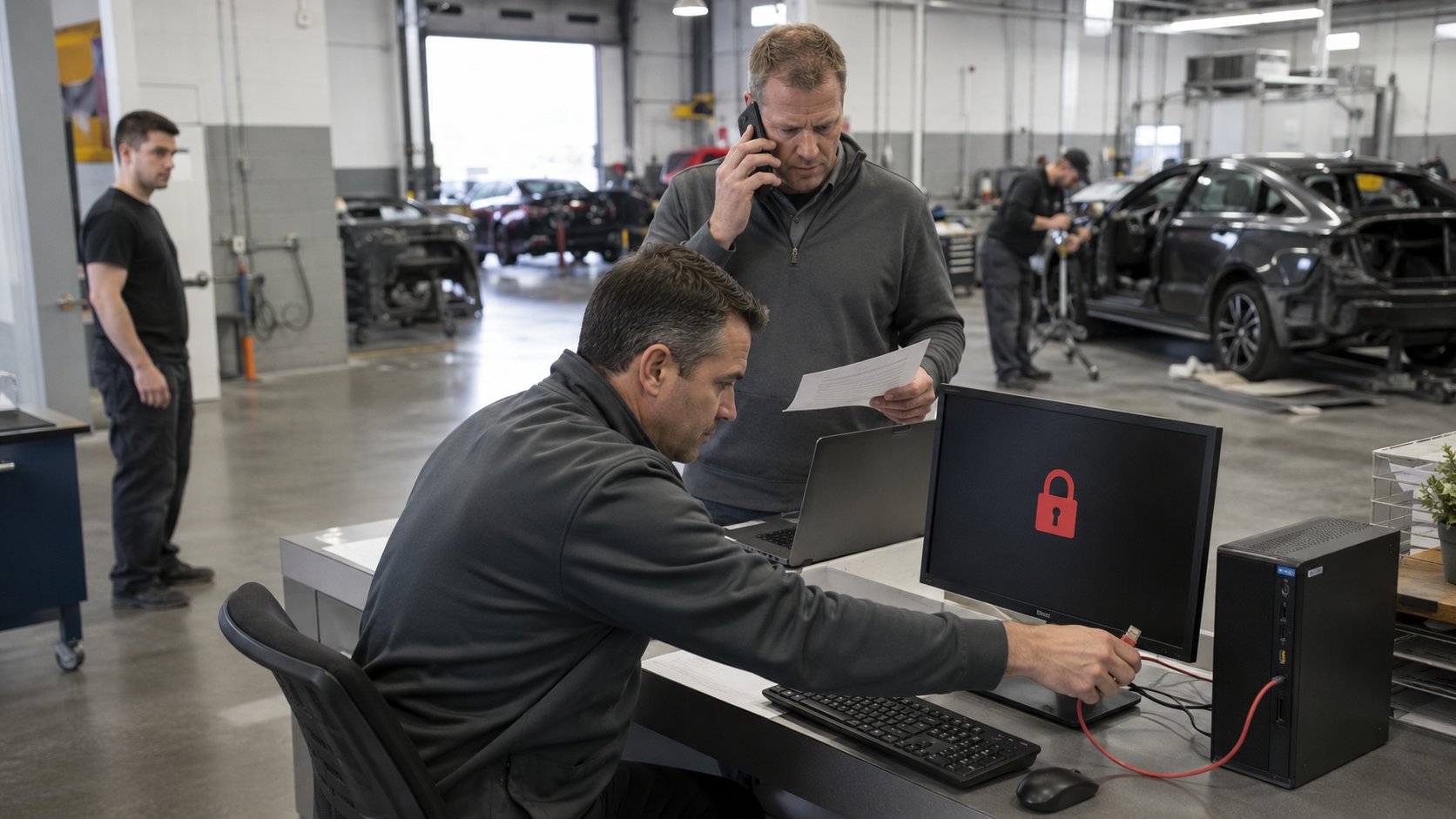
If your collision center is hit by ransomware, the first 15 to 30 minutes should focus on stopping the problem from spreading and contacting your IT provider. During the first 1 to 4 hours, your technology team should determine what systems are affected, secure critical accounts, preserve evidence, and begin planning recovery. During the rest of the first business day, the focus shifts to restoring operations, coordinating with cyber insurance, legal counsel, vendors, and other appropriate parties, and communicating clearly with employees.
The most important thing is not to panic or start changing systems without a plan.
A ransomware incident is both a cybersecurity event and a business continuity problem. The goal is to contain the attack, understand what happened, protect unaffected systems, and restore the technology your employees need to keep the collision center operating.
| Time | Primary Objective |
|---|---|
| First 15-30 Minutes | Stop the spread and contact your IT/security team |
| First 1-4 Hours | Determine what is affected and secure critical systems |
| Rest of Day 1 | Begin recovery and coordinate the business response |
| After Stabilization | Restore normal operations and determine what needs to change |
1. First 15-30 Minutes: Stop the Spread
The first priority during a ransomware attack is containment.
If an employee sees a ransom message, files suddenly become inaccessible, computers begin behaving unusually, or multiple systems appear to be affected at the same time, contact your IT provider or cybersecurity team immediately.
Affected computers may need to be disconnected from the network so ransomware cannot continue spreading to other systems.
That may mean disconnecting an Ethernet cable, disabling Wi-Fi, or isolating the device through your security platform.
Employees should not begin randomly shutting down systems, deleting files, reinstalling software, or attempting to remove the ransomware themselves unless instructed by the technology team.
Those actions can sometimes destroy information that helps determine what happened.
During the first few minutes:
- Contact your IT provider or security team.
- Identify which employee first noticed the problem.
- Record what they saw and approximately when it began.
- Stop using visibly affected computers.
- Isolate compromised devices from the network when instructed.
- Tell employees not to open suspicious emails or files related to the incident.
- Avoid making unnecessary changes until the scope of the attack is understood.
If multiple locations are connected, determining whether the incident is isolated to one shop or affecting the entire organization becomes especially important.
The faster the attack can be contained, the better the chance of preventing a problem at one computer or location from becoming an organization-wide outage.
2. First 1-4 Hours: Determine What Has Been Affected
Once the immediate spread has been contained, the next step is understanding the scope of the incident.
Ransomware does not always affect every system.
One computer may be compromised while the rest of the environment remains functional. In a more serious incident, shared files, servers, user accounts, cloud services, or multiple locations may also be affected.
Your IT or cybersecurity team should begin determining:
- Which computers are compromised
- Whether servers are affected
- Whether shared files have been encrypted
- Whether cloud accounts show suspicious activity
- Whether administrative accounts were compromised
- Whether backups appear intact
- Whether other locations are affected
- Whether the attack is still active
For collision centers, the team should also identify which business functions have been interrupted.
Can employees still access email?
Can estimators continue working?
Are repair photos available?
Can parts be ordered?
Are customer records accessible?
Can accounting continue operating?
Understanding both the technical scope and the operational impact helps determine what needs to be recovered first.
Secure Critical Accounts
If there is evidence that an attacker may have stolen credentials, high-risk accounts may need to be secured immediately.
That can include:
- Microsoft 365 administrator accounts
- Email accounts
- Remote-access accounts
- VPN accounts
- Backup administration
- Cloud services
- Vendor portals
- Other privileged accounts
Passwords may need to be reset and active sessions revoked.
Multi-factor authentication should also be verified.
The important distinction is that these actions should be coordinated.
Changing passwords randomly across the organization while the incident is still being investigated can create additional confusion and may interfere with recovery.
3. Preserve Evidence Before You Start Rebuilding
The natural reaction to ransomware is: Get everything working again as quickly as possible.
That is understandable.
But rebuilding too quickly can make it harder to understand what happened.
Before wiping affected computers or restoring systems, the technology team may need to preserve information that can help determine:
- How the attacker gained access
- Which systems were accessed
- How long the attacker may have been present
- Whether information may have been copied
- Which accounts were compromised
- What security controls failed or were bypassed
That information may also become important when working with cyber insurance, legal counsel, law enforcement, or outside incident-response specialists.
This doesn't mean your collision center needs to become a digital forensics laboratory.
It means recovery should be deliberate.
The business needs to balance two objectives:
- Restore operations quickly.
- Preserve enough information to understand and properly respond to the incident.
A qualified incident-response team can help determine what should be preserved before systems are rebuilt.
4. Notify the People Who Need to Be Involved
A ransomware incident should not remain solely an IT problem.
Depending on the circumstances, several business partners may need to become involved.
That can include:
- Business ownership or executive leadership
- Your IT provider
- Cybersecurity or incident-response specialists
- Cyber insurance carrier
- Legal counsel
- Insurance broker
- Accounting or financial leadership
- Appropriate vendors
- Law enforcement, when appropriate
If your company carries cyber insurance, contact the carrier or broker early.
Many cyber insurance policies have specific requirements for incident response and may provide access to approved legal counsel, forensic investigators, ransomware negotiators, or recovery specialists.
Do not assume you should independently hire every vendor before contacting the insurance carrier.
The policy may require certain providers or procedures.
Your attorney or cyber insurance team can also help determine whether notification requirements apply if customer, employee, or other sensitive information may have been exposed.
Those decisions can depend on what data was involved and applicable laws, so they should be handled with qualified legal guidance rather than guesswork.
5. Decide What the Collision Center Needs Back First
Once the attack has been contained and the recovery path is understood, restoration should be prioritized based on business impact.
Trying to restore everything simultaneously can slow the process.
Instead, determine which systems employees need first to resume critical operations.
For a collision center, priorities may include:
- Internet and network access
- Employee authentication
- Email and communication
- Estimating and repair-management applications
- Shared business files
- Parts ordering and vendor access
- Accounting and financial systems
- Other administrative applications
Your actual priority order may be different.
The important part is deciding before recovery starts which systems matter most.
This is where a documented disaster recovery plan becomes valuable.
Instead of leadership trying to make every decision during an emergency, the organization already knows:
- Which systems are critical
- Who makes recovery decisions
- Who communicates with employees
- Who coordinates vendors
- Which location or department should return first
Recovery becomes a managed process rather than an improvised response.
6. Restore From Known-Good Backups
Backups can significantly reduce the impact of ransomware - but only if they are intact, protected, and actually usable.
Before restoring data, the technology team should confirm that the ransomware has been contained and that the environment being restored into is safe.
Restoring a clean backup into an environment that is still compromised can simply recreate the problem.
The recovery process may involve:
- Rebuilding affected servers
- Replacing compromised computers
- Restoring files from backups
- Reconfiguring user accounts
- Resetting credentials
- Reinstalling applications
- Verifying cybersecurity protections
- Testing systems before employees begin using them again
Recovery should occur from backups that are known to be clean.
This is why backup testing before an incident matters so much.
Knowing that a backup job ran successfully is not the same as knowing how quickly you can restore a server, recover files, or bring an important application back online.
Tech Marvel's existing collision-center guidance emphasizes that backup confidence should come from restore testing, recovery-time expectations, and clearly assigned responsibility - not assumptions.
7. Keep Employees Informed Without Creating Confusion
Employees need clear instructions during a cyber incident.
They do not need every technical detail.
Early communication might explain:
- That a technology incident is being investigated
- Which systems employees should avoid using
- Whether they should shut down or disconnect anything
- Which applications remain available
- How employees should communicate while systems are unavailable
- Who employees should contact with questions
- When the next update will be provided
This becomes especially important across multiple locations.
Without centralized communication, different shops may begin making their own decisions or attempting their own workarounds.
That can complicate containment and recovery.
One person or leadership team should own internal communication and provide consistent updates.
Employees should also be reminded not to communicate publicly about the incident or respond independently to outside inquiries unless authorized to do so.
8. Keep the Business Operating Where Possible
A ransomware attack does not always mean every part of the collision center has to stop.
If certain systems or locations remain unaffected, determine what work can safely continue.
For example:
- Phones may still operate.
- Employees may still be able to communicate with customers.
- Certain cloud applications may remain available.
- Unaffected locations may continue production.
- Paper or temporary manual processes may allow some administrative work to continue.
The objective is not to pretend everything is normal.
It's to identify what the business can continue doing safely while recovery is underway.
For a multi-location collision center, this can be particularly valuable.
If one location is affected but others are isolated and secure, some operations may be redirected or supported from unaffected shops.
That is one reason standardization, cloud services, documentation, and business continuity planning become increasingly valuable as collision-center groups grow.
9. Don't Rush Back to Normal
Getting systems online is not the same as completing the incident response.
Before employees return to normal operations, the technology team should verify that:
- The ransomware is no longer active
- Compromised accounts have been secured
- Necessary passwords have been changed
- Security tools are operating correctly
- Restored systems have been checked
- Administrative access has been reviewed
- Vulnerabilities used in the attack have been addressed
- Backups remain protected
There may be pressure to get everyone back to work immediately.
But restoring normal operations without addressing the original point of compromise increases the chance that the problem returns.
Recovery should therefore happen in stages.
Restore.
Test.
Verify.
Then return systems to production.
10. After Recovery: Find Out What Needs to Change
Once your collision center is operating normally again, the incident should be reviewed.
The purpose isn't to assign blame.
It's to make the next incident less likely and less disruptive.
Ask:
- How did the attacker get in?
- What detected the attack?
- What failed to detect it?
- Did multi-factor authentication help?
- Were security updates current?
- Were backups protected?
- How long did recovery take?
- Did employees know what to do?
- Was vendor coordination effective?
- Did multiple locations respond consistently?
- What should be changed now?
The answers may lead to improvements in:
- Email security
- Multi-factor authentication
- Endpoint protection
- Employee training
- Remote access
- Vendor access
- Backup protection
- Network segmentation
- Documentation
- Incident response planning
Tech Marvel's current collision-center cybersecurity guidance emphasizes several of these hidden risks, including phishing, stale vendor access, shared credentials, and unclear ownership.
The incident-response review is where those lessons become specific to your own environment.
A Simple First-Day Ransomware Response Framework
If you remember nothing else, remember this sequence:
First 15-30 Minutes
Contain
Stop affected devices from communicating and contact your IT or cybersecurity team.
First 1-4 Hours
Assess
Determine what has been affected, secure important accounts, and understand the business impact.
Rest of Day 1
Coordinate
Contact appropriate leadership, insurance, legal, security, and technology partners. Establish recovery priorities and communicate with employees.
Recovery
Restore
Rebuild systems safely and restore from known-good backups in order of business priority.
After Stabilization
Improve
Determine how the attack occurred and strengthen the areas that failed.
What Should Already Be in Place Before Ransomware Happens?
The best time to prepare for ransomware is before anyone sees a ransom message.
Every collision center should already know:
- Who employees call first
- Who has authority to make incident decisions
- What systems are most important
- Whether backups have been tested
- How quickly critical systems can be recovered
- How cyber insurance should be contacted
- Who coordinates technology vendors
- How employees will receive instructions
- How multiple locations will communicate
Your collision center service provider should also understand the applications and workflows the business depends on. Tech Marvel's current collision-center services specifically address ransomware protection, backup and recovery planning, and coordination with software, internet, phone, camera, payment, and other technology vendors.
If those responsibilities are unclear today, a real incident is the worst time to figure them out.
Bottom Line
If ransomware hits your collision center, the first day should follow a deliberate sequence:
Contain the attack. Determine what is affected. Secure critical accounts. Preserve evidence. Notify the appropriate people. Prioritize recovery. Restore safely. Communicate clearly. Then determine what needs to change.
Speed matters, but uncontrolled activity can make a difficult situation worse.
The most prepared collision centers do not rely on employees figuring out what to do during an emergency. They have tested backups, clear responsibilities, documented recovery priorities, and technology partners who know how their business operates.
You may never be able to eliminate the possibility of a cyberattack entirely.
You can make sure your collision center is prepared to respond when one occurs.
Tech Marvel provides managed IT services for collision centers across Morris County and Northern New Jersey.
Has your collision center outgrown “the IT guy”? Get the free guide: 10 Signs You’ve Outgrown “The IT Guy” →