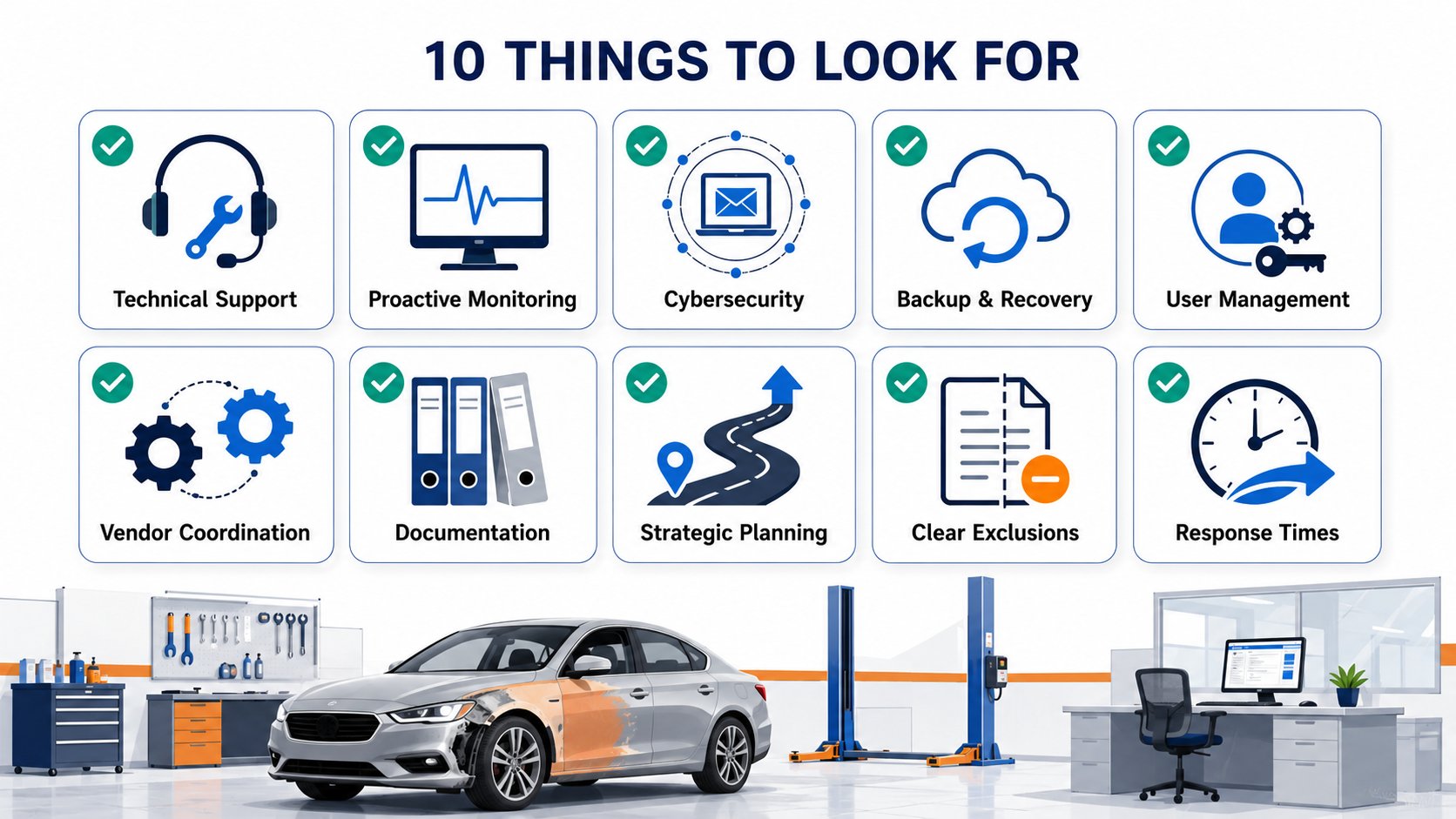
A managed IT services agreement for a collision center should cover much more than help desk support. At a minimum, it should clearly define day-to-day technical support, proactive monitoring and maintenance, cybersecurity, backup and disaster recovery, Microsoft 365 and user management, vendor coordination, documentation, response expectations, and long-term technology planning.
The exact services included will vary from one provider to another. That's why it's important to understand not only what appears in the agreement, but also what is excluded, what may cost extra, how quickly different types of issues are addressed, and who is responsible for the systems your collision center depends on every day.
The goal isn't to choose the provider with the longest list of services.
It's to make sure your managed IT agreement supports four things that matter to your business: productivity, reliability, security, and future growth.
| Managed IT Area | What It Should Cover |
|---|---|
| Technical Support | Employee issues, troubleshooting, remote support, and onsite assistance when needed |
| Monitoring & Maintenance | Device health, software updates, patching, and proactive problem detection |
| Cybersecurity | MFA, endpoint protection, email security, monitoring, and access controls |
| Backup & Recovery | Backup monitoring, restore testing, and disaster recovery planning |
| Microsoft 365 & User Management | Accounts, licensing, permissions, onboarding, and offboarding |
| Vendor Management | Coordination with CCC ONE, Mitchell, internet providers, phone vendors, and others |
| Documentation | Networks, devices, accounts, vendors, warranties, and procedures |
| Strategic Planning | Technology roadmaps, budgeting, lifecycle planning, and growth preparation |
1. Technical Support Should Be Clearly Defined
Technical support is usually the most visible part of a managed IT agreement because it's what employees interact with when something goes wrong.
A computer won't start. An employee can't log in. Microsoft 365 stops responding. A printer disappears. Wi-Fi becomes unreliable. An estimator can't access an application they need to complete their work.
Your agreement should make it clear how those issues are handled.
Typical support may include:
- Computer and laptop troubleshooting
- Password and account assistance
- Microsoft 365 support
- Printer and scanner problems
- Wi-Fi and network connectivity issues
- Access to business applications
- Remote troubleshooting
- Onsite support when the problem can't be resolved remotely
But simply seeing the word "support" in an agreement isn't enough.
You should understand whether day-to-day support is included in the monthly fee or billed separately. You should also know the provider's standard support hours, whether emergency or after-hours support is available, and what happens when an issue affects production rather than a single employee.
For example, one employee having a printer problem isn't the same as an entire location losing access to the internet or estimating systems. A good support model recognizes that difference and prioritizes incidents according to their impact on your business.
What to Clarify
Ask:
- Is routine support included in the monthly fee?
- Is onsite support included?
- Are there limits on support requests or hours?
- What are normal support hours?
- How are emergencies handled?
- How are production-impacting issues prioritized?
The concern isn't whether every possible situation is included. It's whether the agreement clearly explains what happens when your employees need help.
2. Proactive Monitoring and Maintenance Should Be Included
Managed IT should not begin when an employee submits a support ticket.
One of the biggest differences between managed IT and traditional break-fix support is that a managed provider should actively monitor and maintain your environment before problems interrupt employees.
That may include monitoring:
- Computers and servers
- Available storage
- Hardware health
- Critical services
- Network equipment
- Software updates
- Security patches
- Backup status
- Recurring system errors
The objective is to identify potential problems early.
For example, a server that's running out of storage may continue working today, but if the issue is ignored it could eventually interrupt applications or business data. A workstation that repeatedly generates hardware errors may be showing signs of failure before an employee notices anything unusual.
Proactive monitoring gives the IT provider an opportunity to address those problems before they become emergencies.
Maintenance is equally important. Computers, servers, firewalls, and business applications require regular updates to remain secure and reliable. Those responsibilities should be clearly assigned instead of being performed only when someone remembers.
A managed IT provider should also look for patterns.
If employees report the same Wi-Fi problem every month, resolving the immediate ticket isn't enough. The provider should investigate why the problem keeps occurring and recommend a permanent solution whenever possible.
The value of managed IT isn't simply fixing problems faster.
It's creating an environment where fewer problems occur in the first place.
3. Cybersecurity Should Be Part of the Core Service
Cybersecurity has become a fundamental part of managing business technology.
Collision centers rely on email, customer information, insurance communications, financial systems, estimating software, and other digital tools every day. A cybersecurity incident can interrupt those systems just as quickly as a major hardware failure.
That's why cybersecurity shouldn't be treated as an afterthought.
A managed IT agreement should clearly state which protections are included. Depending on the provider and service model, that may include:
- Multi-factor authentication
- Endpoint protection
- Email security
- Security monitoring
- Software patching
- User access controls
- Employee security awareness training
- Threat detection
- Security policy management
- Incident response assistance
The specific tools may differ from provider to provider. The important question is whether the agreement provides a complete security strategy or simply includes one or two products.
For example, installing endpoint protection does not eliminate the need for multi-factor authentication, email filtering, employee awareness, access controls, and ongoing monitoring.
Security works best in layers.
You should also understand whether cybersecurity is included in your monthly managed IT fee or sold as a separate package. Neither model is automatically wrong, but the distinction should be clear before you sign the agreement.
Most importantly, your IT provider should be able to explain your security in business terms.
You shouldn't need to understand security software brands or technical acronyms to know what is protecting your collision center and what risks still need attention.
4. Backup and Disaster Recovery Responsibilities Should Be Specific
"Backup included" is one of the most misleading phrases that can appear in an IT agreement because it can mean many different things.
Your agreement should answer several specific questions:
- What data and systems are being backed up?
- How often are backups performed?
- Where are backup copies stored?
- Who monitors backup failures?
- How frequently are restores tested?
- How quickly could critical systems be recovered?
- What happens after ransomware, hardware failure, or accidental data loss?
A backup that runs every night is useful only if the data can actually be restored when you need it.
That's why monitoring and testing matter.
If a backup job fails, someone should know about it and investigate the problem. If backups have never been restored in a test environment, there is no way to know with certainty whether they will work during an emergency.
The agreement should also distinguish between backup and disaster recovery.
Backup creates copies of your data.
Disaster recovery defines how your business gets back to work.
That includes identifying which systems should be restored first, how long recovery may take, and what employees should expect during an outage.
For a collision center, the goal isn't simply to protect files. It's to protect your ability to continue serving customers and moving repairs through production after something unexpected happens.
5. Microsoft 365 and Employee Account Management Should Be Covered
Technology management isn't only about hardware.
Every employee relies on accounts, applications, permissions, and cloud services to do their job. Those systems need to be managed throughout the employee lifecycle.
When someone joins your collision center, your IT provider may need to:
- Create a Microsoft 365 account
- Configure email
- Assign licenses
- Set up multi-factor authentication
- Prepare a computer
- Provide access to shared files
- Configure permissions
- Coordinate access to business applications
When that employee leaves, the process must happen in reverse.
Accounts should be disabled promptly, licenses should be reassigned where appropriate, business data should be secured, and access to company systems should be removed.
This is particularly important for multi-location collision centers where employees may have access to systems across several shops.
Your agreement should clearly describe what is included in onboarding and offboarding. Some providers include routine employee changes as part of the monthly service while others charge for more involved setups.
Again, the issue isn't that one pricing model is necessarily better.
The issue is knowing what to expect.
A repeatable onboarding and offboarding process improves employee productivity while also reducing the risk that former employees retain unnecessary access to company systems.
6. Vendor Coordination Should Be Included
Collision centers depend on a large number of technology vendors.
You may work with:
- CCC ONE
- Mitchell
- PartsTrader
- Microsoft
- Internet service providers
- Phone system providers
- Copier and printer companies
- Hardware manufacturers
- Security camera vendors
- Door access vendors
- Other cloud software providers
When a problem involves more than one vendor, someone needs to take ownership.
Consider an issue where employees cannot access a cloud application.
The software provider may believe the network is causing the problem.
The internet provider may say the connection is working normally.
The network vendor may believe the firewall is responsible.
Without a single point of accountability, the owner, general manager, or office manager often becomes responsible for coordinating everyone.
That's not a good use of leadership time.
A managed IT provider should help diagnose the issue, communicate with the appropriate vendors, and coordinate the resolution.
Vendor management should also extend beyond troubleshooting.
Your provider may help coordinate new internet installations, software implementations, warranty claims, licensing changes, or system upgrades.
Before signing an agreement, ask whether vendor coordination is included and whether there are circumstances where additional charges apply.
The goal is simple:
When technology affects production, your managers should know who to call first.
7. Documentation Should Be Part of the Service
Good technology documentation protects your business.
Your IT provider should maintain accurate records of the environment they're responsible for supporting.
That may include:
- Hardware inventories
- Network diagrams
- Server information
- Microsoft 365 configuration
- Internet provider information
- Phone system information
- Software licenses
- Administrative accounts
- Vendor contacts
- Warranty information
- Backup procedures
- Technology standards
Good documentation makes support faster because technicians don't have to rediscover how your environment works every time an issue occurs.
It also protects your business if an employee leaves, a technician changes roles, or you eventually move to another IT provider.
One of the most important principles is that your collision center should retain ownership of its business accounts and technology assets.
Your domain registration, Microsoft 365 tenant, internet accounts, subscriptions, and other critical systems should not exist solely under the control of an outside provider.
The provider may administer those systems on your behalf, but the business should retain appropriate ownership and access.
That becomes especially important if the relationship ever changes.
8. Strategic Planning Should Be Part of Managed IT
Managed IT should not be limited to maintaining the technology you already have.
A good provider should also help you plan what comes next.
That may include:
- Hardware replacement schedules
- Technology budgeting
- Cybersecurity improvements
- Cloud planning
- Network upgrades
- Backup improvements
- Multi-location standardization
- Future hiring
- New collision center locations
- Acquisitions
- Long-term technology projects
These recommendations should be documented in a technology roadmap.
The roadmap doesn't need to be complicated. It should simply identify what needs attention, why it matters, when it should be addressed, and what you should expect to spend.
This allows you to make technology decisions based on your business goals rather than waiting for equipment to fail.
The agreement should also explain how often your provider will review the technology strategy with you.
Depending on the size and complexity of the business, that may happen quarterly, semiannually, or annually.
The exact frequency is less important than making sure those conversations happen consistently.
A provider that only communicates with you when something breaks is supporting your technology.
A provider that helps you plan investments, prepare for growth, and reduce future risk is helping manage your business technology.
9. Know What Is Not Included
A good managed IT agreement shouldn't just tell you what is covered.
It should also make exclusions clear.
Certain items are commonly billed separately from the recurring managed services fee, such as:
- New computers and hardware
- Major infrastructure projects
- Structured cabling
- Office moves
- New location buildouts
- Large cloud migrations
- Major software implementations
- Third-party software licensing
- After-hours project work
- Certain compliance assessments
- Specialized security projects
These exclusions aren't necessarily a problem.
In fact, clearly separating recurring management from major projects can make budgeting easier.
The problem occurs when the agreement isn't clear.
Imagine approving an IT project only to discover afterward that the work wasn't included in your monthly fee. Or assuming onsite support is covered when the provider charges hourly every time someone visits the shop.
Those misunderstandings create frustration even when the underlying pricing is reasonable.
Before signing an agreement, make sure you understand:
- What is included in the monthly fee
- What is considered a project
- Which services are billed separately
- How project pricing is determined
- Who pays for hardware and software licenses
- Whether after-hours work costs extra
Predictable costs start with clear expectations.
10. Understand Response Times and Escalation
Not every technology issue has the same business impact.
One employee forgetting a password is inconvenient.
An entire collision center losing internet access can interrupt estimating, parts ordering, customer communication, and production.
Your managed IT agreement should explain how different types of problems are prioritized and escalated.
You should understand:
- How support requests are submitted
- When employees should expect an initial response
- How urgent incidents are prioritized
- What qualifies as a critical issue
- When onsite support is dispatched
- How after-hours emergencies are handled
- How unresolved issues are escalated
Some providers document these expectations in a formal service-level agreement, commonly called an SLA.
You don't need to become an expert in SLA terminology.
You simply need to understand what happens when your business cannot operate normally.
For example:
If one estimator has trouble printing, the issue may be handled as a normal support request.
If every employee at a location loses access to the network, that should receive a much higher level of urgency.
A good provider should prioritize based on business impact, not simply the order in which support tickets were received.
What Should a Good Managed IT Agreement Make Clear?
Before signing a managed IT agreement, you should be able to answer ten questions without hesitation:
- What support is included?
- What services cost extra?
- Who is responsible for monitoring and maintaining our systems?
- What cybersecurity protections are included?
- Who monitors and tests our backups?
- Who manages employee accounts and access?
- Who coordinates our technology vendors?
- How quickly are production-impacting issues addressed?
- Who owns our technology accounts and documentation?
- How will our provider help us plan for future growth?
If any of those answers are unclear, ask before signing.
A managed IT agreement should reduce uncertainty, not create more of it.
Bottom Line
Managed IT services for a collision center should include much more than someone to call when a computer stops working.
A strong agreement clearly defines technical support, proactive maintenance, cybersecurity, backup and disaster recovery, user management, vendor coordination, documentation, response expectations, and long-term technology planning.
It should also explain what isn't included and what may result in additional costs.
The goal isn't to choose the provider with the largest list of services or the lowest monthly price.
It's to choose an agreement that creates clear ownership, predictable expectations, and a technology environment that helps your employees stay productive, protects your business from unnecessary risk, and supports your collision center as it grows.
Before signing any managed IT agreement, take the time to understand exactly what you're buying.
The best agreements leave very little room for surprises.