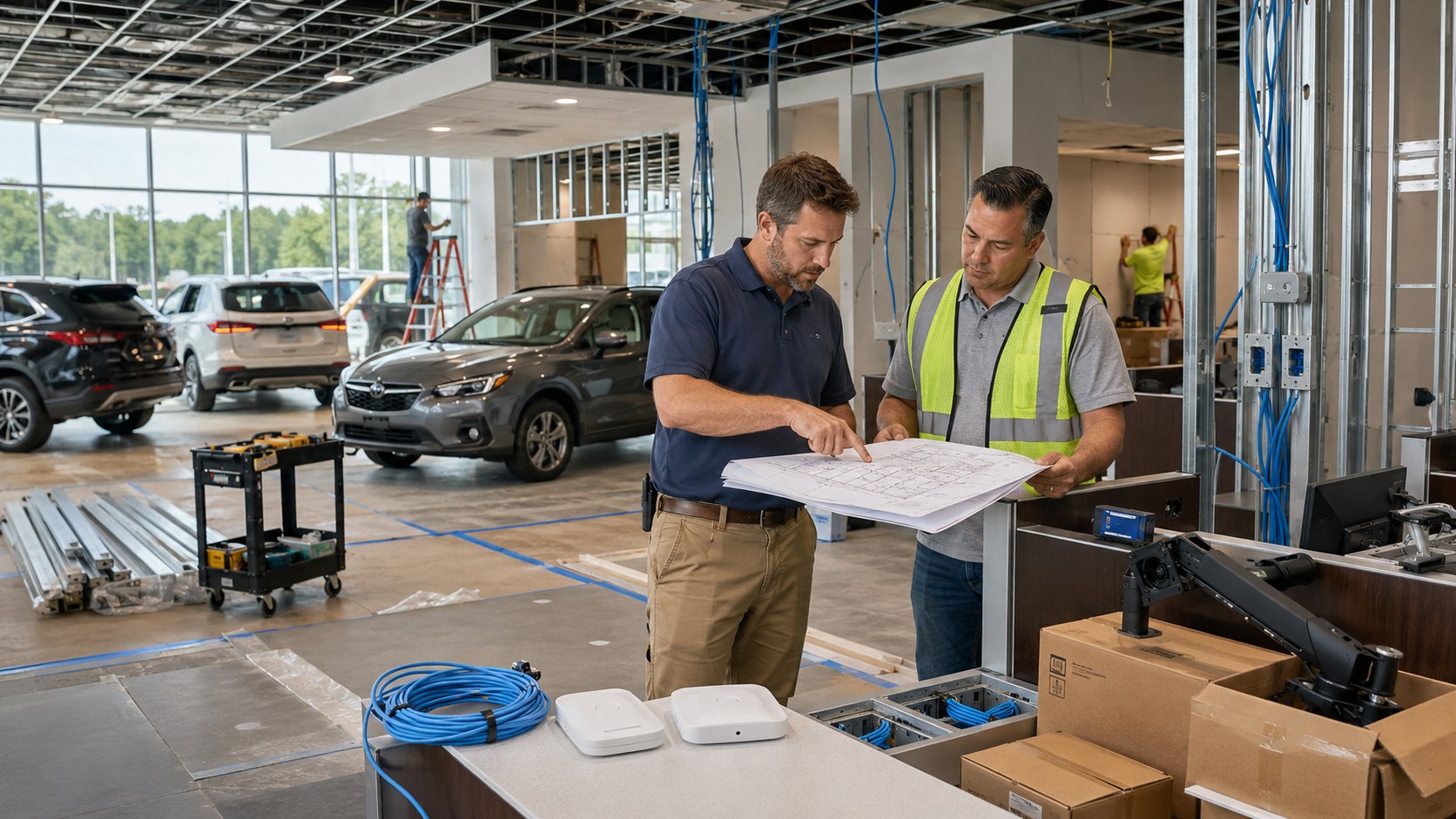
A dealership renovation can look like it is coming together nicely. The walls are painted, furniture is arriving, desks are being installed, and opening day is on the calendar.
Then someone asks a simple question:
When is the internet getting installed?
That question can lead to several more. Are there enough network connections at the service desks? Where will the Wi-Fi access points go? Are the phones ready? Have the DMS and CRM vendors provided their requirements? Where are the printers going? Who is setting up the computers? Has anyone tested everything together?
Technology is easy to push toward the end of a construction or renovation project because much of it is less visible than flooring, electrical work, furniture, or signage. Unfortunately, waiting until the end can make otherwise straightforward changes more difficult.
When opening or renovating an auto dealership, IT planning should begin early and include internet connectivity, cabling, Wi-Fi, phones, employee workstations, dealership applications, cybersecurity, cameras and connected devices, backup and recovery, and vendor coordination.
The goal is not to make IT the center of the project. It is exactly the opposite: plan it early enough that technology is ready when sales, service, parts, finance, accounting, and management need to start working.
Here are 10 areas dealership leadership should include in the plan.
1. Plan Internet Service Before You Need It
Internet connectivity affects far more of a dealership than it did years ago.
Email, cloud applications, phones, payment systems, CRM access, vendor applications, OEM portals, service tools, and other dealership systems may all depend on connectivity.
That makes the internet connection one of the first technology questions to address rather than one of the last.
Before opening or renovating a location, determine:
- What internet service is available at the property?
- Is the connection appropriate for the number of employees and systems?
- Where will the provider's service enter the building?
- Where should the dealership's network equipment be located?
- Will construction require the service to be moved?
- What happens to dealership operations if the primary connection goes down?
- Would a secondary internet connection or another form of failover make sense?
The last question deserves more thought than simply asking whether a second internet connection is affordable.
Consider what happens at that specific dealership if the main connection fails. Can sales still work? Can service continue writing repair orders? Do the phones depend on the internet? Can employees reach the systems they need?
The value of backup connectivity depends on what the outage would actually interrupt.
For an existing dealership renovation, there is another concern: do not accidentally take down the dealership that is still operating while you build the dealership you want.
Any change to existing internet service, network equipment, or wiring should account for employees who still need to work during construction.
2. Plan Network Cabling Before the Walls Are Finished
Cabling is one of those things nobody thinks about when there is enough of it.
You notice it when there isn't.
A new wall goes up and a service advisor needs a computer, phone, printer, and other equipment there. A television gets added to the customer waiting area. A camera needs to be mounted in a location nobody planned for. A wireless access point gets placed wherever a cable happens to be available instead of where it provides the best coverage.
Those compromises are easier to avoid while the building is open and contractors are already working.
Walk through the dealership by department and think about where technology will actually be used:
- Sales desks
- Manager offices
- F&I
- Accounting
- Parts
- Service advisor stations
- Technician or shop areas where applicable
- Customer waiting areas
- Reception
- Conference rooms
- Printers and scanners
- Phones
- Wireless access points
- Cameras
- TVs and digital displays
- Time clocks and other employee systems
- Building or access-control systems
Also plan where the dealership's central network equipment will live.
It should not be an afterthought squeezed onto a shelf because nobody reserved an appropriate location.
The technology plan and the construction plan should meet before walls and ceilings make changes harder.
3. Design Wi-Fi Around How the Dealership Actually Operates
Good dealership Wi-Fi is not simply a matter of putting a wireless access point in the middle of the building.
Think about where people actually work.
Employees may need wireless connectivity in offices, the showroom, service areas, parts, meeting rooms, customer waiting areas, and potentially areas outside the main building.
Building materials, layout, distance, equipment, and the number of devices using the network can all affect coverage.
A dealership renovation is a good opportunity to stop treating Wi-Fi as something that grew organically over the years and design it around the current operation.
That also means deciding which devices belong on which networks.
Employee computers, dealership systems, guest devices, cameras, building systems, and other connected equipment do not necessarily need to share the same network.
The objective is straightforward:
Employees should have reliable connectivity where they need to work, customers should have appropriate guest access, and dealership systems should be organized in a way that is manageable and secure.
For a large property, that may require more planning than someone walking around after construction and deciding where the Wi-Fi seems weak.
4. Coordinate the Phone System and Number Changes
Phones can become surprisingly complicated during a move or renovation.
Departments may need different numbers, extensions, call queues, voicemail, receptionist routing, after-hours messages, or call-forwarding rules. If the dealership is moving, existing numbers may also need to be transferred or redirected.
And if the phone system depends on the internet, the phone and internet plans cannot be treated as completely separate projects.
Before the changeover, confirm:
- Which phone numbers are staying
- Which numbers are changing
- Department extensions
- Call routing
- Voicemail
- Reception and operator functions
- Service and sales call flows
- After-hours routing
- Fax requirements, if still applicable
- Emergency calling requirements with the phone provider
- How phones depend on the dealership's network and internet service
- Who is responsible for the final cutover
Then test it.
Calling the dealership's main number after everything has been moved is not the time to discover that calls are going to the wrong department.
5. Plan Computers, Printers, and Workstations by Employee Role
The floor plan tells you where desks go.
It does not necessarily tell you what each employee needs to work.
A service advisor may need a different workstation setup than someone in accounting. F&I may have different requirements from sales. Managers may use laptops while other employees use desktop computers.
Build the equipment plan around the people and positions that will occupy the space.
For each area, determine:
- Who will work there?
- Does the employee need a desktop or laptop?
- Will existing equipment be moved or replaced?
- What monitors are required?
- Which printers or scanners will the employee use?
- Does the position require a phone?
- What dealership applications need to be installed or accessed?
- Are any specialized devices required?
This is also a good time to look at the age of equipment being moved.
If a dealership is spending money to renovate a location, it may not make sense to carefully move and reinstall computers that are already near the point where the business expects to replace them.
That does not mean everything old gets thrown away. It means evaluating the equipment as part of the project instead of discovering six months later that a large portion of the newly installed workstations need replacement.
6. Coordinate the DMS, CRM, OEM, and Other Dealership Systems
A dealership does not operate on its network alone.
The dealer management system (DMS), customer relationship management (CRM) platform, OEM systems, lender and F&I applications, service systems, parts applications, inventory tools, payment systems, and other vendor platforms may each have requirements that need to be considered.
The dealership's IT provider should know which systems are being used and coordinate with those vendors where necessary.
Do not assume every application will simply work because an employee has a computer and internet connection.
Before opening or cutover, identify the dealership's critical applications and determine:
- Who provides each system?
- Who manages employee accounts?
- Are any special network or connectivity requirements involved?
- Does the vendor need remote access?
- Does equipment need to be installed?
- Are printers, scanners, or other devices tied to the application?
- Does the vendor need to participate in the move?
- Who is responsible for testing the system?
Then test the actual workflow.
Being able to log into an application is useful.
Being able to complete the work the department needs to perform is better.
A service advisor should be able to complete the normal service workflow. F&I should be able to reach the systems it depends on. Accounting should have access to the required applications and printers.
Opening-day testing should follow the business process, not just check whether the computer turns on.
7. Build Cybersecurity Into the New Environment
A construction or renovation project involves a lot of moving pieces. New computers arrive. Vendors need temporary access. Accounts get created. Devices get moved. New systems are installed.
That makes it a good time to establish the dealership's cybersecurity baseline rather than trying to straighten everything out afterward.
Review areas such as:
- Multi-factor authentication
- Employee account creation
- Administrator access
- Endpoint protection
- Email security
- Security updates
- Remote access
- Vendor access
- Wi-Fi security
- Network separation
- Security awareness training
- Employee onboarding and offboarding
- Documentation
For dealerships covered by the FTC Safeguards Rule, this planning also has a compliance dimension. Current FTC dealership guidance addresses safeguards including access controls, multi-factor authentication or a reasonably equivalent approved control, encryption, and oversight of service providers that have access to dealership information systems or customer information.
The project does not need to become a compliance exercise.
The practical opportunity is simply this: if you are already building or changing the environment, build it the way you want it to operate going forward.
It is much easier to give a new employee the right permissions from the beginning than to clean up unnecessary access later.
The same is true for vendors. If a new DMS, phone, security, or other vendor requires remote access, document who has that access and how it is protected while the relationship is being established.
8. Include Cameras, Access Control, and Other Connected Devices
Computers and Wi-Fi get most of the attention during IT planning, but modern dealership buildings contain many other connected devices.
Depending on the facility, that may include:
- Security cameras
- Network video recorders
- Door access systems
- TVs and digital displays
- Digital signage
- Time clocks
- Building controls
- Service equipment
- Charging equipment
- Specialty dealership or manufacturer systems
These devices may need network connections, Wi-Fi coverage, internet access, dedicated cabling, power, or coordination between several contractors.
Security cameras are a good example.
The camera company may install the cameras, but the system can still depend on the dealership's switches, network, internet connection, storage, and remote access.
If nobody coordinates those pieces, each contractor may complete its own part correctly while the complete system still does not work the way the dealership expected.
Before installation, establish who is responsible for each component and how it fits into the overall technology environment.
9. Decide What Happens When Something Goes Down
A brand-new dealership can still have an internet outage.
A renovated building can still lose power.
A cloud application can still become unavailable the week after the project is finished.
Opening or renovating the facility is a good time to ask what happens when an important system is unavailable.
Start with the business functions:
- What systems does sales absolutely need?
- What does F&I need?
- What does service need?
- What does accounting need?
- Which communications systems are critical?
- What information is the dealership responsible for protecting?
- Which systems are backed up by the dealership?
- Which systems are the responsibility of an outside provider?
- How would employees continue working during an outage?
For the information the dealership is responsible for backing up, understand where it is protected and how recovery would work. CISA's current ransomware guidance recommends maintaining protected backups of critical data and testing recovery rather than simply assuming backups will be available when needed.
This does not mean the dealership needs a complicated disaster plan for every possible scenario.
It means leadership should not discover the recovery plan for the first time during an outage.
10. Put One Person in Charge of Technology Vendor Coordination
This may be the most important item on the list.
A dealership project can involve:
- General contractor
- Electrician
- Cabling contractor
- Internet provider
- Phone vendor
- DMS provider
- CRM provider
- Copier company
- Camera or access-control company
- OEM vendors
- Payment providers
- Furniture installers
- IT provider
- Other specialty vendors
Each company has its own part of the project.
The dealership needs someone looking across all of them.
Suppose the camera installer needs network connections that were not included in the cabling plan. Or the phone company arrives but the network equipment is not ready. Or the DMS vendor requires connectivity in an area where nobody installed a network drop.
Those are not necessarily technology failures.
They are coordination failures.
One person or technology partner should maintain the technology workstream, including:
- What needs to be completed
- Which vendor owns each task
- Dependencies between vendors
- Target completion dates
- Information vendors need from one another
- Items that still need testing
- Problems that could affect opening or cutover
The dealership's General Manager or Controller should have visibility into the project without becoming the person chasing every contractor and technology vendor for an answer.
When Should IT Planning Start for a New or Renovated Dealership?
Start when the project is still being planned - not when desks start arriving.
The exact timing depends on the scope of the project, the building, the providers involved, and whether the dealership will remain operational during construction.
But several technology decisions belong early in the process because they affect other work.
Internet availability may influence network planning. Network equipment needs an appropriate location. Wireless access points and cameras affect cabling. Desk locations affect network connections and phones. Dealer-system vendors may have their own requirements.
That is why IT should be involved while plans can still be changed relatively easily.
A useful rule is:
If changing something later could involve reopening a wall, moving electrical work, rescheduling a vendor, interrupting employees, or delaying the opening, discuss it early.
There is little benefit to specifying every technical detail before it is needed.
There is a great deal of benefit to identifying the dependencies before they become problems.
Renovating a Working Dealership Requires a Different Plan
Renovating an operating dealership is often harder than starting with an empty building because the business still needs to sell and service cars while the work is happening.
Employees may move temporarily. Departments may change locations. Network equipment may need to remain online while walls are being opened around it.
The project should therefore include a plan for maintaining operations.
That might mean:
- Temporary employee work areas
- Temporary network connections
- Moving departments in phases
- Scheduling disruptive work after hours
- Protecting existing network equipment during construction
- Maintaining phone service
- Coordinating brief outages in advance
- Moving equipment more than once
- Testing each area before employees move into it
Do not treat the final move as the only cutover.
For a phased renovation, each phase has its own small opening day.
Employees should arrive at the new workspace with the computer, phone, printer, network connection, Wi-Fi, and applications they need to work.
Who Should Coordinate IT for a Dealership Construction or Renovation Project?
One person needs overall responsibility for the technology portion of the project.
That could be an internal IT leader, an experienced managed IT provider, or another qualified technology project lead.
That person does not replace the electrician, cabling company, DMS provider, ISP, phone company, or security vendor.
The role is to make sure those companies are working from a coordinated plan.
A good technology coordinator should be able to answer:
- What technology needs to be installed?
- What has already been ordered?
- What still needs a decision?
- Which vendor owns each task?
- What depends on another vendor finishing first?
- What needs to be tested?
- What could affect the opening or move?
- Who needs to know when something changes?
This is particularly valuable for a Dealer Principal, General Manager, or Controller who is already coordinating dozens of other parts of the project.
You should not have to become the IT project manager simply because nobody else owns the full picture.
What Should Be Tested Before the Dealership Opens?
Do not test only the network.
Test the dealership.
Have employees or project leads walk through normal business activities.
Can a salesperson sign in and reach the CRM?
Can F&I reach the necessary lender systems?
Can a service advisor use the applications, phones, printers, and other tools required at the service desk?
Can accounting reach its files and applications?
Do incoming calls reach the right departments?
Does Wi-Fi work where employees and customers are expected to use it?
Can printers and scanners be reached from the correct workstations?
Are cameras recording?
Are employee accounts and MFA working?
Do vendors have only the access they are supposed to have?
Is there a process for reporting problems once employees arrive?
A technical test can tell you whether a network port works.
A business-process test tells you whether the dealership is ready to operate.
Leave enough time between testing and opening for problems to be corrected.
The goal should be a boring opening day.
Technology should already be working, employees should know how to get help, and dealership leadership should have more important things to think about than why a printer cannot reach the DMS.
Frequently Asked Questions About IT Planning for a New or Renovated Auto Dealership
What IT should be planned when opening an auto dealership?
A new auto dealership should plan internet connectivity, network cabling, Wi-Fi, phones, computers and workstations, DMS and other dealership applications, cybersecurity, cameras and connected devices, backup and business continuity, and technology vendor coordination.
These areas should be planned together because many depend on one another.
When should IT planning begin for a new dealership?
IT planning should begin during the project-planning stage, while the building layout, cabling, electrical work, internet connectivity, employee work areas, and vendor requirements can still be coordinated.
Do not wait until computers and furniture are ready to be installed.
How early should a dealership order internet service?
There is no single lead time that applies to every provider or building.
Availability and installation requirements can vary by location and provider, so the dealership should confirm service options and installation requirements early in the project rather than assuming connectivity can be installed immediately before opening.
Should Wi-Fi be planned before construction is complete?
Yes.
Wireless design can influence where cabling and access points are placed. Planning coverage while construction is still underway provides more flexibility than trying to solve coverage problems after walls and ceilings are finished.
Who should coordinate the DMS, ISP, phone company, and IT provider?
The dealership should designate one technology coordinator or IT partner to manage the overall process.
Individual vendors remain responsible for their own products and services, but the coordinator makes sure requirements are communicated, dependencies are addressed, and problems do not get left between vendors.
Does a dealership renovation require new IT equipment?
Not necessarily.
Existing computers, network equipment, phones, printers, and other technology should be reviewed as part of the project. Equipment that still meets the dealership's requirements may be reused, while equipment already approaching replacement may be more practical to replace during the project.
How should a dealership handle IT during a renovation while remaining open?
Treat the project in phases.
Maintain the systems employees still need, establish temporary work areas where necessary, schedule disruptive changes carefully, and test each new area before employees move into it.
The goal is to renovate the building without unnecessarily interrupting the dealership operating inside it.
The Best Time to Fix an IT Problem Is Before Opening Day
Opening or renovating an auto dealership involves hundreds of decisions. Technology does not need to dominate that list.
It does need to be on it early enough.
Internet, cabling, Wi-Fi, phones, computers, dealership applications, cybersecurity, cameras, backups, and outside vendors all affect one another. When they are planned separately, problems tend to appear when everyone is trying to finish the project.
When they are coordinated early, technology becomes one less thing dealership leadership needs to worry about.
For a dealership in Morris County or Northern New Jersey, having a local IT partner involved during the planning process can also be useful when something needs to be reviewed on-site, a contractor has a question, or several vendors need to coordinate around the same problem.
Tech Marvel helps auto dealerships plan the technology behind openings, renovations, and major changes so the dealership's systems are ready for the employees and customers who will depend on them.
See how Tech Marvel helps Northern New Jersey auto dealerships keep sales, service, and F&I running.
Want to know where your dealership stands? Book your free 20-Minute Automotive IT Risk Review →