By Ron Conti, Owner and Founder of Tech Marvel
An estimator is working on a supplement when the desk phone restarts. The computer loses its connection, too. Now a routine customer update has turned into another interruption at the front counter.
That is an illustrative situation, but the connection behind it is real. Some shop computers reach the network through a desk phone. Giving the computer and phone their own properly installed cable connections can remove that dependency and make troubleshooting easier.
It is worth checking before you buy faster internet or replace an estimating computer. A separate cable will not solve every outage, and a properly designed shared connection can work well. The question is whether the arrangement at your desk supports the work you need to do.
What a direct connection actually means
A direct connection gives each device its own cable path to the equipment connecting your shop network. That central piece of equipment is called a network switch. Think of it as the connection point for computers, phones, and other wired devices inside the business.
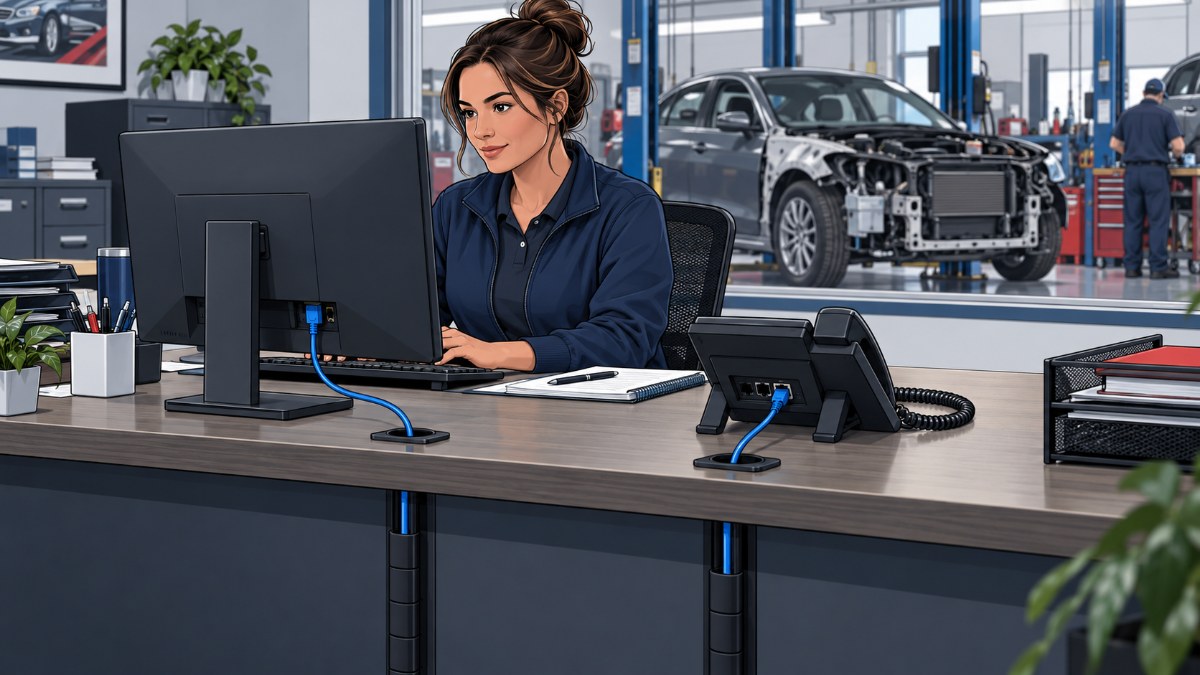
With a shared arrangement, a cable connects the phone to the network, and another connects the computer to the phone. The computer's connection passes through the phone, which is why technicians call it a pass-through connection. With separate runs, the phone is no longer in the computer's cable path.
Cisco documents this shared arrangement and shows that available connection speeds vary by phone model. Some support a slower computer connection than others, so the actual equipment matters. A phone with a computer socket is not automatically the wrong choice. [1]
What we found at one collision center
At one collision-center location, the way computers connected through phones was creating an avoidable dependency. Approximately 30 devices were involved. Switching off a phone also disconnected its computer, and data sometimes dropped during calls.
Some computers were also limited to a connection speed of 100 megabits per second, usually written as 100 Mbps. That number describes the connection's data capacity. It does not tell you how quickly an estimate will open or prove that your internet provider is the problem.
We moved the devices to direct cabling, removed unnecessary hardware, and cleaned up the wiring. We also installed equipment that could supply compatible phones with electricity through their network cables, a feature called Power over Ethernet, or PoE. Cisco describes that power arrangement in its phone documentation. [1]
The documented stability problems stopped, and computers no longer depended on phone power for their network access. That is the outcome of this particular project. It is not a promise that changing cables will eliminate every dropped call or make every application faster.
When separate connections deserve a closer look
Separate connections are worth investigating when a phone problem repeatedly interrupts a computer at the same desk. Ask your support provider to check the connection path at an affected estimating station. The person investigating should be able to explain what each device depends on without giving you a lecture on networking.
Useful clues include computer interruptions around phone restarts, different behavior at otherwise similar desks, or wiring that has accumulated adapters and extra equipment over time. Those are starting points for investigation, not proof of a single cause. A damaged cable or a problem with the computer itself still needs to be considered.
For a collision center, the cost is the work that stops: uploading estimate information, opening repair instructions from a vehicle manufacturer, or responding to a customer while checking a repair order. You should not have to understand the wiring to know which of those activities keeps getting interrupted.
When sharing a phone connection can still make sense
A supported, correctly configured phone pass-through connection can be suitable when it meets the workstation's needs. Before recommending new cable runs, your provider should check the phone model, available connection speed, cable condition, and the circumstances of the failure. The decision should reflect evidence from your shop.
Separate connections remove the phone from the computer's path, but both can still depend on the same network equipment and internet service. They do not create a second internet connection or guarantee that the business will stay online during a power failure. That distinction matters when you are deciding what problem a proposed project actually solves.
If your shops have grown in different ways, use this review as part of standardizing technology across collision-center locations. You want a documented setup that makes sense at each location, with exceptions explained.
What to ask before approving cabling work
A useful cabling proposal identifies the affected desks, the reason for the change, and how normal shop work will be tested afterward. Start with one trouble spot and ask your provider to trace it. You need a clear explanation of the current arrangement and the proposed improvement.
Ask these questions before approving the work:
Which computers depend on a phone for their connection?
What evidence connects that arrangement to the interruptions we see?
Are existing cable runs usable, and does the central equipment have enough connections and power for the proposed setup?
How will you test estimating work and phone use afterward, and document the finished wiring?
Schedule any deliberate interruption with your provider. Having employees pull cables during a busy estimating period can create another problem without answering the original question. Ongoing business network monitoring can support investigation, while tracing and testing the physical connections may require an onsite visit.
Put the next step with someone accountable
The goal is a shop office where the connection design supports daily work and someone can explain how it is maintained. We understand how a small desk-level problem becomes your problem when employees cannot keep working. Our cabling experience is one part of the IT support we provide for New Jersey collision centers, with work scoped to the actual environment.
Use a simple path: Review the affected desks and interruptions. Verify the cause with testing. Own the Outcome by assigning responsibility for the approved changes and checking normal work afterward.
Start by asking your provider to trace one troublesome estimating station. If you need help deciding where to begin at your Morris County or Northern New Jersey collision center, Schedule a Free 20 Minute Automotive IT Risk Review. Bring the symptoms you are seeing so we can discuss what needs attention and who owns the next step.