When a collision center loses access to critical systems, the emergency is not the time to decide what happens next.
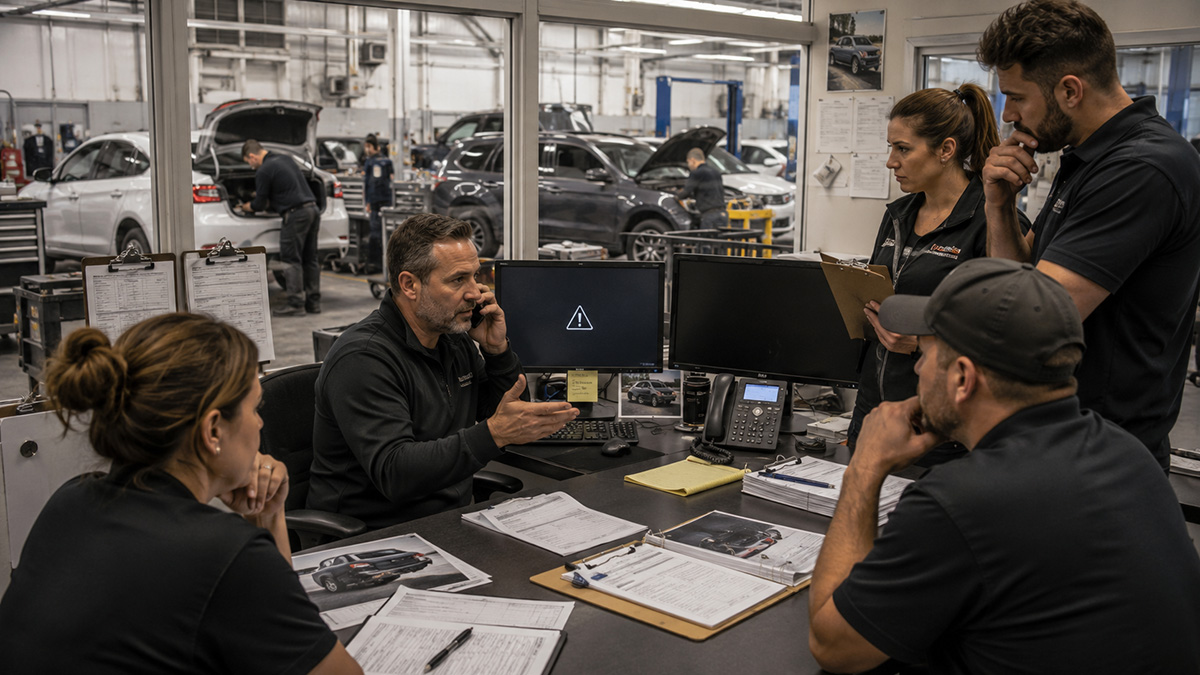
Estimators may be unable to open shared files. Insurance portals may be unavailable. Email or phones may stop working. One location may lose internet access while the rest of the company tries to figure out how to help.
In that moment, the business does not need more questions.
It needs a plan.
For a growing collision center, preparation can mean the difference between a manageable interruption and hours—or days—of confusion.
The Emergencies Collision Centers Rarely Practice For
Most collision centers understand that technology can fail.
They invest in backups, security tools, software, internet connections, and other systems intended to reduce risk.
But preparation often stops once the technology is installed.
The harder questions are left unanswered.
Who takes charge when several systems are affected?
Which location receives help first?
What must be restored before estimators can work?
How will employees communicate if email or phones are unavailable?
Who contacts CCC, Mitchell, Audatex/Solera, the internet provider, the phone company, or the cyber insurance carrier?
Those questions may seem easy during a normal workday.
They become much harder when employees are waiting, customers want updates, and cars are no longer moving through the shop.
The Cost of Building the Plan During the Emergency
When there is no prepared response, every action requires a new decision.
Managers pause to evaluate options.
Employees wait for instructions.
Several people contact different vendors.
Each vendor checks its own system and may conclude that the problem belongs to someone else.
That delay affects more than technology.
Estimators may be unable to write or update estimates. Front-office employees may lose access to customer information. Insurance communication may stall. Managers may lose visibility into scheduling, parts, production, or financial information.
Meanwhile, the owner becomes the escalation point for every unanswered question.
The problem is no longer just a failed server, internet connection, or account.
It becomes a business interruption.
Two Shops, the Same Outage
Imagine two collision centers experience the same disruption.
At both companies, email is down, several computers are unavailable, and employees cannot access important files.
The first collision center has already decided who leads the response, which systems matter most, how vendors will be contacted, and how employees will communicate.
The team knows what to do.
The second shop begins creating its plan after the outage starts.
One employee calls the software provider. Another calls the internet company. A manager reaches out to the person who installed the computers several years ago.
Nobody knows which issue should be addressed first.
Both companies experienced the same technical problem.
Only one was forced to improvise.
That is often the difference between a disruption and a disaster.
A Recovery Plan Should Reflect How the Shop Operates
A generic emergency checklist is not enough.
The plan needs to reflect the systems, employees, vendors, and workflows your collision centers actually depend on.
For many shops, the recovery order may begin with secure internet and network access, followed by employee accounts, email, shared files, estimating systems, insurance portals, phones, and customer communication tools.
The exact order will vary.
What matters is deciding it in advance.
A single-location collision center may need one straightforward plan. A company operating several locations may need separate procedures for each shop, along with a companywide plan for shared systems.
One location may be able to temporarily assist another. Leadership may also need a reliable way to communicate when normal tools are unavailable.
Those details should not be invented during the outage.
Your Employees Need Clear Roles
Employees do not need to become technology experts.
They do need to know what is expected of them.
A practical response plan should identify who reports the incident, who leads the response, who communicates with employees, who contacts vendors, and who updates leadership.
Employees should also know what not to do.
During a suspected cybersecurity incident, repeatedly restarting computers, deleting suspicious messages, or continuing to use compromised accounts can make the situation harder to investigate.
The owner should receive useful updates.
The owner should not have to coordinate every phone call and technical decision.
Technology Alone Is Not the Plan
Backups, cybersecurity tools, monitoring, and redundant systems all matter.
But technology cannot decide which part of the business must recover first.
It cannot assign responsibility.
It cannot explain the situation to employees or coordinate several vendors that each manage only one part of the environment.
Those responsibilities require planning and ownership.
The collision centers that recover well are often the ones with a clear plan and an accountable partner who knows how to execute it.
Growing Shops Have More to Coordinate
The technology approach that worked when you had one location may not be enough after the company grows.
With additional shops come more computers, employees, internet connections, software systems, vendors, and opportunities for inconsistent setups.
One location may have current documentation while another does not.
Important credentials may be known by only one person.
Critical files may be stored differently from shop to shop.
This does not mean the business handled growth poorly.
It often means the collision center grew faster than the process supporting its technology.
That growth is a positive milestone.
It is also the point when informal IT support may leave the owner carrying too much responsibility.
Prepare Before the Pressure Starts
Tech Marvel helps growing collision centers in Morris County, Northern New Jersey, and throughout New Jersey prepare for system failures, cyber incidents, outages, and other disruptions before they happen.
We walk through your shops, locations, employees, systems, vendors, and communication needs.
Then we help establish recovery priorities, assign responsibilities, document vendor procedures, and determine how your team will continue operating while critical systems are restored.
One accountable technology partner coordinates the response and keeps leadership informed.
Your employees get direction.
Your vendors get coordination.
You get to lead the business instead of becoming the emergency IT manager.
Call 862-201-5710 or schedule your Free 20-Minute Dealership IT Review.