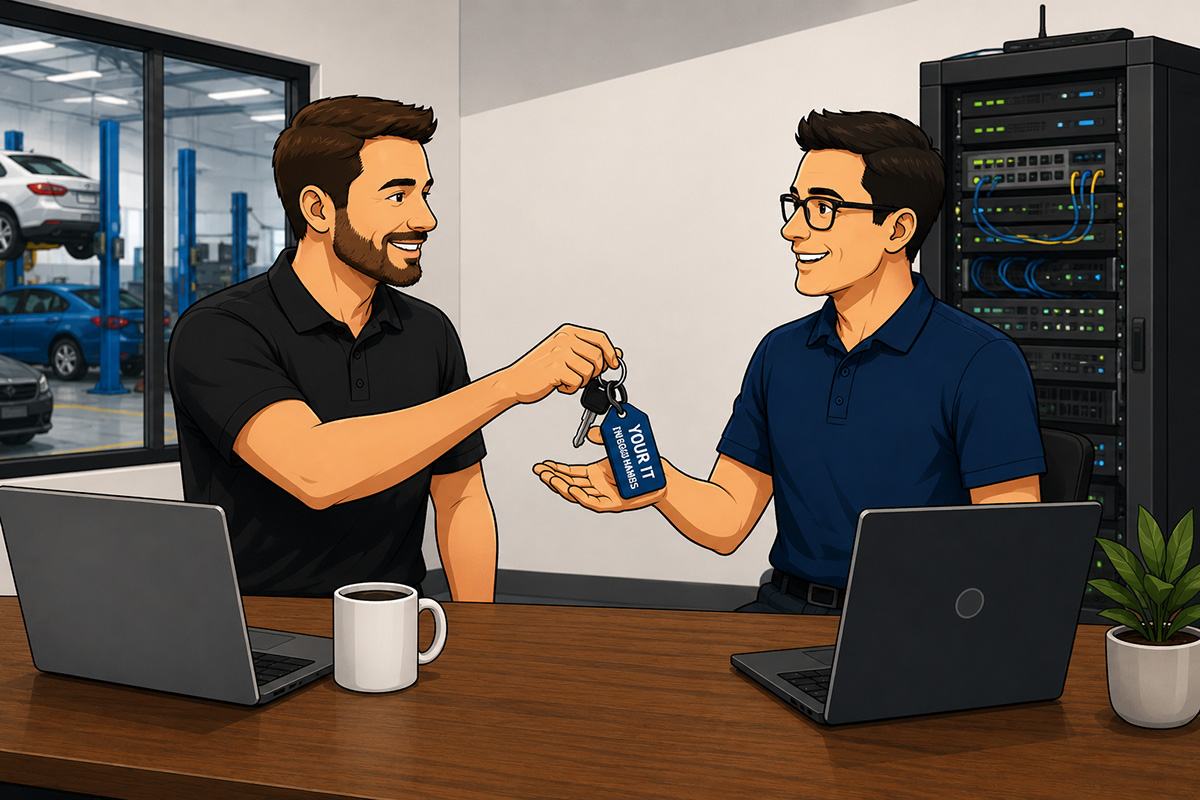
Switching IT providers is often much less disruptive than collision center owners expect. With proper planning, most transitions can be completed with little or no interruption to daily operations.
The key to a successful transition isn't replacing all of your technology. It's making sure the new IT provider understands your environment, secures access to your systems, verifies that critical business applications continue to operate, and develops a plan for supporting your business moving forward.
Whether you're changing providers because your business has grown, you're looking for more proactive support, or you're simply not getting the level of service you expect, understanding the transition process can help you make an informed decision with confidence.
The following overview outlines what a well-managed IT transition typically includes.
| Transition Phase | What Happens |
| Discovery & Assessment | Review your technology, business systems, vendors, and existing documentation. |
| Secure Access | Verify administrative access, passwords, and security settings. |
| Documentation | Document your network, devices, software, and critical business systems. |
| Monitoring & Protection | Implement monitoring, backups, and cybersecurity tools. |
| Vendor Coordination | Work with your technology vendors to ensure a smooth transition. |
| Strategic Planning | Develop a technology roadmap that supports your collision center's future growth. |
Unlike replacing a piece of equipment, switching IT providers is primarily about transferring knowledge and responsibility. A professional transition should be organized, methodical, and focused on protecting your business every step of the way.
1. Discovery and Assessment
The first step in a successful IT transition is understanding your current technology environment.
A professional IT provider shouldn't begin making changes on day one. Instead, they should take the time to learn how your collision center operates, identify the systems your team relies on every day, and document any risks or opportunities before implementing changes.
This discovery process creates a baseline for the transition and helps prevent unexpected disruptions later.
During this phase, your IT provider will typically review:
- Computers, laptops, and mobile devices
- Servers and cloud services
- Network equipment, firewalls, and Wi-Fi
- Microsoft 365 or other email platforms
- User accounts and permissions
- Backup and disaster recovery systems
- Cybersecurity tools
- Internet and phone services
- Business-critical applications such as CCC ONE, Mitchell, and PartsTrader
The goal isn't to criticize your existing technology or recommend immediate replacements. In many cases, much of your current environment can continue supporting your business for years with proper management.
Instead, the assessment helps answer important questions:
- What technology is working well?
- What systems present unnecessary risk?
- Where are there single points of failure?
- Are there security gaps that should be addressed?
- Is the current environment prepared to support future growth?
A thorough assessment also helps uncover issues that may not be visible during normal day-to-day operations, such as unsupported software, aging network equipment, incomplete backups, or administrative accounts that no one can access.
By taking the time to understand your environment first, a new IT provider can build a transition plan that minimizes disruption while addressing the areas that matter most to your business.
Signs of a Well-Managed Discovery Process
- Your IT provider asks detailed questions about how your collision center operates.
- They inventory your technology before recommending changes.
- They identify potential risks and explain them in business terms.
- They prioritize improvements instead of suggesting that everything be replaced.
- They provide a clear picture of your current technology environment.
A thoughtful discovery process sets the foundation for everything that follows. Once your technology has been evaluated and documented, the next priority is ensuring the new IT provider has secure access to the systems they'll be responsible for supporting.
2. Secure Access to Your Technology
Once the discovery process is complete, the next priority is ensuring the new IT provider has secure access to the systems they'll be responsible for managing.
This step is often invisible to employees, but it's one of the most important parts of the transition. Without the proper administrative access, even routine support requests can become difficult to resolve.
Rather than creating new systems, the focus is on verifying ownership, updating credentials where appropriate, and ensuring the business—not an individual employee or the outgoing IT provider—retains control of its technology.
A typical transition includes reviewing access to:
- Microsoft 365 and email administration
- Domain names and DNS records
- Firewalls and network equipment
- Wireless access points
- Backup systems
- Endpoint security platforms
- Cloud services and software portals
- Internet and phone provider accounts
- Administrative accounts for servers and business applications
It's also common to review multi-factor authentication (MFA), update privileged account passwords, and remove access for former employees or unused administrator accounts. These steps improve security while ensuring the new provider can effectively support your environment.
In many cases, the outgoing IT provider assists by transferring documentation, credentials, and administrative access. When both providers work professionally together, the transition is often straightforward and transparent to the collision center's staff.
Occasionally, however, documentation is incomplete or account ownership is unclear. A qualified IT provider should have a structured process for resolving these issues while protecting your business and maintaining continuity of operations.
Signs of a Well-Managed Access Transition
- Administrative accounts are transferred securely.
- Passwords and privileged credentials are reviewed and updated when appropriate.
- Multi-factor authentication is verified for critical systems.
- The collision center retains ownership of all technology accounts and subscriptions.
- Employees experience little or no disruption during the process.
Once secure access has been established, the next step is creating comprehensive documentation. Good documentation ensures your technology can be supported efficiently today and makes future troubleshooting, growth, and disaster recovery much easier.
3. Document Your Technology Environment
With secure access established, the next step is creating comprehensive documentation of your technology environment.
Good documentation is one of the biggest differences between a reactive IT provider and a strategic IT partner. It allows support issues to be resolved more quickly, reduces downtime, and ensures your collision center isn't dependent on a single person's memory to keep systems running.
Unfortunately, many businesses discover they have little or no usable documentation when they change IT providers. Passwords may be stored in personal notes, network configurations may never have been recorded, or critical vendor information may be scattered across multiple people.
A professional IT provider should organize this information into a secure, centralized system that's maintained over time.
Documentation typically includes:
- Network diagrams and equipment inventories
- Computer, server, and mobile device inventories
- User accounts and permission levels
- Microsoft 365 configuration
- Firewall and wireless network settings
- Internet and phone service information
- Software licenses and subscriptions
- Backup and disaster recovery procedures
- Technology vendor contacts and account information
- Warranty and hardware lifecycle information
The purpose isn't simply to create records. It's to ensure your business can be supported efficiently regardless of who answers the phone or responds to a service request.
Well-maintained documentation also becomes increasingly valuable as your collision center grows. Opening another location, replacing equipment, recovering from an outage, or onboarding new employees is much easier when your technology environment is clearly documented.
Signs of Well-Maintained Documentation
- Your technology environment is fully documented and kept up to date.
- Critical account information is stored securely and accessible to authorized personnel.
- Hardware, software, and vendor information is easy to locate.
- Documentation is updated whenever significant changes are made.
- Your business is never dependent on one individual to understand how your technology works.
Once your technology has been documented, the transition moves beyond your internal systems. The next step is coordinating with the vendors and business applications your collision center relies on every day to ensure everything continues operating smoothly.
4. Coordinate With Your Technology Vendors
Your IT provider doesn't just support computers and networks. They also help manage the technology vendors your collision center depends on every day.
Most collision centers rely on a combination of software providers, internet services, phone systems, security vendors, and equipment manufacturers. During an IT transition, these relationships need to be reviewed to ensure the new provider has the information and access required to support your business.
This coordination is an important part of the transition because many technology issues involve more than one vendor. If your internet connection goes down, your phone system stops working, or an integration with your management software fails, your IT provider often serves as the point of contact to diagnose the issue and coordinate with the appropriate vendor.
Depending on your environment, this may include working with:
- CCC ONE
- Mitchell
- PartsTrader
- Microsoft 365
- Internet service providers
- VoIP phone providers
- Copier and print management companies
- Security camera vendors
- Door access and building security providers
- Cloud application vendors
A well-managed transition ensures these relationships are documented, account information is verified, and support contacts are updated where necessary. This helps eliminate confusion when future issues arise and allows your IT provider to respond more quickly.
For collision center owners and managers, this also reduces the burden of acting as the middleman between multiple technology companies. Instead of coordinating calls between different vendors, your IT provider can work directly with the appropriate parties to resolve problems and keep your operations running smoothly.
Signs of Effective Vendor Coordination
- Technology vendors and support contacts are documented.
- Account ownership and administrative access are verified.
- The IT provider understands which systems are critical to your daily operations.
- Vendor relationships are organized so support requests can be handled efficiently.
- Your management team spends less time coordinating technology issues.
Once vendor relationships have been established, the next step is confirming that every critical system is functioning as expected. Before the transition is considered complete, your IT provider should verify that the technology your collision center relies on every day is operating reliably.
5. Verify That Everything Is Working Properly
Before the transition is considered complete, your new IT provider should verify that the systems your collision center depends on every day are working as expected.
This isn't simply a matter of confirming that computers can connect to the internet. Every critical business system should be tested to ensure employees can continue working without unexpected interruptions.
The goal is to identify and resolve any issues before they affect production.
Depending on your environment, this validation may include testing:
- Employee logins and user accounts
- Microsoft 365 email and calendars
- Internet connectivity and Wi-Fi
- Network printers and scanners
- CCC ONE and Mitchell
- PartsTrader and other business applications
- File access and shared folders
- Phone systems and voicemail
- Backup monitoring and alerting
- Endpoint security and antivirus protection
Some testing can occur behind the scenes, while other items may require employees to confirm they can access the tools they use every day. A well-planned transition includes clear communication so staff know what to expect and who to contact if something isn't working correctly.
This is also an opportunity to identify small issues that may have existed long before the transition. For example, employees may have been using outdated passwords, printers may have been configured inconsistently, or software updates may have been delayed. Resolving these items early helps establish a more stable technology environment going forward.
The transition shouldn't be considered complete simply because a new provider has taken over support. It should be complete when your critical systems have been tested, your employees can work without disruption, and you have confidence that your business is fully operational.
Signs of a Successful Transition
- Employees can access the systems they need without interruption.
- Business-critical applications are functioning normally.
- Email, internet, phones, and printing have been verified.
- Backup and cybersecurity systems are actively monitored.
- Any issues discovered during testing are documented and resolved promptly.
Once everything has been validated, the focus shifts from transitioning your technology to improving it. That's where the real value of a long-term IT partnership begins.
6. Develop a Plan for the Future
A successful IT transition isn't complete when the new provider takes over support. In many ways, that's when the real work begins.
The first few weeks after a transition give your IT provider a much deeper understanding of your collision center's operations, technology, and business goals. Rather than simply maintaining your existing environment, they should begin identifying opportunities to improve reliability, strengthen security, and support future growth.
This is where the relationship shifts from reactive support to strategic planning.
A proactive IT provider should work with you to develop a roadmap that addresses both immediate priorities and long-term objectives. Instead of waiting for equipment to fail or problems to occur, they help you make informed decisions before those issues impact your business.
A technology roadmap may include:
- Replacing aging computers and servers before they become unreliable
- Improving cybersecurity to reduce business risk
- Testing backups and disaster recovery procedures regularly
- Standardizing technology across multiple locations
- Planning for employee growth and future hiring
- Preparing for acquisitions or additional collision center locations
- Developing predictable technology budgets
- Identifying projects that improve efficiency and reduce downtime
Not every recommendation needs to be completed immediately. In fact, a good roadmap prioritizes improvements based on business impact, budget, and operational needs. Some initiatives may be appropriate this quarter, while others can be planned over the next one to three years.
The important thing is having a clear direction.
Without a roadmap, technology decisions often become reactive. Hardware is replaced only after it fails, security improvements happen only after an incident, and budgets become difficult to predict. Strategic planning helps avoid those situations by aligning technology investments with your business goals.
Signs of a Strategic IT Partner
- They schedule regular business reviews, not just support calls.
- They provide a documented technology roadmap with clear priorities.
- Recommendations are based on business goals, not the latest technology trends.
- Technology budgets are planned in advance rather than driven by emergencies.
- They help prepare your collision center for future growth instead of simply maintaining the status quo.
At this point, the transition should be complete. Your systems are documented, your critical applications have been verified, and you have a plan for moving forward. The remaining questions most collision center owners have are about what they can realistically expect during the transition itself. Let's address those next.
Common Questions About Switching IT Providers
Even after learning about the transition process, many collision center owners have the same concerns. The good news is that most of these issues are easily addressed with proper planning and clear communication.
Will We Experience Downtime?
In most cases, little or no downtime is required.
Many aspects of an IT transition happen behind the scenes, such as documenting the environment, transferring administrative access, implementing monitoring tools, and coordinating with vendors. When maintenance windows are necessary, they're typically scheduled after business hours or during periods that minimize the impact on your operations.
The goal is to keep your employees productive while the transition takes place.
Will We Lose Email or Files?
A properly planned transition should not result in lost email or business data.
Your email platform, file storage, and cloud services remain the same unless you've decided to migrate to a new solution as part of a separate project. The IT provider is changing, not necessarily the technology your business uses every day.
Protecting your data is one of the highest priorities throughout the transition.
What If Our Current IT Provider Won't Cooperate?
Most IT providers work professionally together during a transition because they understand the importance of protecting the client's business.
Occasionally, however, documentation may be incomplete or administrative access may need to be recovered. An experienced IT provider should have established processes for addressing these situations while minimizing disruption and ensuring your business retains ownership of its technology.
Your focus should remain on running your collision center, not managing disputes between technology vendors.
Do We Have to Replace All of Our Technology?
Usually not.
Changing IT providers doesn't automatically mean replacing computers, servers, network equipment, or software. A good provider evaluates your existing environment and recommends upgrades only when they improve reliability, security, or support your long-term business goals.
If your current technology is meeting your needs, there's often no reason to replace it simply because you've changed providers.
How Long Does an IT Transition Take?
Every collision center is different.
A single-location shop with a straightforward technology environment may complete the transition in a matter of days, while a multi-location organization with complex systems and integrations may require several weeks to fully document, validate, and optimize its environment.
The timeline depends less on the number of computers and more on the complexity of your business, the number of vendors involved, and the quality of the existing documentation.
Should Employees Expect Any Changes?
For most employees, the transition should be relatively uneventful.
They may be asked to update passwords, enroll in multi-factor authentication, or learn a new process for requesting IT support. Beyond that, daily operations should continue much as they did before.
The smoother the transition feels to your staff, the more successful it has been.
What Should You Do Before Switching IT Providers?
If you're considering changing IT providers, a little preparation can make the transition smoother and help set the new partnership up for success.
You don't need to understand every technical detail of your environment, but having a clear picture of your business goals and asking the right questions will help ensure you're choosing a provider that's the right fit for your collision center.
Before making a decision, consider these steps:
Understand Why You're Making the Change
Start by identifying what's driving the decision.
Are you experiencing recurring technology problems? Is cybersecurity a concern? Do you need better strategic planning? Has your collision center grown beyond what your current provider can support?
Knowing what you want to improve will help you evaluate potential providers based on your business needs rather than simply comparing prices.
Ask About the Transition Process
A professional IT provider should be able to explain exactly how they'll manage the transition.
Ask questions such as:
- What happens during the first 30 days?
- How will you minimize disruptions to our business?
- What information do you need from our current provider?
- How will employees request support after the transition?
- When will we receive a technology roadmap?
Clear answers demonstrate that the provider has an established process rather than improvising as they go.
Gather Important Information
If possible, collect information about your current technology before the transition begins.
This might include:
- A list of software vendors
- Internet and phone provider information
- Existing IT documentation
- Hardware inventories
- Current contracts and subscriptions
Don't worry if you don't have everything. An experienced IT provider can help identify and gather missing information during the onboarding process.
Choose a Partner, Not Just a Provider
The goal isn't simply to find someone who can fix computers.
Look for an IT partner who understands how collision centers operate, communicates clearly, provides strategic guidance, and helps your business plan for the future.
Technology should support your production, protect your business, and make it easier to achieve your long-term goals.
Bottom Line
Switching IT providers may seem like a major undertaking, but with the right planning, it's typically a structured and straightforward process.
A successful transition isn't measured by how quickly a new provider takes over. It's measured by how well they understand your business, protect your operations, and position your collision center for long-term success.
From documenting your environment and coordinating with technology vendors to validating critical systems and developing a strategic roadmap, every step should be focused on reducing risk and minimizing disruption.
If you're considering a change, ask potential providers to explain their transition process before you sign an agreement. A confident, experienced IT partner should be able to walk you through every phase, explain what to expect, and demonstrate how they'll help your collision center continue operating smoothly throughout the transition. Contact us today!