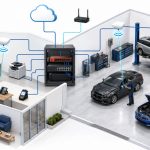
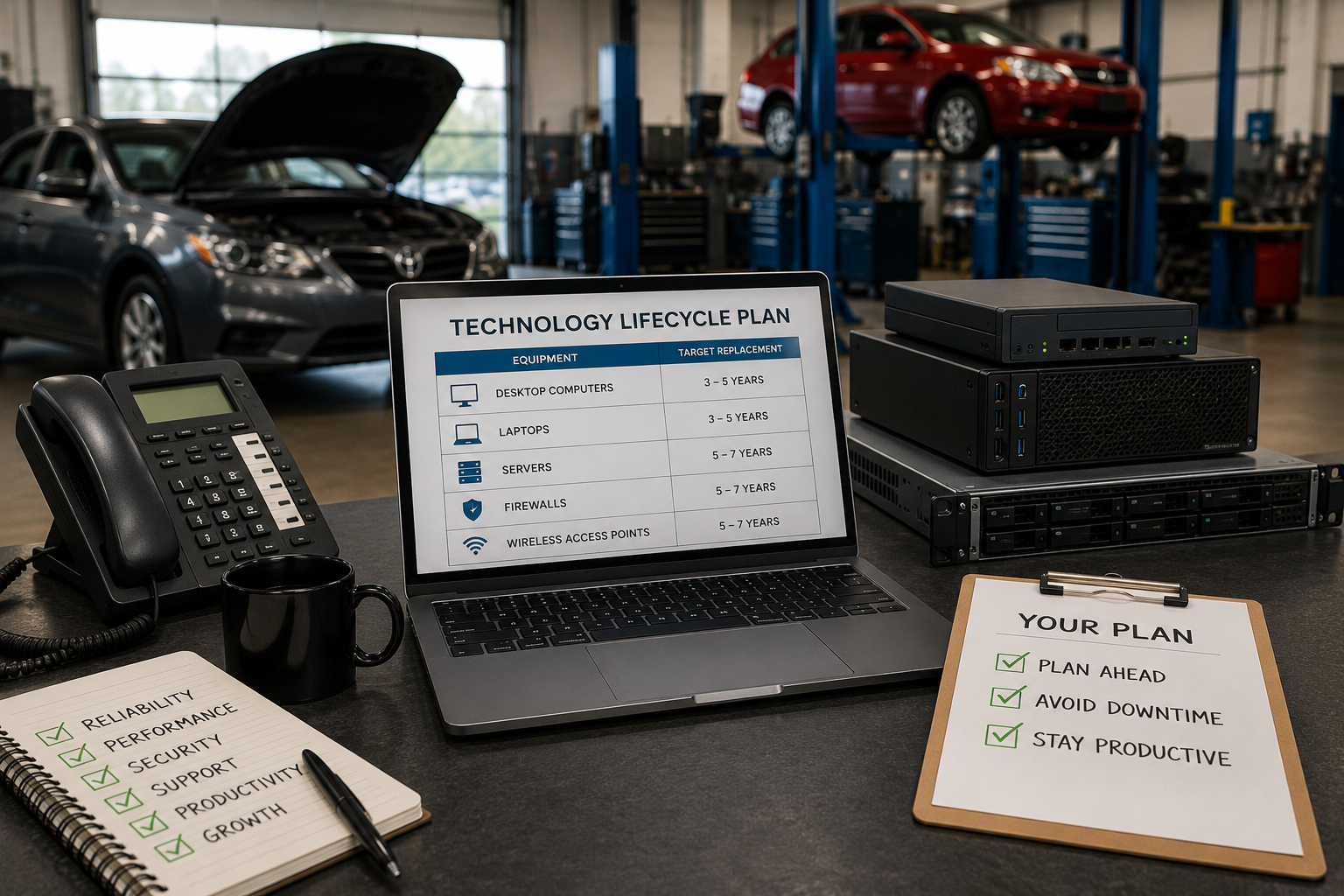
Most business computers should be replaced every 3 to 5 years, while servers typically last 5 to 7 years, depending on performance, manufacturer support, and business requirements. Waiting until equipment fails may seem like a way to save money, but it often leads to unexpected downtime, emergency purchases, and lost productivity.
A better approach is to replace technology as part of a long-term plan.
By proactively managing the lifecycle of your computers, servers, and network equipment, your collision center can reduce unexpected disruptions, improve employee productivity, and create a more predictable technology budget. Instead of reacting when something breaks, you can make informed decisions that support your business today while preparing for future growth.
Why Waiting Until Equipment Fails Costs More
It's understandable why many business owners wait to replace technology until it stops working. If a computer still turns on or a server continues running, replacing it may seem like an unnecessary expense.
The problem is that technology rarely fails without warning.
As computers and servers age, they gradually become slower, less reliable, and more difficult to support. Warranties expire, replacement parts become harder to find, and software vendors eventually stop providing updates for older hardware and operating systems.
While the equipment may still function, its impact on your business often becomes more expensive than the cost of replacing it.
Waiting too long can result in:
- Employees spending more time waiting for applications to load.
- More frequent hardware failures and service interruptions.
- Emergency purchases when equipment suddenly stops working.
- Higher repair costs for aging devices.
- Increased security risks from unsupported hardware or software.
- Unplanned downtime that affects customers and daily operations.
These costs are often difficult to measure because they happen gradually. A few extra minutes waiting for a computer to start or an application to respond may not seem significant on their own, but across multiple employees and hundreds of workdays, those small delays can have a noticeable impact on productivity.
Replacing technology before it becomes a business problem isn't about buying the newest equipment. It's about ensuring your employees have reliable tools that help them work efficiently while avoiding the higher costs that often come with unexpected failures.
How Long Should Business Technology Last?
Every piece of technology has a useful lifespan. While there isn't a fixed expiration date, most business equipment follows predictable replacement cycles that help organizations plan ahead and avoid unexpected failures.
Rather than waiting for equipment to break, use these timelines as planning guidelines for budgeting and lifecycle management.
Business Computers: 3 to 5 Years
Desktop computers are used throughout a collision center for estimating, customer service, accounting, and daily operations. As they age, they often become slower, less reliable, and less capable of running modern software efficiently.
Planning to replace business computers every 3 to 5 years helps maintain employee productivity, reduce downtime, and create more predictable technology budgets.
Business Laptops: 3 to 5 Years
Laptops experience more wear and tear than desktop computers because they're regularly transported between locations, meetings, or remote work environments. Batteries lose capacity over time, and portable devices are more susceptible to accidental damage.
Replacing business laptops every 3 to 5 years helps ensure employees have reliable devices that can support their daily responsibilities.
Servers: 5 to 7 Years
Servers are designed for continuous operation and typically have a longer lifespan than employee workstations. However, warranties eventually expire, replacement parts become harder to find, and manufacturers discontinue support.
Planning for server replacement every 5 to 7 years helps reduce the risk of unexpected outages while ensuring your business continues to receive security updates and vendor support.
Firewalls: 5 to 7 Years
A firewall is one of the most important components of your network. In addition to protecting your business from cyber threats, modern firewalls provide features such as secure remote access, web filtering, and traffic monitoring.
Most firewalls should be evaluated for replacement every 5 to 7 years, particularly as manufacturers discontinue hardware models and stop providing firmware and security updates.
Wireless Access Points: 5 to 7 Years
Reliable wireless connectivity is essential throughout a collision center, from the front office to the shop floor. Older wireless equipment may not provide the coverage, speed, or security needed to support today's devices and applications.
Replacing wireless access points every 5 to 7 years helps maintain reliable connectivity while taking advantage of improvements in wireless performance and security.
While these timelines provide a useful starting point, replacement decisions shouldn't be based on age alone. Performance, manufacturer support, warranty status, and your business needs all play an important role in determining when it's time to upgrade. A well-maintained device may continue to provide value beyond its typical lifecycle, while equipment experiencing reliability or performance issues may need to be replaced sooner.
Signs It's Time to Replace Your Technology
While age is an important factor, it shouldn't be the only reason you decide to replace your technology. Some equipment continues to perform reliably beyond its typical lifecycle, while other devices begin causing problems much sooner.
Instead of focusing solely on how old a computer or server is, pay attention to how it's affecting your day-to-day operations.
Here are some common signs that it may be time to replace aging technology:
Employees Are Waiting on Their Computers
If employees regularly complain that their computers are slow to start, applications take too long to load, or everyday tasks seem to take longer than they used to, aging hardware may be reducing productivity. Even small delays add up over the course of a workday.
Hardware Failures Are Becoming More Frequent
An occasional hardware issue is normal, but repeated problems such as failed hard drives, power supply issues, or unexpected crashes can indicate that equipment is reaching the end of its useful life. Frequent repairs also create unnecessary disruptions.
The Manufacturer No Longer Supports the Equipment
Once a manufacturer ends support for a device, replacement parts, firmware updates, and security patches may no longer be available. Continuing to rely on unsupported equipment can increase security risks and make future repairs more difficult.
Your Business Software Has Outgrown the Hardware
As estimating software, accounting applications, Microsoft 365, and other business tools continue to evolve, older computers may struggle to keep up. If employees are experiencing poor performance simply because the hardware can no longer meet current software requirements, it's probably time to upgrade.
Technology Is Becoming Unpredictable
Perhaps the biggest warning sign is when you no longer have confidence that your technology will perform when your business needs it most. Unexpected crashes, intermittent network issues, and recurring equipment failures create uncertainty that can disrupt daily operations and affect customer service.
Technology should support your business, not become a source of frustration. If aging equipment is slowing employees down, requiring frequent repairs, or creating unnecessary risk, replacing it proactively is often a better investment than waiting for it to fail completely.
Why a Technology Roadmap Saves Money
Many businesses replace technology only when something breaks. While that approach may seem cost-effective in the short term, it often leads to inconsistent equipment, unexpected expenses, and reactive decision-making.
A technology roadmap takes a different approach. Instead of waiting for failures, you create a long-term plan for replacing computers, servers, and other critical equipment over time.
This doesn't mean replacing everything at once. In fact, one of the biggest advantages of a technology roadmap is that it allows you to spread investments over multiple years, making technology expenses more predictable and easier to budget.
A planned replacement strategy can help your collision center:
- Create more predictable technology budgets.
- Reduce costly emergency purchases.
- Improve employee productivity with reliable equipment.
- Minimize unexpected downtime.
- Simplify IT support by maintaining more consistent hardware.
- Avoid replacing large amounts of equipment all at once.
Just as importantly, a roadmap gives you visibility into what's ahead. Instead of wondering when a critical server or aging computer might fail, you already know which equipment is approaching the end of its lifecycle and can plan accordingly.
Technology is an essential part of running a modern collision center. Treating it as a planned business investment, rather than an unexpected expense, helps reduce risk, improve operational efficiency, and support future growth.
Conclusion
Technology is one of the most important investments your collision center makes, but it shouldn't be managed on a crisis-by-crisis basis. Waiting until computers or servers fail often results in unexpected downtime, frustrated employees, and unplanned expenses that could have been avoided.
Instead, develop a technology replacement strategy that aligns with your business goals, budget, and growth plans. By understanding the typical lifecycle of your equipment, monitoring its performance, and replacing it before it becomes a liability, you can reduce disruptions and make technology spending more predictable.
At Tech Marvel, we help collision centers assess the health of their technology, identify equipment nearing the end of its useful life, and build long-term replacement roadmaps that support business continuity and future growth. With the right plan in place, you can make informed technology decisions instead of reacting to unexpected failures. Schedule your free discovery call today to get started.