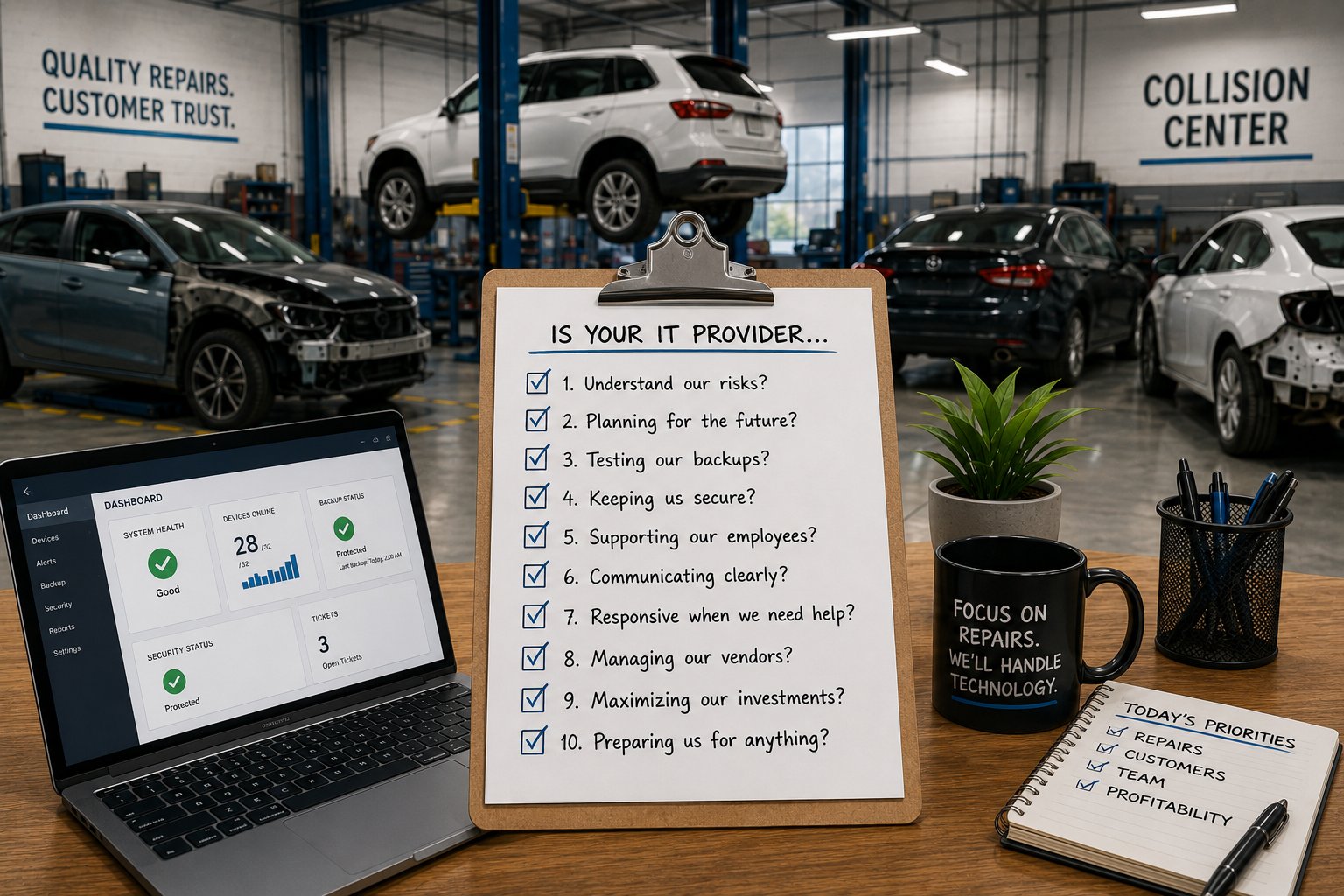
Your IT provider plays an important role in keeping your collision center productive, secure, and prepared for future growth. From estimating systems and parts ordering to customer communication and cybersecurity, your business depends on technology working reliably every day.
But how do you know if your IT provider is doing a good job?
For many collision center owners, the answer isn't obvious. If employees aren't constantly complaining and technology problems eventually get resolved, it's easy to assume everything is working as it should. However, great IT support is about much more than fixing problems after they occur.
A strong IT provider should help you reduce downtime, improve cybersecurity, plan technology investments, and make sure your systems can support your business as it grows. One of the best ways to evaluate your IT provider is to ask the right questions.
The following 10 questions will help you understand whether your current IT partner is simply maintaining your technology or actively helping your collision center become more efficient, secure, and prepared for the future.
1. What Technology Risks Concern Our Collision Center the Most?
Every business has technology risks. The question isn't whether they exist, but whether your IT provider understands them and has a plan to reduce them.
When you ask this question, you shouldn't receive a vague response like, "Everything looks good," or "Nothing to worry about." A good IT provider should be able to identify the specific risks that could affect your collision center's operations and explain them in business terms.
For example, they might point out aging network equipment that's nearing the end of its useful life, gaps in cybersecurity protections, unreliable backups, or systems that could limit your ability to add another location. More importantly, they should explain how those risks could impact your business and recommend practical steps to address them.
A provider who understands your collision center should be thinking beyond today's support tickets. They should be helping you prepare for tomorrow's challenges.
A Good Answer Should Include
- The biggest technology risks facing your business today
- An explanation of the potential business impact
- Recommendations for reducing or eliminating those risks
- A prioritized action plan rather than a list of technical issues
Red Flags
- "Everything looks fine."
- Discussions focused only on technical jargon rather than business impact.
- No recommendations for future improvements.
- No understanding of your business goals or growth plans.
2. What Should We Improve Over the Next 12 Months?
Your technology should evolve along with your business. If your collision center plans to grow, add employees, improve cybersecurity, or expand to another location, your IT provider should already be helping you prepare.
Ask what technology improvements they recommend over the next year and why. Their answer shouldn't be a list of products they want to sell. Instead, it should be a prioritized roadmap based on your business goals, current technology, and budget.
For example, they might recommend replacing aging computers, upgrading wireless coverage, implementing additional cybersecurity protections, or modernizing your backup strategy. They should also be able to explain why each recommendation matters and when it should be completed.
Without a roadmap, technology decisions often become reactive. Equipment gets replaced only after it fails, security improvements are delayed until after an incident, and unexpected expenses become the norm instead of the exception.
A Good Answer Should Include
- A written technology roadmap for the next 12 to 24 months
- Recommended projects prioritized by business impact
- Budget estimates to help you plan ahead
- Recommendations that align with your business goals, not just technology upgrades
Red Flags
- No documented technology roadmap.
- Recommendations only appear after something breaks.
- No discussion about future business plans or growth.
- Technology spending feels unpredictable from year to year.
3. How Do You Know Our Backups Will Work If We Need Them?
Having backups isn't the same as being able to recover your business after a ransomware attack, hardware failure, or accidental data loss. The only way to know your backups will work is to test them.
Ask your IT provider when they last performed a restore test and what the results were. They should be able to explain how often backups are monitored, what data is protected, how long it would take to recover critical systems, and whether they've verified that your backups can be restored successfully.
A provider who simply says, "Your backups are running every night," isn't giving you the full picture. Backups should be monitored, tested regularly, and supported by a documented recovery plan.
If your collision center depends on systems like CCC ONE, Microsoft 365, accounting software, and file storage to keep production moving, you need confidence that those systems can be restored quickly when something goes wrong.
A Good Answer Should Include
- When backups were last tested successfully
- How often restore tests are performed
- Which systems and data are protected
- How long it would take to recover critical business operations
- A documented recovery process
Red Flags
- "We assume the backups are working."
- Backups have never been tested.
- No one can explain how long recovery would take.
- No documented recovery plan exists.
4. What Cybersecurity Improvements Have We Made in the Past Year?
Cybersecurity isn't something you set up once and forget. New threats emerge constantly, software changes, and your collision center's technology evolves over time. A good IT provider should be continuously improving your security posture, not simply responding to incidents.
Ask your IT provider what cybersecurity improvements they've implemented over the past 12 months. They should be able to point to specific initiatives, explain why they were important, and describe how they reduce risk for your business.
For example, they may have implemented multi-factor authentication (MFA), strengthened email security, improved endpoint protection, provided employee security awareness training, or addressed vulnerabilities identified during routine security reviews.
The goal isn't to hear a list of technical products. It's to understand how your collision center is becoming more secure each year.
A Good Answer Should Include
- Specific security improvements completed during the past year
- An explanation of how those improvements reduce business risk
- Recommendations for future security enhancements
- A proactive approach to keeping your business protected
Red Flags
- No significant security improvements in the past year.
- Cybersecurity is only discussed after an incident occurs.
- Recommendations focus only on purchasing products instead of reducing risk.
- Your provider can't explain your current security posture in business terms.
5. Which Technology Should We Budget to Replace Next?
Technology isn't meant to last forever. Computers, servers, network equipment, and wireless access points all have a useful lifespan. A good IT provider helps you plan for those replacements before aging equipment causes downtime or unexpected expenses.
Ask your IT provider which technology they recommend replacing over the next one to three years and why. They should be able to identify equipment nearing the end of its lifecycle, explain the risks of delaying replacement, and help you build a realistic budget.
Proactive planning allows you to spread technology investments over time instead of facing large, unexpected costs when critical equipment fails. It also reduces the likelihood of production interruptions caused by unreliable or unsupported hardware.
If your provider doesn't have a documented hardware lifecycle plan, you're more likely to make technology decisions under pressure rather than on your own schedule.
A Good Answer Should Include
- An inventory of aging computers, servers, and network equipment
- Recommended replacement timelines based on age, warranty status, and business needs
- Budget estimates for upcoming replacements
- A long-term lifecycle strategy that avoids emergency purchases
Red Flags
- Equipment is only replaced after it fails.
- No inventory of business technology exists.
- Replacement recommendations are inconsistent or unexpected.
- Technology budgets are difficult to predict from year to year.
6. What Recurring Technology Problems Have We Eliminated?
Every collision center experiences technology issues from time to time. The real measure of an IT provider isn't how many support tickets they close, it's whether the same problems stop happening.
Ask your IT provider what recurring issues they've permanently resolved over the past year. Their answer should focus on long-term improvements, not just day-to-day support.
For example, they might explain how they eliminated unreliable Wi-Fi coverage, resolved frequent printer issues, standardized aging workstations, or addressed network bottlenecks that were slowing down estimates and repair workflows. By identifying and fixing the root cause, they reduce interruptions and improve productivity across the business.
An IT provider who only responds to problems will continue fixing the same issues over and over. A strategic provider looks for patterns, identifies root causes, and implements lasting solutions.
A Good Answer Should Include
- Specific recurring problems that have been permanently resolved
- An explanation of the root cause and how it was addressed
- Measurable improvements in reliability or productivity
- A proactive approach to identifying trends before they become larger issues
Red Flags
- The same technology issues continue to reappear.
- Success is measured only by the number of tickets closed.
- No effort is made to identify or eliminate root causes.
- Employees continue reporting the same frustrations month after month.
7. How Much Technology Downtime Have We Experienced This Year?
Technology problems are inevitable. The question is whether your IT provider is measuring them, learning from them, and working to reduce their impact on your business.
Ask your IT provider how much downtime your collision center experienced over the past year and what they have done to reduce it. They should be able to identify major outages, recurring issues, response trends, and the steps they've taken to improve system reliability.
More importantly, they should explain the business impact. Every hour employees can't access estimating software, customer information, or production systems affects productivity, delays repairs, and creates frustration for both your staff and your customers.
If your IT provider can't measure downtime, it's difficult to know whether your technology is becoming more reliable or whether you're simply reacting to one problem after another.
A Good Answer Should Include
- A summary of significant outages or technology disruptions
- Trends showing whether downtime has increased or decreased
- An explanation of what caused major incidents
- Recommendations for reducing future downtime
Red Flags
- No reporting on downtime or system reliability.
- No analysis of recurring outages or trends.
- Success is measured only by response time, not business impact.
- No strategy for reducing future disruptions.
8. Is Our Technology Ready to Support Future Growth?
Your technology should support your business today while preparing you for where you want to be tomorrow. Whether you're planning to hire more employees, expand your facility, acquire another collision center, or open a new location, your IT provider should already be thinking about what those changes will require.
Ask your IT provider whether your current technology can support your long-term business goals. They should be able to identify potential limitations, recommend improvements, and explain what needs to happen before growth creates operational challenges.
For example, they may discuss network capacity, internet connectivity, Microsoft 365 licensing, cybersecurity, user onboarding, or standardizing technology across multiple locations. The goal isn't to make unnecessary upgrades today, but to ensure your technology won't become a barrier as your business grows.
An IT provider that understands your business should be planning for what's next, not waiting until expansion creates problems.
A Good Answer Should Include
- An understanding of your business goals and growth plans
- Recommendations to support future expansion
- Technology improvements that can scale with your business
- A proactive discussion about upcoming needs instead of reactive upgrades
Red Flags
- No discussion about your future business plans.
- Technology recommendations only address today's problems.
- Expansion or acquisitions require scrambling to upgrade systems.
- Growth planning isn't part of regular business reviews.
9. Are We Getting Good Value From Our IT Investment?
Managed IT services shouldn't be measured by the number of support tickets closed or the hours your provider spent working on your systems. The real question is whether your investment in technology is helping your collision center operate more efficiently, securely, and reliably.
Ask your IT provider how they measure the value they're delivering to your business. Their answer should focus on outcomes, not activity.
For example, they might discuss improvements in system reliability, reduced downtime, stronger cybersecurity, proactive technology planning, or projects that have made your employees more productive. They should also be able to explain how their recommendations align with your business goals and help you avoid unnecessary risks or expenses.
A good IT provider should regularly demonstrate the value they're delivering, not expect you to assume you're receiving it.
A Good Answer Should Include
- Examples of how technology has improved your business
- Progress toward long-term technology goals
- Regular business reviews and performance discussions
- Recommendations that balance cost, risk, and operational needs
Red Flags
- Success is measured only by ticket volume or response times.
- No discussion about business outcomes or long-term value.
- Technology recommendations seem disconnected from your business goals.
- You're unsure what your monthly IT investment is actually accomplishing.
10. If You Owned Our Collision Center, What Would You Improve First?
This may be the most revealing question you can ask your IT provider.
A provider who truly understands your business should already have ideas for making your collision center more efficient, secure, and prepared for the future. They shouldn't need weeks to analyze your environment before offering thoughtful recommendations.
Their answer might include upgrading aging equipment, improving cybersecurity, standardizing technology across locations, strengthening backup and disaster recovery, or implementing tools that improve communication and productivity. More importantly, they should explain why those recommendations matter to your business.
The goal isn't to create a long list of projects. It's to understand whether your IT provider is thinking strategically about your business or simply maintaining the technology you already have.
The best IT partners don't wait to be asked for advice. They continuously look for opportunities to reduce risk, improve operations, and help your business grow.
A Good Answer Should Include
- Two or three well-thought-out recommendations
- A clear explanation of the business impact
- Prioritized improvements based on your goals and budget
- A long-term perspective rather than quick fixes
Red Flags
- No recommendations beyond fixing immediate problems.
- Suggestions focus only on buying new technology without explaining the business value.
- The provider doesn't appear familiar with your business goals.
- They struggle to offer any proactive ideas for improvement.
Ready to Evaluate Your IT Strategy?
If you're unsure how your current IT provider would answer these questions, an independent assessment can help you understand where your technology is supporting your business and where there may be opportunities for improvement.
At Tech Marvel, we help collision centers evaluate their technology, identify operational risks, and develop practical roadmaps that support productivity, cybersecurity, and long-term growth. Whether you continue with your current provider or decide it's time to make a change, having a clear understanding of your technology environment allows you to make informed business decisions.
Call 862-201-5710 or schedule your Free 20-Minute Dealership IT Review and discover how your IT strategy can better support your collision center's success.