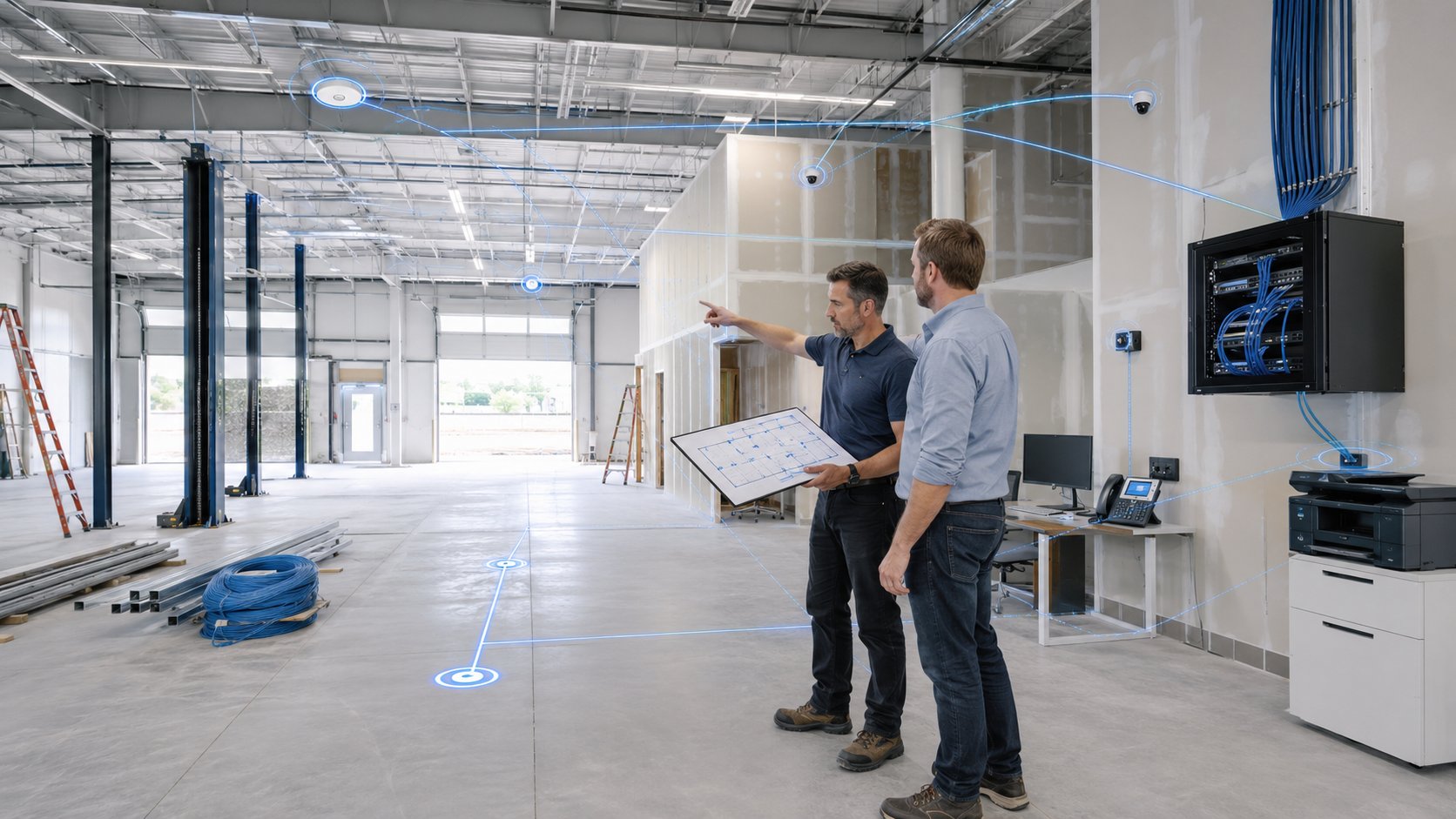
Technology planning for a new collision center should begin at least 60 to 90 days before opening, and sometimes earlier if the building requires new internet service, cabling, phone systems, cameras, or other infrastructure work.
The biggest mistake is waiting until the shop is nearly ready to open before involving IT.
A new location needs more than computers and Wi-Fi. You also need internet service, network equipment, user accounts, cybersecurity, phones, printers, software access, vendor coordination, backup planning, and a support process that matches the rest of your organization.
A good opening plan should follow a timeline:
| Time Before Opening | Main Technology Priorities |
|---|---|
| 90+ Days | Internet, cabling, network design, vendor coordination |
| 60 Days | Hardware, firewall, switches, Wi-Fi, phones, software planning |
| 30 Days | Computers, accounts, permissions, cybersecurity, printers |
| 1-2 Weeks | Installation, testing, documentation, staff readiness |
| Opening Week | Monitoring, issue resolution, final adjustments |
The goal is to make sure technology is ready before employees arrive, not while they are trying to serve customers.
1. 90+ Days Before Opening: Start With Internet, Cabling, and the Building
The first technology decisions should happen while the location is still being prepared.
This is when you should review:
- Internet availability
- Internet installation lead times
- Cabling requirements
- Network closet location
- Wi-Fi coverage
- Phone requirements
- Security cameras
- Door access systems
- Printer and scanner locations
- Power and battery backup needs
Internet service should be one of the first things ordered.
Depending on the provider and the building, installation may require construction, permitting, or work from the carrier. If that process starts too late, your internet connection can become the thing delaying the opening.
That is especially risky for a modern collision center because so many systems rely on connectivity.
Employees may need internet access to:
- Write estimates
- Upload photos
- Order parts
- Access repair procedures
- Use Microsoft 365
- Communicate with insurance companies
- Make phone calls
- Access cloud applications
You should also decide early whether the location needs backup internet.
If an outage would stop estimating, phones, parts ordering, and customer communication, a secondary connection may be worth planning from the beginning rather than adding later.
Plan the Network Before the Walls Are Finished
Cabling is much easier and less expensive to install before construction is complete.
Your IT provider should work with the contractor or electrician to determine where network connections are needed for:
- Front-office computers
- Estimator workstations
- Printers and scanners
- Wireless access points
- Security cameras
- Phone systems
- Servers or network equipment
- Shop devices that require connectivity
This is also the right time to determine where the network equipment will be installed.
A proper network closet or secure equipment area should have:
- Reliable power
- Ventilation
- Physical security
- Enough room for network equipment
- Battery backup where appropriate
- Access for future maintenance
These details are much easier to solve during construction than after the shop is open.
2. 60 Days Before Opening: Order Equipment and Finalize the Technology Standard
Once the building infrastructure is planned, the next step is deciding what technology the location will actually use.
For a multi-location collision center, the new shop should generally follow the same technology standards as the rest of the organization.
That may include:
- Standard computer models
- Standard firewall
- Standard network switches
- Standard wireless access points
- Standard Microsoft 365 configuration
- Standard cybersecurity tools
- Standard backup approach
- Standard phone system
- Standard printers and scanners
- Standard support process
Standardization makes the new location easier to support from day one.
It also helps employees who work across multiple shops because the environment feels familiar.
If every new location uses different equipment and different processes, complexity grows with every expansion.
Order Hardware Early Enough
Business computers and network equipment should be ordered with enough time for:
- Delivery
- Configuration
- Testing
- Replacement if something arrives damaged
- Vendor delays
Typical equipment may include:
- Desktop computers
- Laptops
- Monitors
- Firewalls
- Network switches
- Wireless access points
- Printers
- Scanners
- Phones
- Battery backups
Do not wait until the week before opening to begin purchasing the core technology the location needs.
3. 30 Days Before Opening: Build the Employee Environment
About a month before opening, the focus shifts from infrastructure to employees.
This is when you should begin preparing:
- User accounts
- Microsoft 365
- Multi-factor authentication
- Security policies
- Shared files
- Application access
- Printer access
- Phone extensions
- Employee permissions
The goal is to make sure employees can walk in and work.
For each employee, determine:
- What computer they will use
- What applications they need
- Which files or folders they should access
- What email account they need
- Whether they need phone access
- Which systems they should not access
This becomes particularly important for multi-location organizations.
Employees at the new shop should follow the same onboarding process as employees at existing locations.
That creates consistency and improves security.
Coordinate Business Applications
Collision centers may rely on platforms such as:
- CCC ONE
- Mitchell
- PartsTrader
- Accounting software
- Microsoft 365
- Cloud file storage
- Phone systems
- Other vendor portals
Each application may have its own setup requirements, licensing, user accounts, or vendor coordination.
Those conversations should happen before opening week.
If a software vendor needs several days to configure access or activate a location, that should already be in progress.
4. 1-2 Weeks Before Opening: Install and Test Everything
The week before opening is not the time to discover that the Wi-Fi does not reach the back of the shop.
This is when the location should be fully tested.
Your IT provider should verify:
- Internet connectivity
- Wi-Fi coverage
- Firewall operation
- Network switches
- Employee computers
- User logins
- Microsoft 365
- Phones
- Printers
- Scanners
- Business applications
- Shared files
- Backup systems
- Cybersecurity tools
Test Wi-Fi Where Employees Actually Work
Do not test wireless coverage only in the front office.
Walk through:
- Estimating areas
- Production bays
- Parts areas
- Customer areas
- Offices
- Back rooms
- Any location where tablets or wireless devices will be used
A speed test near the router does not prove the shop has good Wi-Fi.
Employees need reliable connectivity throughout the building.
5. Run an Operational Test Before Opening Day
Technical testing is only part of the process.
You should also test whether employees can actually perform the work they will do after opening.
Ask:
- Can an estimator log in and write an estimate?
- Can photos be uploaded?
- Can parts be ordered?
- Can employees access repair information?
- Can customer calls be made and received?
- Can employees send and receive email?
- Can printers and scanners be used?
- Can files be accessed?
- Can support be contacted if something goes wrong?
This is a much better test than simply asking whether the internet connection is working.
The goal is to simulate a normal workday before the real one begins.
If employees discover problems during this test, there is still time to fix them before customers arrive.
6. Make Sure Cybersecurity Is Ready Before Employees Start
Security should be in place before the location opens.
That may include:
- Multi-factor authentication
- Endpoint protection
- Email security
- Security monitoring
- User access controls
- Secure Wi-Fi
- Guest network separation
- Software patching
- Backup monitoring
- Password management
Do not treat cybersecurity as something to add later.
A newly opened location is still part of the same business and should follow the same security standards as the rest of the organization.
If the new shop is acquired rather than built from scratch, security should be evaluated even more carefully because you may be inheriting unknown accounts, older devices, and existing vendor access.
7. Plan Backup and Recovery Before Opening Day
A new collision center should not begin operating without a backup strategy.
Before the location opens, determine:
- What data needs to be protected
- Where backups are stored
- Who monitors them
- How often they are tested
- What happens if a server fails
- What happens if ransomware affects the location
- Which systems need to be restored first
If the location relies heavily on cloud platforms, determine what data is already protected by the vendor and what still requires independent backup or recovery planning.
The goal is not simply to say:
"We have backups."
It is to know how the business would recover if something goes wrong.
8. Document the New Location Before It Opens
The final technology environment should be documented before opening day.
That documentation may include:
- Hardware inventory
- Network diagram
- Internet provider information
- Firewall configuration
- Wireless access points
- User accounts
- Vendor contacts
- Software licensing
- Phone system information
- Printer information
- Backup procedures
- Warranty information
- Administrative access
This documentation becomes extremely valuable later when equipment needs to be replaced, a vendor issue occurs, or another location is opened.
A growing collision center should not have to rediscover how each shop was built.
Each new location should become part of the same technology management system as the rest of the organization.
9. Opening Week: Monitor Closely and Fix Small Problems Quickly
Even with good planning, the first few days will usually reveal a few things that need adjustment.
Employees may discover:
- A printer is inconveniently located
- Wi-Fi coverage needs improvement in one area
- Someone is missing access to an application
- A phone extension needs to be changed
- A scanner needs a different configuration
- A vendor account was not fully activated
These issues are normal.
The important thing is having support available and resolving them quickly before they become accepted workarounds.
Opening week is also a good time to watch for:
- Network performance
- Internet stability
- Application issues
- Support request patterns
- Employee feedback
A smooth opening does not mean nothing goes wrong.
It means issues are identified and resolved without significantly disrupting operations.
10. Bring the New Location Into the Long-Term IT Plan
Once the shop is operating normally, it should become part of the organization's standard technology lifecycle.
That includes:
- Hardware replacement schedules
- Security reviews
- Backup testing
- Network monitoring
- Technology budgeting
- Employee onboarding and offboarding
- Documentation updates
- Strategic planning
The new location should not remain a special project forever.
It should become another standardized, manageable part of the business.
For a multi-location collision center, that is the real measure of a successful opening.
The technology at the new shop should look and operate like part of the same organization.
Not like a completely separate company.
A 90-Day Technology Timeline for a New Collision Center
Here is a simple planning framework.
90+ Days Before Opening
- Order internet service
- Review building plans
- Plan network cabling
- Identify network closet
- Coordinate cameras, phones, and access systems
- Decide whether backup internet is needed
60 Days Before Opening
- Order computers and network equipment
- Finalize Wi-Fi design
- Confirm phone system
- Coordinate software vendors
- Confirm technology standards
30 Days Before Opening
- Create employee accounts
- Configure Microsoft 365
- Assign software access
- Implement cybersecurity
- Prepare computers
- Configure printers and scanners
1-2 Weeks Before Opening
- Install equipment
- Test internet
- Test Wi-Fi throughout the shop
- Verify phones
- Verify business applications
- Verify backups
- Document the environment
Before Opening Day
- Run a real operational test
- Confirm employees can perform their jobs
- Resolve outstanding issues
- Confirm support contacts
Opening Week
- Monitor systems closely
- Resolve employee issues quickly
- Make final adjustments
- Move the location into normal IT management
What Usually Gets Forgotten?
Some of the most common technology problems during a new-location opening are not major infrastructure failures.
They are small details that were never assigned to anyone.
Examples include:
- Who orders the internet?
- Who contacts CCC or Mitchell?
- Who creates employee accounts?
- Who configures the phones?
- Who sets up the printers?
- Who manages the camera vendor?
- Who tests Wi-Fi?
- Who verifies backups?
- Who employees call on opening day?
Without clear ownership, these tasks can fall between contractors, software vendors, management, and IT.
A successful opening requires one person or partner coordinating the overall technology plan.
That does not mean IT performs every task.
It means someone owns the outcome.
Bottom Line
Technology planning for a new collision center should begin 60 to 90 days before opening, and earlier when internet installation, construction, or cabling is involved.
The most important priorities are:
- Internet and cabling
- Network and Wi-Fi
- Computers and business applications
- Employee accounts and cybersecurity
- Phones, printers, and vendors
- Backup and recovery
- Testing and documentation
The biggest mistake is waiting until the location is almost ready to open before getting IT involved.
By then, a delayed internet circuit, missing cabling, unconfigured software, or unreliable Wi-Fi can become an opening-day problem.
A better approach is to build technology into the location plan from the beginning.
When that happens, employees can arrive on opening day, log in, access the systems they need, communicate with customers, and start working.
Technology should not be one more thing leadership has to worry about during an expansion.
It should already be ready.