
By Ron Conti, Owner and Founder of Tech Marvel
Watch a good service advisor walk a customer through a multipoint inspection. The brakes are marked red, so they get done today. The tires are yellow; they'll need replacing in a few months, so the customer can plan for it. The wiper blades are green and can wait. Nobody leaves confused about what comes first.
Now look at the IT list that lands on the controller's desk at budget time. Sales wants new laptops. Service wants tablets for the drive. The F&I office printer jams twice a week, a CRM add-on renewal is coming due, the cyber insurance carrier asked about multi-factor authentication, and the GM wants better Wi-Fi in the customer lounge. Every item has a reason behind it, but there's no color on any of them.
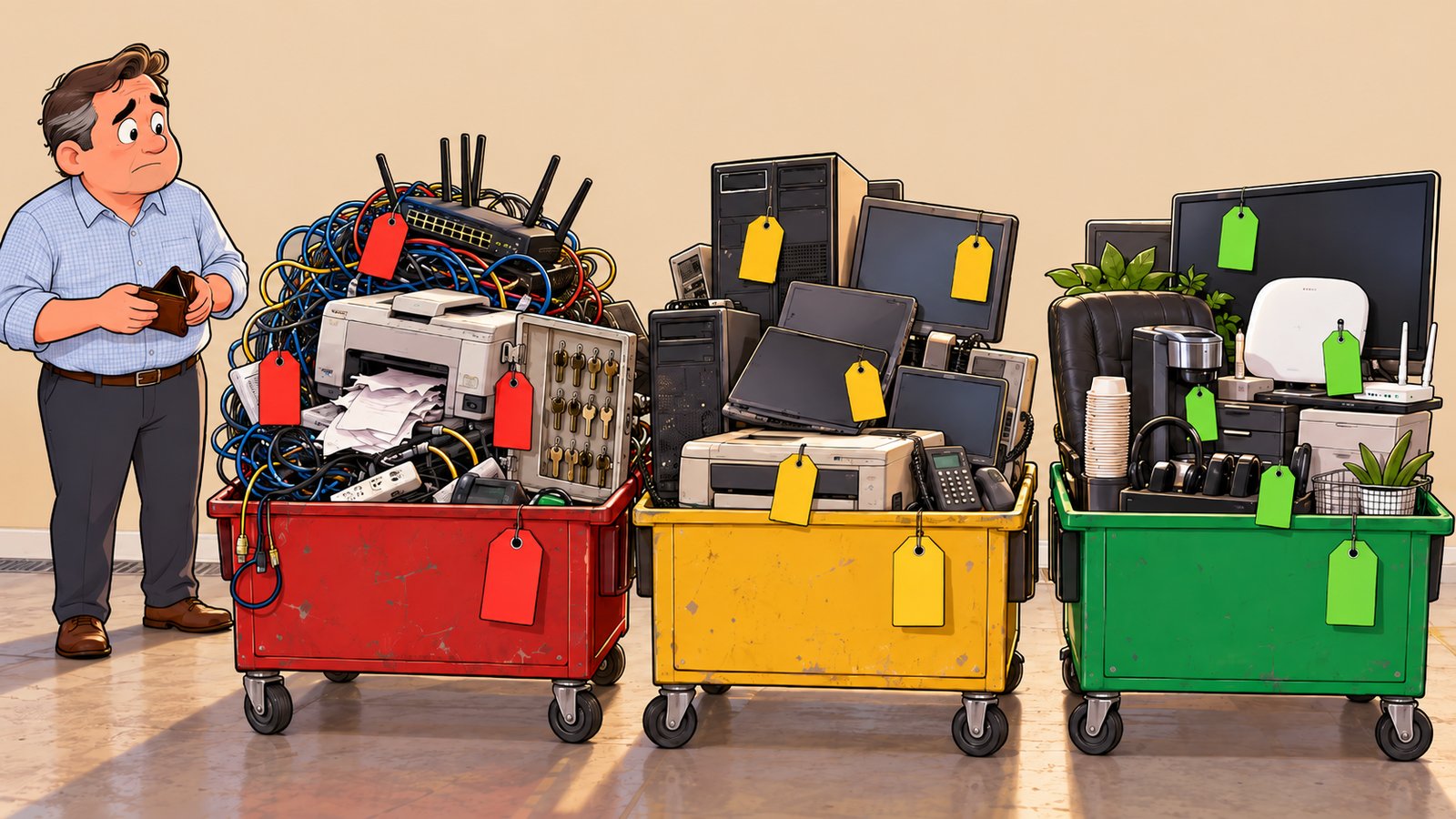
The simplest way to prioritize dealership IT spending is to sort every request the way your service drive sorts a multipoint inspection. Red items are the ones where waiting puts sales, service, finance, or customer information at risk. Yellow items are costs you already know are coming, and green items are improvements that can wait a quarter without creating a bigger problem.
Three questions do most of the sorting: what happens if you wait, what do you already know is coming, and what is changing at the dealership next year. Here's how I'd use each one on your 2027 list. If you're still assembling the list itself, start with how to create a technology budget for your auto dealership, then come back to rank it.
Red Items: What Happens If the Dealership Waits?
An IT expense belongs in the red column when waiting three to six months could stop people from working, expose customer information, or turn a manageable fix into an expensive one.
Age alone doesn't make something red. An older laptop that still keeps up with the work and still gets security updates can usually wait. A system that keeps going down is a different decision. One dealership we worked with had an internet connection that would drop every so often, and each time it took the phones, remote viewing of the security cameras, and every computer and mobile device on site down with it. It went on for a while. We replaced the network device next to the provider's equipment, had the provider check the line, and tested the router, and it kept happening. The cause turned out to be a cable under too much strain. The connector on the end looked fine, but it had to be cut off and replaced. Problems that keep coming back go in red, because every outage and every round of guessing costs the dealership time.
Security gaps that touch customer financial information also go in the red column. If your dealership finances or leases vehicles, the FTC's Safeguards Rule FAQ for auto dealers says the rule requires multi-factor authentication, or something reasonably equivalent, for anyone accessing your information systems. If someone in F&I or accounting can still sign in with just a password, that fix moves to the top. (This is practical technology guidance, not legal advice; your attorney is the right person for questions about how the rule applies to you.)
For each item on the list, ask:
- Who stops working if this fails, and for how long?
- Does it touch customer financial information or employee access?
- Will it cost more to fix in six months than it does today?
- Is there a workaround if it goes down on a Saturday?
Rank each item by those answers, whatever order it landed on the list.
Yellow Items: What Do You Already Know Is Coming?
Yellow items are costs with a date attached, such as renewals, planned hires, and equipment reaching the end of its useful life, and they belong in the budget even though nothing is broken yet.
If you plan to add three salespeople in the spring or grow the BDC, those people will need computers, Microsoft 365 licenses, CRM seats, and access to the right systems. You're not paying for any of that yet, but you already know the bill is coming. The same goes for software contracts, hardware warranties, and support agreements with an end date. Put a rough number next to each one now, even if it's an estimate, so the total shows up in the 2027 plan.
Cyber insurance belongs here too. If the carrier asked about a control at the last renewal that you don't have in place, plan for it before the next renewal comes around. Our post on the cybersecurity controls auto dealerships need for cyber insurance walks through the controls insurers commonly ask about and how to verify your answers before renewal.
Yellow is also where you can spread costs out. Equipment doesn't all need replacing in the same month. You might refresh sales laptops in the first quarter and service drive workstations in the third, which keeps any one month from taking the whole hit. To decide which machines are getting close, our post on whether aging computers are slowing down your auto dealership suggests evaluating computers after three to five years and weighing performance, repair history, and warranty along with age.
Plan for What Is Changing at the Dealership
Changes the dealership already has planned, such as a new rooftop, a renovation, extended service hours, or a bigger BDC, bring technology costs that should be scoped before the work starts.
Take a dealer group adding a second location. Along with the building come questions about internet service, Wi-Fi in the showroom and service drive, phones, printers, how people at the new store will reach the DMS, CRM, and lender portals, and who supports them day to day. Leave those questions until opening week, and you have no time left to compare options or plan for the cost.
Before you finalize priorities, sit down with whoever owns the dealership's plans for 2027 and ask what's changing. If more than one rooftop is involved, it's worth reading about IT standards for multi-location auto dealerships so the new store doesn't end up with its own way of doing everything.
Green Items: What Can Safely Wait?
A green item is an improvement worth making that will not disrupt sales, service, or finance, or put customer information at risk, if it waits another quarter.
Green doesn't mean unimportant. The customer lounge Wi-Fi upgrade or the new conference room display may be perfectly reasonable requests. They just aren't competing with the F&I office that can't print contracts or an account without multi-factor authentication.
Two cautions on green. First, put a date on it. A green item that never comes back up for review tends to turn yellow or red without anyone noticing. Second, listen when the same frustration keeps coming up from a department. We worked with a dealership that had held on to about 15 office computers for nearly eight years. They still worked, but several took ten minutes or more to boot, and employees waited on them all day. Once they were replaced, the complaints stopped. Slow equipment that a whole team waits on every day is a cost, and it belongs in yellow.
How to Prioritize Dealership IT Spending on One Page
A single list that sorts every dealership IT request into red, yellow, or green, with a department, rough cost, target quarter, and owner for each, gives leadership one place to make the call.
That page doesn't need to be fancy; a spreadsheet with six columns works. It replaces a dozen hallway conversations with one decision you can explain. When the general manager asks why the service tablets moved to the third quarter, the controller can point to the list.
If you're the controller, you may know this feeling well: "I'm not the IT person, but somehow these problems keep ending up on my desk." Sorting IT requests from five departments and several vendors is a hard spot to be in when nobody owns the whole picture. Everyone owns one piece, but nobody owns the outcome.
Technology should help your dealership sell, finance, service, and deliver vehicles, not create more work for the people leading the business. It's the kind of list we help dealerships build and keep current: rating each item, tying it to the systems and vendors involved, and bringing it back up each quarter so nothing sits in green for two years. Tech Marvel combines dealership IT experience with over 30 years of technology expertise to help New Jersey dealerships reduce downtime, strengthen cybersecurity, coordinate technology vendors, and get clear answers from one accountable local partner.
If you lead a dealership in Morris County or elsewhere in Northern New Jersey, start with a 20-minute risk review. We'll go through your systems, vendors, and risks with you, rank what needs attention now, and point out what to plan and budget for over the next 6 to 12 months, including what can wait. From there, you get one local IT partner keeping that list current all year, and a smoother, safer dealership where sales, service, finance, accounting, and management can work with clear answers.
Schedule Your Free 20-Minute Automotive IT Risk Review
Not ready for a call? Get the Dealership IT Guide.
Frequently Asked Questions
How often should a dealership review its IT priorities?
I'd recommend once a quarter. Red and yellow items get checked off or re-rated, and green items get a fresh look so they don't sit forever. A full re-sort makes sense at budget time and whenever the dealership adds a location, a major system, or a large group of employees.
Who should decide dealership IT spending priorities?
Usually the controller and the general manager, with input from department managers on what's slowing their teams down. Your IT partner should bring the technical side: what's aging, what's renewing, and what carries security risk, so the people making the call have the full picture.