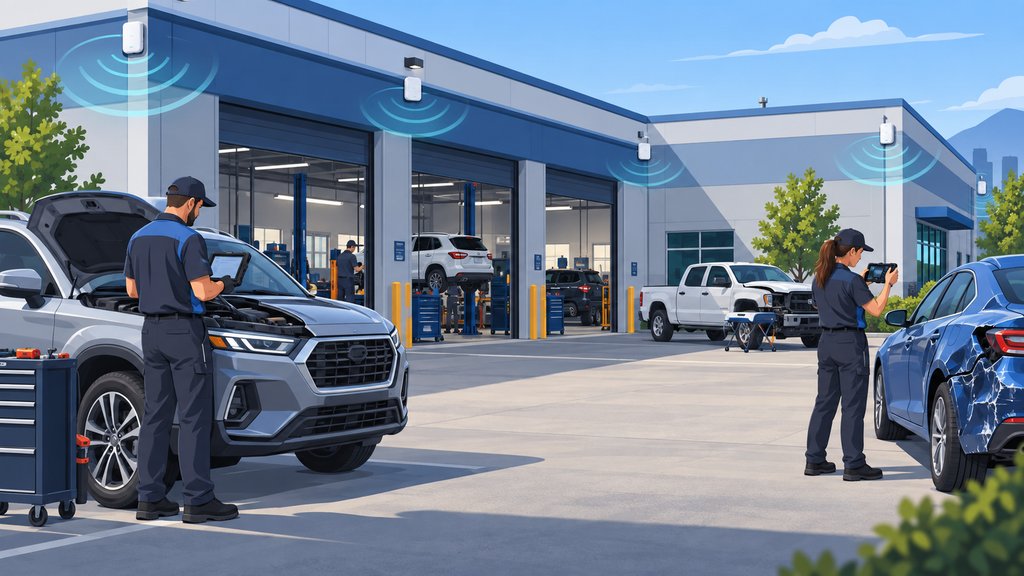
A vehicle is outside the shop, the technician needs to run a diagnostic or programming task, and the tablet works only if the car is parked near one particular doorway. The estimator may be trying to upload photos from the same spot. If two people need it at once, the parking plan starts looking like a technology workaround.
That is not an unusual kind of Wi-Fi problem. The network may be perfectly usable inside the office and still fail where employees actually need to work around the building.
Outdoor Wi-Fi usually fails because indoor access points, walls, distance, vehicle bodies, interference, antenna patterns, backhaul, and client devices create gaps around the property. Reliable coverage requires a site-specific design built around real work areas, followed by testing with the devices and workflows employees use.
Indoor Wi-Fi Was Not Designed for the Parking Lot
Signal leaking through a doorway or window is accidental coverage, not a dependable outdoor design. Exterior walls, metal construction, low-emissivity glass, distance, and the position of indoor access points can weaken or reshape the signal before it reaches a vehicle.
The outside environment adds more variables. Vehicles block and reflect radio signals. Neighboring networks, cordless equipment, cameras, and other devices can create interference. A phone may show several bars while a diagnostic tablet, older laptop, or specialized device performs poorly because each client has different radios, antennas, power, and roaming behavior.
Cisco Meraki's wireless guidance makes the same practical point: access-point placement, antenna pattern, obstacles, and radio-frequency interference all affect usable coverage. The solution is not to assume a published distance applies to your property. It is to design and validate the network in the actual environment.
Start With the Work Areas, Not the Equipment List
Map where employees need connectivity and what they need to do before choosing access points or mounting locations. Walk the perimeter with the people doing the work. Mark the estimating area, staging lanes, delivery space, calibration or scanning areas, overflow parking, detail area, and anywhere technicians regularly move vehicles.
Then identify the workflow at each location. Uploading a few photos has a different demand than a long programming session, remote diagnostic connection, large file transfer, camera stream, or several employees working simultaneously. The design should follow the business process instead of forcing the process to follow one lucky patch of signal.
At one collision center, almost no outdoor Wi-Fi was usable beyond a doorway. That interfered with vehicle programming, diagnostics, estimating, and uploads unless a car happened to be in the one working spot. Tech Marvel reviewed the work areas and cable paths, ran new Ethernet cabling to the main rack, and installed four outdoor access points around the perimeter.
The result was strong coverage around the property, allowing more employees to work with outside vehicles at the same time. That is a documented outcome for that site, not a promise that every collision center needs four access points or will get the same result.
Why Placement and Antenna Pattern Matter
An outdoor access point must be positioned so its antenna pattern reaches the intended work area with usable signal and capacity. Mounting an access point as high as possible is not automatically better. Height, angle, building shape, obstructions, vehicle placement, and the antenna's direction all change where the signal lands.
One access point can sometimes cover a modest area. A long building with several sides, deep parking rows, metal obstructions, or simultaneous users may need several. More access points are not automatically better either, because poorly planned overlap can increase interference and make devices cling to a weaker connection.
This is why a predictive design should be followed by real measurements. Meraki's site-survey guidance recommends surveys before and after deployment so the design can be evaluated in the actual radio environment. For a collision center, I would also test the specific devices employees carry, not just the installer's laptop.
Wired Backhaul Usually Gives Outdoor Access Points a Better Foundation
When practical, a wired connection from each outdoor access point back to the network gives the design a direct, predictable path. The cable can also deliver power using Power over Ethernet when the selected equipment and installation support it.
Wireless mesh can help when cabling is impractical, but mesh is not a synonym for ‘better coverage.’ A mesh access point must spend radio time communicating with another access point, and the path still depends on interference, distance, obstructions, mounting, and available capacity. Cisco Meraki's mesh deployment guidance recommends a site survey because line of sight, antenna choice, interference, and logistics determine whether the link will work as intended.
You can do it either way. My preference is to use wired backhaul when the cable path, construction, and budget make sense, then use a wireless bridge or mesh design when the property creates a real reason for it. The decision belongs to the site, not to whichever product is easiest to order.
Coverage and Capacity Are Different Problems
A device can connect to Wi-Fi and still have an unusable experience because signal coverage does not guarantee capacity, low interference, or a healthy backhaul. Several technicians uploading files, using remote diagnostics, running programming tasks, and communicating with cloud systems may compete for the same airtime and internet connection.
Ask how many people and devices may work in each outdoor zone at the same time. Also ask what happens when a vehicle blocks the direct path, when the lot fills up, or when staff move from one side of the building to another. A design that works with one test phone in an empty lot may not support a normal production day.
Outdoor Equipment and Installation Need Outdoor Planning
Outdoor Wi-Fi hardware, cabling, mounting, grounding, power, and weather exposure must be planned as one installation. An indoor access point placed near an exterior wall is different from equipment designed and installed for outdoor conditions.
The project may involve exterior-rated hardware, appropriate cable and pathways, weatherproofing, mounting approval, electrical or grounding considerations, and coordination with the property owner or contractor. Those requirements vary by building and product. I would not select equipment until the coverage goal and installation conditions are understood.
How Should Outdoor Wi-Fi Be Tested?
Test the completed network by walking the real work zones and completing the real workflows. A useful post-installation review should include:
- Signal and performance measurements around the perimeter, not just directly under each access point
- Tests beside and between parked vehicles, including areas that vehicles may block
- The tablets, laptops, phones, scanners, or other client devices employees actually use
- Photo and file uploads, estimating access, insurer portals, remote diagnostic connections, and other approved work tasks
- Several simultaneous users in the busiest outdoor zone
- Movement between coverage areas to check roaming and sticky-client behavior
- The wired or wireless backhaul, switch ports, power, internet connection, and monitoring status
- A follow-up test after material construction, equipment, channel, power, or workflow changes
The test result should describe where the network works, what was tested, and any limitations. ‘The Wi-Fi reaches outside’ is too vague to help an owner decide whether vehicle work can depend on it.
What Should You Ask Before Approving an Outdoor Wi-Fi Project?
Ask for a design tied to your property, work zones, devices, backhaul, and acceptance test. Before approving the project, I would want clear answers to these questions:
- Which outdoor work areas need coverage, and what business tasks happen in each one?
- What devices must connect, and what performance do those workflows need?
- Where will each access point be mounted, and why?
- Will the backhaul be wired, bridged, or mesh, and what are the tradeoffs?
- How will exterior cabling, power, grounding, weather, and mounting be handled?
- How will channels, power, roaming, and interference be reviewed?
- What real workflows will be used for acceptance testing?
- Who will monitor and support the system after installation?
If the proposal answers only with a model number and a claimed range, it is missing the part that matters most: how people will use the network on your property.
Build Wi-Fi Around the Way Cars Move Through the Shop
The best outdoor Wi-Fi design follows the work from the bay to the staging area, parking lot, and vehicle, instead of asking employees to return to one doorway. That can reduce workarounds and give estimators and technicians a more dependable way to use the systems their jobs require.
Tech Marvel has hands-on collision-center experience with outdoor Wi-Fi, cabling, network design, and the surrounding IT that vehicle scanning, programming, estimating, and uploads depend on. We support that infrastructure and coordinate appropriate vendors; we do not perform vehicle diagnostics, calibrations, repair procedures, or safety validation.
If you want to review the work areas where your collision center's Wi-Fi fails, schedule a Free 20 Minute Automotive IT Risk Review. If you are not ready to schedule a review, walk the perimeter with your production team and mark every place where someone has to move a vehicle or return indoors just to finish a connected task.
Frequently Asked Questions
Can we solve outdoor Wi-Fi by turning up the access-point power?
Sometimes power tuning helps, but it is not a complete design. The client device still has to transmit back, and excessive power can increase overlap, interference, or sticky-client behavior. Placement, antenna pattern, backhaul, channels, device capability, and testing all matter.
Does mesh automatically improve coverage?
No. Mesh can extend a network where cabling is impractical, but the backhaul still depends on radio conditions and capacity. A site assessment should determine whether mesh, a wireless bridge, or wired backhaul fits the property.
How many outdoor access points does a collision center need?
There is no responsible universal number. The answer depends on the property, work zones, construction, antenna choice, interference, mounting, backhaul, device mix, and simultaneous demand. One documented project used four, but another site may need fewer or more.
Can Tech Marvel support ADAS or vehicle calibration equipment?
Tech Marvel can support the covered network, workstation, account, file-transfer, printer, and secure-access dependencies around specialized systems and coordinate the appropriate vendor. Vehicle procedures, calibration, diagnostics, and safety validation remain with qualified repair professionals and equipment or OEM specialists.