By Ron Conti, Owner and Founder of Tech Marvel
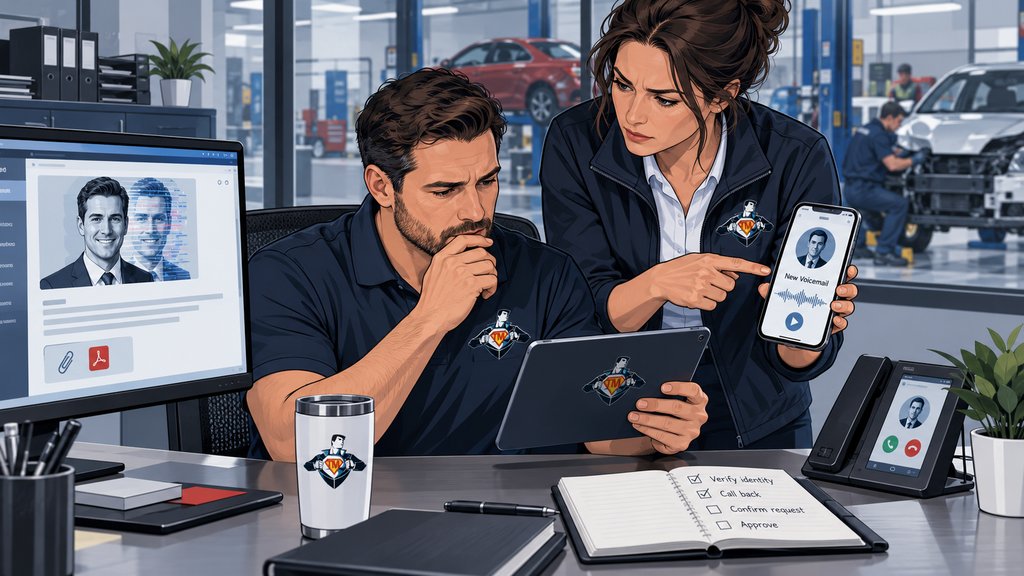
Imagine your controller gets a voicemail that sounds like you. A parts vendor's banking information needs to change before the end of the day, and a follow-up email arrives with the right name, tone, and details about the business. Nothing looks sloppy. That's exactly the problem.
Halloween costumes come with a warning: the person in front of you isn't what they appear to be. An AI-assisted scam works the same way, except it tries to blend into a normal collision-center workday. The request might involve a payment, password reset, shared estimate, insurer portal, customer document, or access for a familiar vendor.
AI can make fraudulent emails, calls, voice messages, images, and videos more believable. You shouldn't have to rely on employees spotting every fake. Sensitive requests need verification through a known contact method, and financial or access changes need a second approval.
You don't need perfect deepfake detection. You need a process that still works when the fake looks real.
AI Changes the Disguise, Not the Basic Scam
AI makes the disguise more convincing; the requested action is still the warning.
The underlying scam is familiar. Someone pretends to be a trusted person or company and asks an employee to send money, disclose information, open a document, sign in, or change an account. AI makes that disguise faster to create and harder to dismiss.
The FBI has warned that criminals use generative AI to produce believable text, cloned voices, images, and videos for fraud. It can also remove the spelling and grammar mistakes that once made some scams easier to spot.
A familiar voice, correct logo, polished email, or convincing video call isn't proof by itself. Decide in advance what your team must verify before changing money, access, credentials, or sensitive information.
A Familiar Voice Can Carry a Fraudulent Request
A familiar voice is not proof that the request is legitimate.
A cloned voice makes the request feel personal. The caller or voicemail may sound like you, a general manager, controller, vendor contact, or someone at another location. Public websites, social media, email signatures, and prior communications can supply details that make the story plausible.
The pressure may sound ordinary too: a vehicle needs to be released, a payment is late, a vendor is waiting, or leadership is supposedly unavailable. Those situations belong in a busy shop, which is why the urgency works.
Don't ask employees to judge whether the voice is genuine. If the request involves money, access, credentials, or sensitive information, have them verify it through a number or contact method your business already knows. The number, link, or reply address inside the request doesn't count.
Perfect Spelling Is No Longer a Security Control
Polished writing and correct terminology do not prove that a message is safe.
Employees have learned to watch for misspellings, awkward phrases, and obviously fake messages. Those clues still help, but AI can produce clean writing that sounds professional and fits the situation.
In your shop, the message might resemble a supplement, parts invoice, insurer notification, Microsoft 365 sign-in, payroll request, shared customer document, or banking change. It can use the right terminology and still steer an employee toward the wrong action.
CISA's phishing guidance encourages people to recognize and report suspicious requests. Give your team a short set of triggers: unexpected urgency, new payment instructions, credential requests, unusual access, sensitive information, or an attempt to bypass the normal process.
AI Tools Used Inside the Shop Create a Different Risk
Approved AI use needs clear rules for tools, information, accounts, and review.
The AI tools employees choose for themselves create a separate problem. Someone may paste a customer email, estimate note, payroll question, financial report, or internal message into a public AI service because it seems like the quickest way to summarize or rewrite it.
As we explain in The AI Mistake Most Collision Centers Are About to Make, inaccurate output is only part of the risk. With an unapproved tool, you may not know where information goes, how long it's retained, whether it improves the service, or which integrations can reach it.
You don't necessarily need to ban AI. Decide which tools are approved, what information employees may enter, when a business account is required, how someone reviews AI-generated work, and who evaluates a new tool before it connects to email, documents, or shop systems.
The connection is easy to miss. AI can help an attacker imitate a trusted request, while an unapproved AI service can become another route for business information to leave the systems you expect to control.
Five Verification Rules for the Collision Center
Five verification rules give employees a safe response when a request looks legitimate.
1. Verify Financial and Account Changes Outside the Original Message
If a vendor asks to change banking information, payment instructions, mailing details, or account ownership, confirm it with a known contact. Replying to the same email thread isn't independent verification if the mailbox or message is part of the problem.
2. Require a Second Approval for High-Risk Actions
Have a second person review unusual payments, bank changes, new administrative access, vendor remote access, and the release of sensitive information. Set the approval threshold before an urgent request arrives.
3. Treat Unexpected Sign-In Requests as a Warning
Keep this rule simple: don't approve an unexpected MFA prompt, password reset, or login request; report it. MFA is valuable, but an unexpected prompt isn't routine paperwork.
4. Define Approved AI Tools and Permitted Information
Document which AI services employees may use, what information is prohibited, whether business accounts are required, and who reviews a tool before it connects to company systems.
5. Make Reporting Easier Than Guessing
Give employees a quick way to ask whether a request is legitimate. They should know whom to contact, what details to share, and what to do when the request claims it can't wait.
Make the Rules Fit the Workday
Use extra verification where one mistake could create serious consequences.
If the process slows every routine task, people will work around it. Focus the additional check on:
- New or changed banking and payment instructions
- Payroll or direct-deposit changes
- Requests for passwords, verification codes, or account recovery
- New administrative privileges or vendor remote access
- Requests for customer, employee, financial, or internal information
- Messages that use urgency to bypass a normal approval
For each trigger, decide who verifies the request, who gives the second approval, and who steps in when something looks wrong. Accounting may handle payment verification. Management can set approval thresholds. IT can investigate account activity. One person still needs to make sure those pieces work together.
Technology Helps, but Procedure Still Matters
Technology reduces risk, while procedure handles the convincing requests that get through.
Email filtering, endpoint protection, MFA, account monitoring, and employee training can stop many threats. They can't decide whether you really requested a banking change or whether a vendor's new instructions are legitimate.
Use both sides together. Let technology reduce the noise, then give employees a practical verification process for the requests that still look real.
Questions to Ask Your IT Provider
Your IT provider should be able to explain the reporting and verification process in plain English.
- How should an employee report a suspicious email, call, text, or MFA prompt?
- Who investigates the request and tells the employee what to do next?
- Which accounts have MFA, and which important systems do not?
- How are unusual sign-ins, mailbox rules, and account changes reviewed?
- What is the process when a vendor requests new payment instructions or remote access?
- Which AI tools are approved, and what business information may employees enter?
The answers should be clear to you, your controller, your managers, and your employees. If the process lives only in one person's head, it will be hard to follow when a believable request arrives at the end of a busy day.
Put Simple Verification Between the Shop and a Convincing Fake
Your shop does not need deepfake experts; it needs a verification process employees can follow.
Tech Marvel helps growing New Jersey collision centers replace informal IT support with one accountable technology partner for every location. We help you protect accounts, review access, coordinate vendors, strengthen employee reporting, and prepare for security incidents - without expecting you to become a deepfake expert.
For shops in Morris County and throughout Northern New Jersey, the aim is a practical process that protects the business without slowing ordinary work.
Schedule Your Free IT Roadmap Meeting. Talk with Tech Marvel about your shops, accounts, vendors, and current security process.
Not ready for a meeting? Start with 10 Signs You've Outgrown “The IT Guy” to see whether your business has outgrown informal technology support.