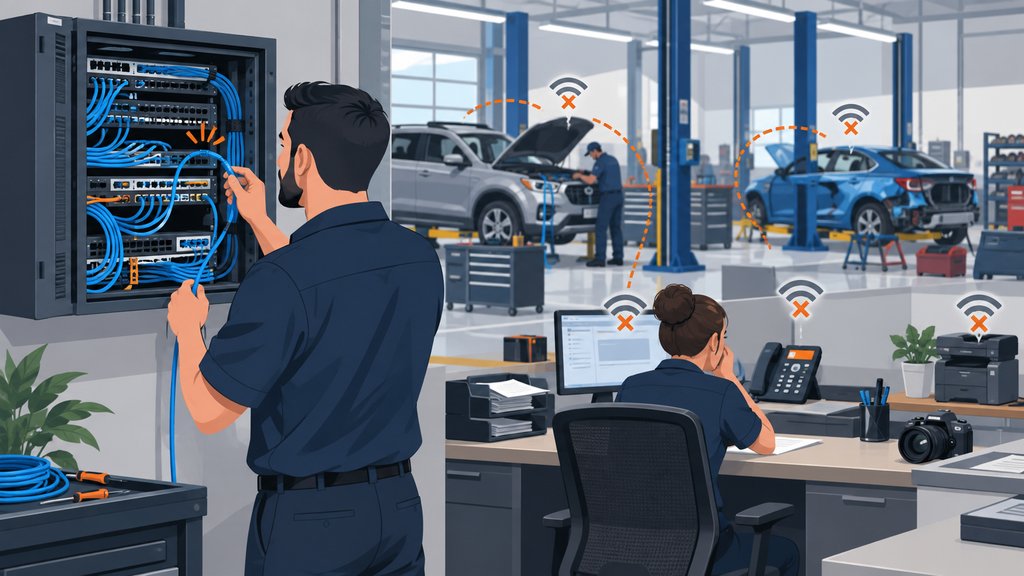
A collision center can have dozens of computers, phones, printers, cameras, Wi-Fi access points, scanners, and shop devices connected to the same local network. When several of them start failing at once, it is easy to assume the shop has several unrelated problems.
Sometimes one incorrect cable connection is the common cause. A network loop happens when cables create a circular path, causing the same network traffic to travel around repeatedly instead of reaching its destination. That repeated traffic can crowd out the legitimate work your phones, computers, cameras, and shop systems are trying to do.
Yes, one incorrect connection can affect an entire collision center if it creates a network loop. A failing network switch, the central device that connects many of your wired devices, can also make everything attached to it seem unreliable. The right response is to trace the shared network path instead of replacing random computers, phones, or printers.
What Does a Network Loop Do to the Shop?
A network loop gives traffic a circular path through the shop's network. The same messages can be copied and sent around again and again, using the network's capacity without accomplishing useful work. It is similar to traffic entering a roundabout and never finding an exit: eventually, normal traffic has trouble getting through.
Network professionals may call this a Layer 2 loop because it happens inside the local network, before internet routing is involved. You do not need to know the layer number to understand the business problem, so this article will simply call it a network loop. To employees, it may look like dropped phones, slow cloud applications, missing printers, unavailable cameras, inconsistent Wi-Fi, or computers that work for a moment and then stall.
Can a Single Cable Really Create That Much Trouble?
Yes. If someone connects two ports that are already connected through another path, the new cable can complete a circle. In one documented incident, an employee was trying to solve a problem and connected an extra cable through a desk phone. That understandable change created a network loop and took down the customer's network.
The employee was not the villain. They were trying to keep work moving. The lesson is to make it easy to ask for help, label connections clearly, discourage undocumented cable changes, and use network safeguards so one understandable mistake does not have to become a shop-wide interruption.
What If the Switch Is Also Failing?
A failing network switch and incorrect cable connections can exist at the same time. Replacing the switch without tracing the cabling can therefore leave part of the problem behind. At one collision-center location, Tech Marvel replaced a failing 48-port network switch and carefully organized and reconnected the surrounding cabling. During that work, we found four cable paths that formed network loops.
The documented result was a noticeably more stable network after the switch replacement, cabling cleanup, and loop removal. We do not claim that every loop caused a particular outage or that all four were active at once. The useful point is that simply swapping the switch would have missed physical cabling problems connected to the same network.
How Should the Problem Be Diagnosed?
Start with the time, the scope of the disruption, and any recent physical changes. Then use the network switch's alerts and records to narrow the search. A disciplined investigation is faster and safer than rebooting every workstation or replacing whichever device complained most recently.
- Define the business impact. Record which systems, bays, offices, or buildings are affected and whether the problem is constant or comes and goes.
- Ask what changed. New phones, cameras, Wi-Fi access points, network switches, patch cables, wall jacks, temporary workstations, and moved equipment all deserve attention.
- Check power and the main network equipment. A failing or overloaded switch, unstable power source, overheated cabinet, damaged port, or loose connection can affect many devices at once.
- Review the switch's alerts and connection history. Look for sudden traffic spikes, cable errors, connections repeatedly turning on and off, or a safety feature automatically shutting down a suspicious connection.
- Trace and isolate the cabling methodically. Disconnect suspected paths one at a time under controlled conditions, document each change, and test whether normal service returns.
- Verify the shop's real workflows. Test phones, estimating, printing, cameras, Wi-Fi, and production systems rather than declaring success because one computer can reach the internet.
Do Business Grade Network Switches Prevent Every Loop?
A business-grade network switch can record activity and use safeguards that automatically disable an extra path when cables form a loop. Its records can also help the IT provider identify which connection was involved. That visibility makes the problem easier to contain and diagnose.
Those safeguards are not a universal guarantee. They may be absent, turned off, configured incorrectly, or defeated by another equipment, power, cabling, internet, or wireless problem. The responsible claim is that properly configured business-grade switches can improve detection, containment, and diagnosis; they cannot prevent every network outage.
Why Documentation Matters After the Fix
A corrected network should leave behind a cleaner map, labeled connections, known device ownership, and a record of what changed. Good documentation helps the next technician distinguish a planned backup connection from an accidental loop. It also helps leadership understand which devices depend on the same switch, cable path, or power source.
Separating phones, cameras, employee devices, guest Wi-Fi, vendor equipment, and production systems into different network sections can also limit how far some problems spread. That separation does not replace the need to remove loops, repair damaged cabling, or replace failing equipment.
What Should a Collision Center Manager Do?
Treat a shop-wide network problem as an evidence-gathering exercise, and do not expect employees to become the network team. Ask people what they observed and what changed, discourage further cable experiments while the issue is active, and give the IT provider access to the network switch, cabling, and device map needed to trace the shared path.
Tech Marvel provides network monitoring and support and has documented collision-center experience with switch replacement, cabling cleanup, loop removal, and finding the actual cause of recurring problems. The exact safeguards and response depend on the equipment being monitored and the services included in the engagement.
If your shop has recurring network symptoms or an undocumented switch and cabling environment, schedule a Free 20 Minute Automotive IT Risk Review. If you are not ready to schedule, ask your current provider for the network map, switch inventory, whether loop protection is enabled, and the most recent configuration backup.
Frequently Asked Questions
Does every bad cable create a network loop?
No. A damaged cable may create errors or an unreliable connection. A network loop is different: it means two or more connections form a circle that allows the same traffic to keep traveling around the network. Both can cause confusing symptoms, but they require different evidence and repairs.
Should employees unplug cables during an outage?
Only under a controlled instruction from the person troubleshooting the network. Random unplugging can remove evidence, disconnect critical equipment, or create another problem.
Will Separating the Network Into Sections Stop a Cable Loop?
Not by itself. Separating phones, cameras, guest Wi-Fi, and production systems may limit which devices are affected, but the incorrect cable path still has to be found and removed. The network switch also needs appropriate loop-protection safeguards.
Does network monitoring prevent a loop?
Monitoring may detect unusual traffic, repeated connection changes, or devices suddenly going offline. It can provide useful evidence and shorten the investigation. Prevention and containment still depend on the network design, switch safeguards, cabling, and the specific failure.