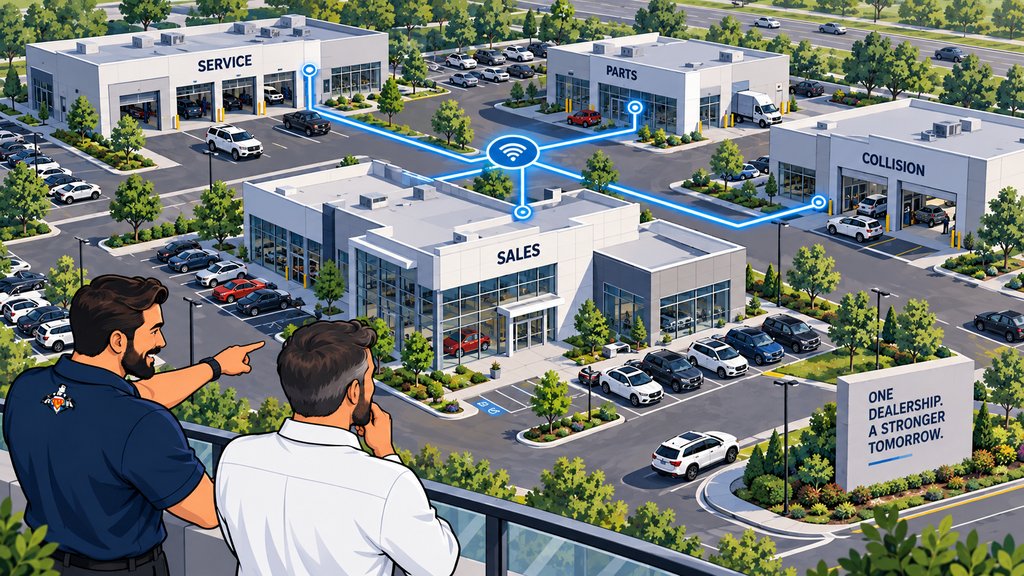
One dealership we worked with had grown across several buildings. Some were linked by fiber, others had separate internet connections, and one building depended on a Category 6 cable buried between the structures. Employees still needed the property to work like one dealership, even though the connections had been added at different times for different reasons.
We reworked the network to improve speed and resilience while keeping the buildings connected as one managed environment. The lesson wasn't that every dealership needs the same cable. You have to design around the work happening in each building, the physical property, and the points where one failure could stop several departments.
Nearby dealership buildings are usually best connected with properly installed fiber when a physical pathway is practical. A point-to-point wireless bridge can be a good option when trenching is difficult and line of sight is clear. Buildings that are farther apart may use separate internet connections joined securely. The right design depends on distance, capacity, path diversity, construction, and what happens to the dealership if a link fails.
If your property grew one building at a time, ending up with this mix does not mean someone planned badly. It usually means the business changed faster than the network plan.
Start with how the dealership uses each building
The business impact of a failed building link should determine its capacity, redundancy, monitoring, power protection, and recovery plan.
A service annex that depends on the main building for repair orders, phones, printing, parts access, and payment processing has different requirements from a storage building that uses a few cameras and handheld devices. Before choosing fiber or wireless, list the people, applications, phones, printers, cameras, vendor systems, and customer services in each building.
Then ask what work stops if the connection fails. That answer determines the bandwidth, redundancy, monitoring, power, and recovery plan the link deserves.
The main ways to connect dealership buildings
Dealership buildings can be connected with fiber, an engineered wireless bridge, separate internet circuits, or a site-specific combination of those methods.
The Fiber Optic Association's design guidance treats network design, installation, testing, documentation, and project management as related parts of a fiber project.
Fiber optic cabling
Fiber is often the strongest long-term choice between buildings on the same property. It supports high capacity over longer distances and does not carry electrical current between structures. A proper design still requires the right fiber type, pathway, termination, switches, protective enclosures, and spare capacity for growth.
Trenching can make fiber more expensive at the beginning, especially across a finished lot or a busy drive lane. Coordinate the network design with qualified low-voltage, electrical, excavation, and property professionals. Tech Marvel's checklist for opening or renovating an auto dealership covers the other IT items that are much easier to plan before construction is finished.
Point to point wireless bridge
A properly designed wireless bridge can connect two buildings without trenching. It works best with clear line of sight, stable mounting, suitable distance, correct alignment, clean radio spectrum, and enough capacity for the applications in the remote building.
Trees, vehicles, building additions, weather exposure, mounting movement, and radio interference can affect a link over time. A wireless bridge should be monitored like other network infrastructure, not installed and forgotten.
Separate internet connections with secure site networking
Buildings that are farther apart, separated by public property, or operated as distinct sites may each need their own internet connection. A site-to-site virtual private network or software-defined wide area network can connect the locations securely and manage traffic between them.
This approach can provide useful path diversity, but cloud applications and local resources need to be considered carefully. If the main building hosts a server, phone component, or application that the other building requires, separate internet service alone does not remove that dependency.
Copper cabling between buildings
Copper Ethernet can appear simple, especially when the buildings are close. Between structures, however, distance limits, electrical-potential differences, surge exposure, grounding, and the physical cable pathway make the design more complicated. Do not assume that ordinary indoor Category 6 cable is appropriate because the distance looks short.
If an existing copper link is in use, have the cable type, route, protection, terminations, distance, and local requirements reviewed. Fiber or an engineered wireless link is often the cleaner long-term answer, but the site conditions should decide.
One dealership network should not mean one flat network
One managed dealership network should still separate office, service, phones, guests, cameras, building systems, and vendor equipment according to business need.
The buildings can operate as one managed environment without dropping every device onto one unrestricted network. Sales and office computers, service devices, phones, guest Wi-Fi, cameras, building systems, and vendor equipment may need separate segments with controlled access. Those choices should match the dealership's multi-location IT standards.
Segmentation can reduce unnecessary traffic and limit how far a device or account can reach. It also makes troubleshooting easier because the network design reflects the purpose of the equipment rather than the building where someone happened to plug it in.
Design for failure as well as normal operation
A resilient design shows what each link, switch, circuit, and power source will affect before one of them fails.
A fast connection is useful. Resilience comes from knowing what one failure will take with it. If a single fiber cut disconnects service, phones, cameras, and office work in three buildings, you want that on the diagram before a contractor starts digging.
- Map every inter-building link, internet circuit, firewall, switch, wireless bridge, and power dependency.
- Decide which buildings or departments justify a secondary path.
- Prevent accidental network loops and document how redundancy is supposed to behave.
- Protect critical network equipment with appropriate battery or generator power.
- Use network monitoring and support to track link health, errors, capacity, and outages instead of waiting for employees to report slowness.
- Keep carrier, cabling, equipment, warranty, and access information current.
- Test the failure and recovery procedure after major changes and on a regular schedule.
Redundancy needs control. An extra cable or wireless path that is added without a switching design can create a network loop and take down the environment it was meant to protect. The diagram, switch configuration, and physical labels should all agree.
Do not forget the service department Wi-Fi and outdoor areas
The building backbone and local Wi-Fi design must be planned together because employees still need reliable access in service bays, drive lanes, lots, and outdoor transitions.
Connecting the buildings is the backbone. Employees still need reliable wired and wireless access inside them. Service bays, vehicle lots, concrete walls, metal doors, lifts, and moving vehicles create a different radio environment from the accounting office. Plan the building link and the local Wi-Fi coverage as related projects, not separate purchases.
Questions to answer before approving the design
What work stops if each connection fails, and does the design provide the capacity, diversity, monitoring, power, and documentation that work deserves?
- Which workflows and departments depend on each building link?
- What capacity is needed now, and what growth is likely?
- Is there a usable conduit or safe fiber pathway?
- Does a wireless option have reliable line of sight throughout the year?
- Are two links truly diverse, or do they share the same trench, switch, power source, or carrier path?
- Which networks and vendors should be allowed to communicate between buildings?
- How will the dealership operate if the main link, switch, or internet service fails?
- Who monitors the connections and owns the carrier or cabling escalation?
- Is the final design documented well enough for another technician to understand it?
A practical design starts with the property
A site walk is necessary because conduit, obstructions, equipment rooms, power, cable entrances, and construction conditions can change the best design.
You can't choose the right connection from a floor plan alone. A site walk might reveal an unused conduit, a tree blocking the wireless path, an overloaded closet, an unprotected cable entrance, or a small building that depends on equipment nobody mentioned during the first call.
Tech Marvel combines dealership IT experience with over 30 years of technology expertise to help New Jersey dealerships reduce downtime, strengthen cybersecurity, coordinate technology vendors, and get clear answers from one accountable local partner. Learn more about Tech Marvel's IT support for auto dealerships in New Jersey.
Schedule Your Free 20-Minute Dealership IT Review
Schedule Your Free 20-Minute Dealership IT Review if your dealership operates across several buildings. You should not have to depend on a network nobody can explain or discover its single point of failure after a cable is cut. A documented design gives you a clear picture of what each link supports and how the dealership will keep working when something fails.
The process is simple: Schedule Your Dealership IT Review. Review Your Systems, Vendors, and Risks. Then Get One Local IT Partner Who Owns the Outcome.
Not ready to schedule a review? Get the Plain-English Guide to the IT Questions Every Dealership Should Ask Before Switching Providers.