By Ron Conti, Owner and Founder of Tech Marvel
Your DMS provider already sends you an invoice every month, and its reps know your dealership. So when the topic of IT support comes up, it's natural for a Controller or GM to ask, "Can't our DMS company just handle all of it?" Some DMS providers do sell IT services, and for certain dealerships that's a reasonable fit.
The question to ask is which parts of your technology the DMS provider takes responsibility for, and who owns the rest. Your dealership runs on far more than the DMS. There's the internet, Wi-Fi in the service bays, workstations, printers in F&I, phones, Microsoft 365, lender and OEM portals, backups and security tools. When something breaks across two of those, someone has to own the whole problem.
A DMS provider is the right owner for the DMS itself and the connections it supplies. Whether it should also own the rest of your IT depends on what its written agreement covers: workstations, Wi-Fi, Microsoft 365, security, backups, user access and coordination across every vendor. A local managed IT provider can take whatever the package leaves out, and many dealerships use both, with written lines showing where each one's responsibility starts and stops.
What Do the Big DMS Providers Say About IT Support?
What DMS providers publish about IT support varies a lot: some sell full managed IT, and others describe support only for their own platform.
In October 2026 we looked at the public websites of CDK, Reynolds and Reynolds, Tekion and Dealertrack. A page that doesn't mention a service doesn't prove the company doesn't offer it, so use this as a starting point and confirm the details with your rep.
- CDK markets managed IT services for dealerships that include around-the-clock monitoring, connectivity to the DMS, the internet and manufacturer systems, and cloud hosting. The page doesn't describe a help desk, security services, backup or on-site support, and it lists no pricing.
- Reynolds and Reynolds sells IT management through Proton Dealership IT, a company it acquired in 2022. Its IT management page describes a 24/7/365 remote help desk, a security operations center and upkeep of the network and connected devices. A separate page adds server and hardware support, vendor management, cybersecurity and FTC Safeguards Rule compliance services. The IT management page calls the help desk remote and doesn't mention on-site visits.
- Dealertrack, from Cox Automotive, describes support for the DMS itself: a round-the-clock help center, performance managers and training. Certified hardware is an optional add-on. The page describes no managed IT, network or help desk services for the rest of the dealership.
- Tekion's DMS page covers software, implementation and support after launch, and mentions hardware installation as part of implementation. It describes no IT support, network or managed services.
That's a real range. If your DMS provider also supplies the network connection to its platform, having one company own both removes a handoff. For everything else, ask. Does the package include help desk support for employees? Microsoft 365 administration? Endpoint security and email protection? Backup of the files and data that live outside the DMS? Offboarding a departing employee from the CRM, lender portals and OEM sites? Read the service description line by line and get the answers in writing.
Where Gaps Usually Show Up
The gaps between a DMS provider and the rest of the dealership appear wherever the package stops, often in the network, the workstations, Microsoft 365, security and other vendors' systems.
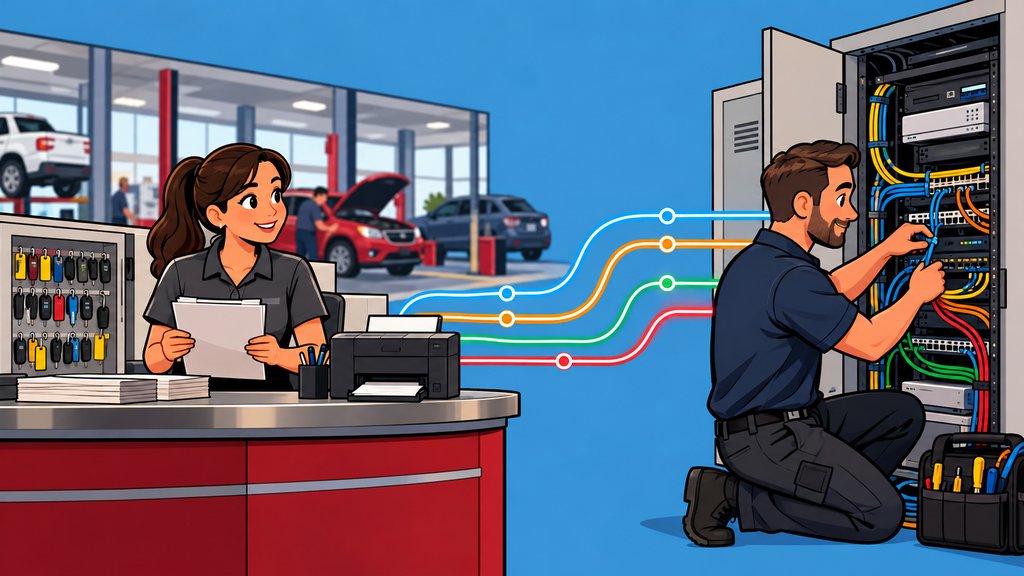
On a typical Tuesday, the DMS is slow in the service department, so a service advisor calls the DMS support line. The DMS provider checks its platform and says it looks fine and that it might be the network. Now someone at the dealership has to figure out who owns the network, the Wi-Fi in the bays and the switch in the closet. Each answer is reasonable on its own, and together nobody owns the outcome.
We saw a version of this at a dealership whose internet would drop from time to time. When it did, it took down the phones, remote viewing of the security cameras, and every computer and mobile device on site. We replaced a cheap network device sitting next to the internet provider's equipment, had the provider check its line, and tested the router. The provider's line checked out. The problem kept coming back until we found a cable that was under too much strain and failing. The connector looked fine, but it had to be cut off and replaced, and everything worked after that. No single vendor's checklist would have found it. Someone had to keep working the problem across all of them.
What a Local MSP Adds
A local managed IT provider covers the environment around the DMS and gives you one local contact when a problem crosses systems.
A managed IT provider supports the computers, network, Wi-Fi, Microsoft 365, security tools, backups and user accounts your dealership depends on. It doesn't replace the DMS company's support for the DMS. When an issue crosses over, it works with the DMS vendor, the internet provider, the phone company and lender platforms so the Controller isn't the one relaying messages between support desks.
Local matters too. Some problems need hands on equipment: a failing cable, a switch in the parts room, a printer in F&I that won't talk to the network. A Morris County provider can move from remote troubleshooting to standing in your network closet the same day. Our article on what to do when dealership IT vendors blame each other walks through what that coordination should look like.
DMS Provider vs. Local MSP for Dealership IT at a Glance
A side-by-side view shows the two can work together, so the decision comes down to who owns what.
| DMS provider IT services | Local managed IT provider | |
|---|---|---|
| The DMS platform itself | Owns it | Coordinates with the DMS vendor |
| Connection to the DMS | Often included | Supports the network around it |
| Workstations, printers, Wi-Fi | Depends on the package | Usually included |
| Microsoft 365 and email | Depends on the package | Usually included |
| Security, backups, user access | Depends on the package | Usually included |
| Coordination across other vendors | Depends on the package | Part of the job |
| On-site help in your building | Varies | Local and same-day where needed |
If your DMS provider's package covers most of the right-hand column in writing, as some do, the decision may be easy. If it doesn't, you need someone to own the rest, and that someone should also own coordinating with the DMS provider.
How to Decide What Your Dealership Needs
List every system your dealership depends on, write down who supports each one today, and look for the systems with no clear owner.
Start with a simple sheet: DMS, CRM, internet, phones, Wi-Fi, workstations, printers, Microsoft 365, backups, security, lender portals, OEM portals and the key machine. Next to each, write the company responsible and the number you call. Then ask your DMS provider to confirm in writing which rows its services cover.
The blank rows are where problems wait. They're also where you end up chasing recurring IT problems, vendor finger-pointing, and unanswered security or backup questions that should already be handled. If you're the Controller thinking, "I'm not the IT person, but somehow these problems keep ending up on my desk," the blank rows explain why.
Get One Partner Who Owns the Rest
A short review of your systems and vendors shows what your DMS provider covers today and what still needs an owner.
Technology should help your dealership sell, finance, service, and deliver vehicles, not create more work for the people leading the business.
We understand how frustrating it is when technology problems interrupt the workday, vendors point fingers, and leadership still has to chase down clear answers. Tech Marvel combines dealership IT experience with over 30 years of technology expertise to help New Jersey dealerships reduce downtime, strengthen cybersecurity, coordinate technology vendors, and get clear answers from one accountable local partner. We support the environment around your DMS and work with your DMS provider when an issue crosses over. You can see the full scope on our dealership IT support page.
The plan starts with a short review. We look at your systems, vendors and risks with you, and if it makes sense, you get one local IT partner who owns the outcome. For dealerships in Morris County and Northern New Jersey, you leave with your top risks ranked, quick wins for the next 30 days, and what to plan for over the next 6 to 12 months, so you can lead a smoother, safer dealership where sales, service, finance, accounting, and management can work with clear answers and dependable local IT support.
Schedule Your Free 20-Minute Automotive IT Risk Review
Not ready for a call? Get the Dealership IT Buyers Guide
Frequently Asked Questions
Can we keep our DMS provider's IT services and add a local MSP?
Yes. Many dealerships do. The DMS provider keeps the DMS and the connections it supplies, and the MSP takes the rest of the environment and coordinates between them. Put the dividing line in writing.
Does a managed IT provider support CDK, Reynolds and Reynolds, Dealertrack or Tekion?
A managed IT provider supports the network, workstations, accounts and security around those platforms and works with the vendor when an issue crosses over. Support for the DMS software itself stays with the DMS company.
Who should we call first when the DMS is slow?
Ideally one IT contact who can check the network, workstations and internet first and bring in the DMS vendor with useful information. That keeps your staff from deciding which vendor to blame before anyone helps.