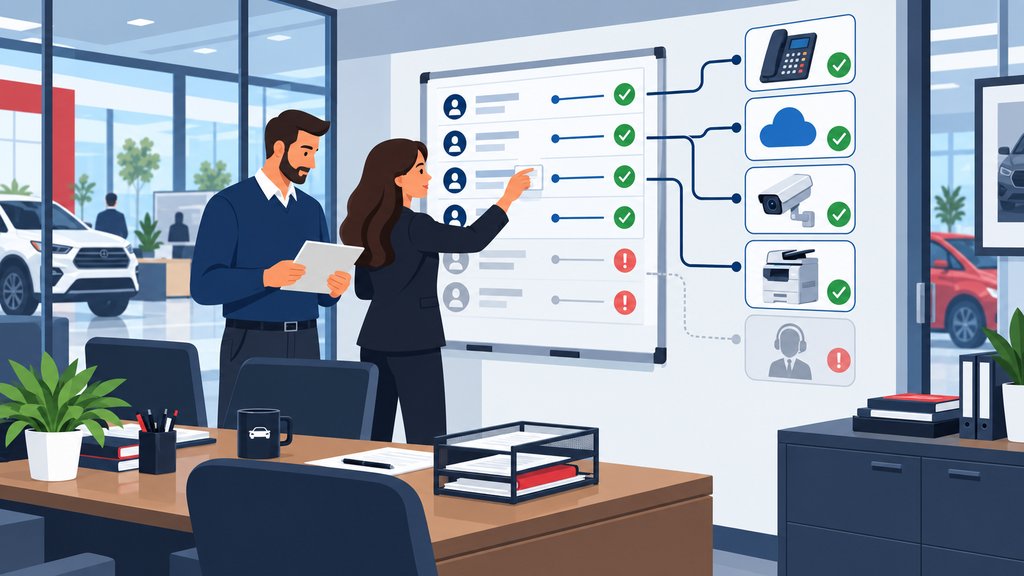
A software vendor needs to troubleshoot a problem, so someone gives them remote access. The phone company needs to make a change. A copier vendor installs monitoring software. Someone who worked on the security cameras has a remote connection. Your IT provider has its own remote-management tools.
Individually, each decision may make perfect sense.
The problem comes six months or two years later when someone asks a fairly simple question:
Who outside the dealership can still remotely access our systems?
At many dealerships, getting a complete answer isn't as easy as it should be. One person knows about the DMS vendor. Someone else remembers the phone company. IT knows about several remote-support tools. An old vendor may still have an account nobody has thought about since the project ended.
Meanwhile, the Controller or General Manager is ultimately responsible for the business outcome without having a clear picture of who can get in.
Every dealership should be able to identify which outside companies can remotely access its network, computers, cloud applications, or customer information; what each vendor can reach; how that access is authenticated; and who approved it. Remote access should be limited to what the vendor needs, protected with appropriate controls, reviewed periodically, and removed when it is no longer required.
Remote access itself isn't the problem. Dealerships depend on outside companies, and those companies often need access to support what they provide.
The goal is simply to know what access exists and make sure it still makes sense.
Vendor Access Has a Way of Accumulating
Dealerships can accumulate remote-access connections over time because new vendors and tools are added much more often than old access is formally reviewed and removed.
Think about how technology changes in a dealership. You replace a phone system. Change a copier company. Add security cameras. Install new service equipment. Change a software provider. Bring in someone for a one-time project. A vendor installs a remote-support utility because it makes troubleshooting easier.
Nobody is trying to create a security problem. People are trying to get work done.
But temporary access has a funny way of becoming permanent when nobody owns the cleanup.
This is similar to the problem with employee access, but it isn't the same problem. Your employee onboarding and offboarding process may do a good job of removing a former employee from email, the DMS, CRM, OEM portals, and other systems. That doesn't tell you whether an outside vendor still has an administrator account, a VPN login, an unattended remote-support agent, or credentials that were created for a project three years ago.
Those need their own process.
Start by Finding Every Path Into the Dealership
A dealership cannot manage vendor remote access until it has an inventory of the accounts, software, connections, and services outsiders can use to reach its environment.
I wouldn't start by asking, "Are we secure?"
That's too broad to be useful.
I would start with, "Show me how outside companies get into our systems."
Depending on the dealership, the review may include:
- Remote monitoring and management software installed on computers or servers
- Remote desktop and remote-support applications
- VPN accounts
- Firewall or network-management access
- Microsoft 365 or Google Workspace accounts
- DMS, CRM, OEM, lender, or other vendor accounts where applicable
- Phone-system, copier, security-camera, payment, service-equipment, and other vendor portals
- Shared administrator credentials or service accounts
- Cloud applications that have granted access to outside companies or integrations
Some of those connections will be necessary. Some may be tightly controlled. Others may turn out to be things nobody remembers approving.
That is the point of the inventory.
CISA has specifically warned that legitimate remote-access and remote monitoring and management software can be abused by attackers. Its guidance recommends auditing remote-access software to identify which tools are currently used and authorized.
Remote-support software isn't inherently bad. We use remote technology ourselves because it lets IT resolve many problems quickly without driving to the dealership every time somebody needs help.
But a tool powerful enough to let the right person control a computer from somewhere else is also a tool worth keeping track of.
Know What Each Vendor Can Actually Reach
Vendor access should be limited to the systems and information required for the work the vendor actually performs.
There is a big difference between letting someone remotely connect to one workstation when support is needed and giving that company broad access to an entire network.
There is also a difference between a vendor needing access to its own equipment and needing an administrator account that can reach systems throughout the dealership.
The useful question is:
What does this vendor actually need to do its job?
If the answer is "support the phone system," that doesn't automatically mean the vendor needs the ability to access accounting computers. If someone supports a particular piece of service equipment, that doesn't mean they need broad access to everything else on the network.
Sometimes broader access really is necessary. The point isn't to make supporting the dealership impossible. It is to make the access match the job.
This is where your IT provider should understand how all the pieces fit together. Someone has to know where the vendor's system sits, what it communicates with, what information it can reach, and what would happen if that access were misused.
Permanent Access Should Be a Deliberate Decision
Persistent remote access should exist because there is an ongoing business need, not simply because removing it was never part of the project.
Some vendors legitimately need unattended access. Your IT provider is an obvious example. Monitoring, maintenance, patching, troubleshooting, and security work would become unnecessarily difficult if someone at the dealership had to approve every connection manually.
Other vendors may only need access occasionally.
That's where I would separate persistent access from temporary access.
If a company only needs to get into a system twice a year, permanent unattended access may not be the best approach. You may be better off enabling access when needed, supervising the connection, using an approved remote-support process, or otherwise limiting how long that connection remains available.
There isn't one rule that fits every vendor.
But "we've always left it on" isn't much of a rule either.
Vendor Accounts Should Be Identifiable and Protected
Outside access should use identifiable accounts and appropriate authentication so the dealership can tell who has access and reduce unnecessary credential sharing.
Shared accounts create a basic accountability problem.
Suppose five technicians at a vendor all use the same login. An activity log may tell you the vendor account connected at 8:42 Tuesday night, but it may not tell you which person actually used it.
Named accounts are better where the platform supports them because access can be tied to an individual, changed when that person's responsibilities change, and removed without disrupting everyone else.
Multi-factor authentication also matters. For dealerships subject to the FTC Safeguards Rule, the FTC's dealer-specific guidance identifies multi-factor authentication and access controls among the safeguards used to protect information systems.
Your FTC Safeguards Rule review should therefore include more than employee accounts. Outside access to systems containing or connected to customer information deserves attention too.
That doesn't mean every outside company automatically falls into the same legal category. The FTC has a specific definition of a "service provider," and the facts matter. This article is practical technology guidance, not legal advice.
From an IT standpoint, though, I'd still want to know about any company that can remotely enter the dealership's environment whether or not that company happens to meet a particular regulatory definition.
Review the Access Before Everyone Forgets Why It Exists
Vendor access should be reviewed periodically to confirm that the company still works with the dealership, the access is still required, and the permissions are still appropriate.
This doesn't need to become a six-hour quarterly meeting with twenty people around a conference table.
The review can be pretty straightforward.
Take the inventory. Look at each outside company. Ask who owns the relationship, what they support, how they connect, what they can access, whether MFA is enabled where appropriate, and when the access was last used or reviewed.
Then ask the question that tends to uncover the interesting stuff:
Do we still need this?
A vendor relationship may have ended. A project may be finished. The dealership may have replaced the equipment. The employee at the vendor who originally worked with you may be gone. A newer support method may have replaced an older remote-access tool.
Access that no longer serves a business purpose should not remain simply because removing it wasn't on anyone's list.
The FTC Specifically Calls Out Service-Provider Oversight
Dealerships subject to the FTC Safeguards Rule have responsibilities involving certain service providers that receive, maintain, process, or are permitted access to customer information.
The FTC's current dealership-specific FAQ says covered dealerships should take reasonable steps when selecting and retaining applicable service providers, require appropriate safeguards contractually, and periodically assess those providers based on the risk they present and the adequacy of their safeguards. The FTC also specifically discusses the risk created when a service provider has direct access to a dealership's information system.
That doesn't mean the Controller needs to become a cybersecurity engineer or personally examine the configuration of every remote-support product.
It means somebody needs to be able to give leadership a clear answer.
Which service providers have access? What do they have access to? What protections are in place? Who is responsible for reviewing it? What happens when the relationship ends?
Those are reasonable business questions whether you're preparing for an FTC discussion, answering cyber-insurance questions, or simply trying to run the dealership responsibly.
If you're also reviewing insurance requirements, our article on cybersecurity controls dealerships may encounter during cyber-insurance discussions provides additional context.
Someone Needs to Own the Whole Process
One person or technology partner should own the dealership's vendor-access inventory and coordinate changes so responsibility does not disappear between vendors.
This is where dealerships run into the same problem I see in a lot of technology situations.
Everyone understands their piece.
The phone company understands the phones. The copier company understands its equipment. A software vendor understands its application. The internet provider owns the circuit. Your IT provider owns certain parts of the environment.
But the dealership still needs someone looking across all of it.
Otherwise, when you ask, "Who has remote access?" you get six partial answers.
We've written before about what happens when dealership technology vendors blame each other. Remote access is another example of why vendor coordination matters. Each vendor may responsibly manage its own system, while nobody is maintaining the complete dealership-wide picture.
The customer shouldn't have to be the referee.
Your dealership should have one place where this information is documented and one party responsible for keeping it current.
What Good Vendor-Access Management Looks Like
A well-managed dealership should be able to answer who has outside access, why they have it, what they can reach, how that access is protected, and when it will be reviewed again.
The end result doesn't need to be complicated.
If you asked your IT provider tomorrow for a list of outside remote access, you should be able to get something understandable. You shouldn't receive a pile of tool names and acronyms that leaves you with more questions than when you started.
You should be able to look at the information and understand:
Vendor A supports this system. They connect this way. These people or accounts have access. This is what they can reach. This is who approved it. This is when we last reviewed it.
Vendor B only needs access during a support call, so there is no permanent connection.
Vendor C no longer works with us, so the old account and remote software were removed.
That's what control looks like.
Not becoming an IT expert. Just knowing the right questions have been answered.
Get a Clear Picture of Who Can Access Your Dealership
If nobody can give you a complete answer about outside remote access, the first step is to document what is currently in place before deciding what needs to change.
For a New Jersey dealership, that review can include your network, computers, Microsoft 365, remote-support software, vendor accounts, cloud systems, and the other technology employees depend on every day.
Tech Marvel combines dealership IT experience with over 30 years of technology expertise to help New Jersey dealerships reduce downtime, strengthen cybersecurity, coordinate technology vendors, and get clear answers from one accountable local partner.
If you're looking for broader IT support for your New Jersey auto dealership, vendor-access management is one part of making sure the technology environment is actually being managed rather than simply fixed when something breaks.
Schedule Your Free 20-Minute Dealership IT Review
We can talk through the systems and vendors your dealership depends on, how outside access is currently being handled, and whether there are areas worth reviewing.
Schedule your Free 20-Minute Dealership IT Review.
Not ready for a conversation yet? Get the Plain-English Guide to the IT Questions Every Dealership Should Ask Before Switching Providers and use it to start reviewing your current IT relationship.
Frequently Asked Questions
The most important questions about dealership vendor access concern necessity, authentication, scope, review, and removal.
Should dealership vendors have permanent remote access?
Sometimes. An ongoing IT provider or another company responsible for continuous monitoring or support may have a legitimate need for persistent access. A vendor that only needs to troubleshoot something occasionally may be better handled with temporary or controlled access. The access method should fit the actual business need.
Should every outside vendor use multi-factor authentication?
Where MFA is supported and appropriate, it is an important safeguard for remote access. For dealerships subject to the FTC Safeguards Rule, the FTC specifically identifies MFA among the safeguards for access to information systems. The exact technical approach depends on the system and circumstances.
How often should a dealership review vendor remote access?
There is no single review interval that fits every dealership and every system. The practical approach is to establish a recurring review and also trigger a review whenever a vendor changes, a project ends, equipment is replaced, a security concern arises, or the dealership makes a significant technology change. Access with greater privileges or exposure deserves closer attention.
Is vendor remote access the same as employee offboarding?
No. Employee offboarding deals with removing access when someone leaves your dealership. Vendor-access management deals with accounts, software, connections, service providers, and outside technicians who may continue working with the dealership for years. The two processes overlap, but each deserves its own inventory and review.
Does the FTC Safeguards Rule require dealerships to review vendors?
For automobile dealers that are financial institutions subject to the Safeguards Rule, the FTC requires oversight of service providers as defined by the Rule. FTC guidance specifically discusses selecting appropriate service providers, contractual safeguards, and periodic assessment based on the risk the provider presents. Dealerships should work with qualified legal or compliance counsel when determining their specific regulatory obligations.