By Ron Conti, Owner and Founder of Tech Marvel
Try a quick test. If your IT company stopped answering the phone tomorrow, could anyone at your dealership log into the Microsoft 365 admin center, change a setting on the firewall, renew the website domain, or tell you which outside vendors can connect remotely to your systems?
At a lot of dealerships the honest answer is no. The accounts were set up years ago by a previous IT person, a former office manager, or the IT company itself, and they've been working ever since, so nobody thought about who's listed as the owner. It usually comes up at the worst time: a dispute with a provider, a sudden departure, or a renewal that lapses because the billing email goes to someone who left years ago.
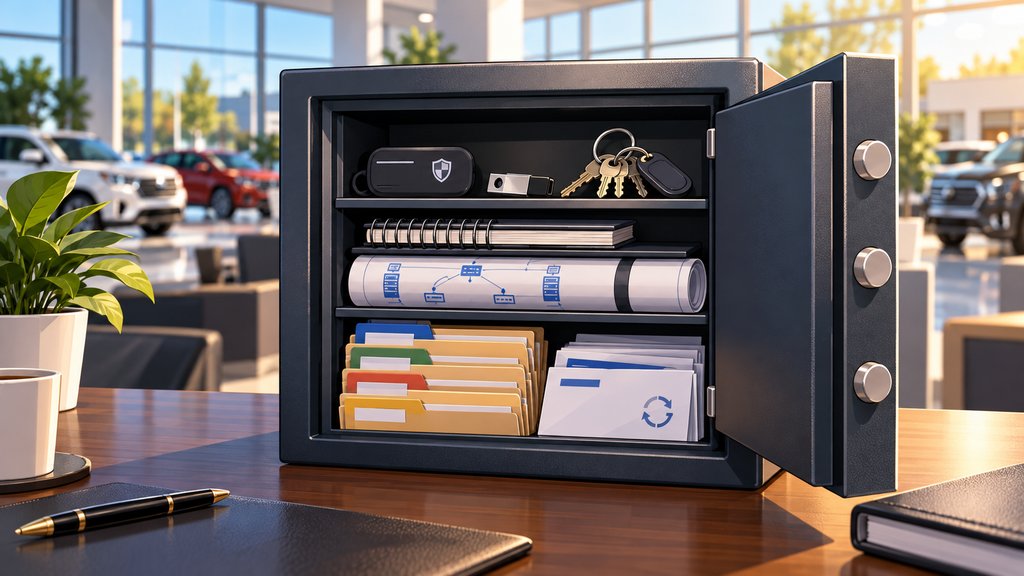
Your dealership should own every administrator account, domain, software license, subscription and vendor account in its own name, with current credentials stored somewhere leadership can reach. Your IT provider should work through access the dealership grants and keep the documentation current, but the dealership should be able to hand everything to someone else on short notice.
What Your Dealership Should Own Outright
The accounts that control your systems, your domain and your data should be registered to the dealership.
That list is longer than most people expect:
- The Microsoft 365 or Google Workspace tenant and at least one dealership-controlled global admin account
- The website domain and DNS registration
- Firewall, switch and Wi-Fi management accounts
- Backup service accounts and the billing for them
- Security tools and their licenses
- The internet, phone and copier contracts
- Vendor portals the dealership pays for, including the support logins for the DMS and CRM
Your IT provider can and should have its own admin access to do the work. The difference is that its access is granted by you and can be removed by you. When the provider owns the account, you're the one asking permission.
What Dealership IT Passwords and Documentation Should You Have on File?
Your dealership should hold a current copy of the documentation someone would need to support your environment if your provider changed tomorrow.
At a minimum, that's a network diagram, a list of every system and who supports it, the admin credentials (stored in a secure password vault, never a spreadsheet on someone's desktop), a list of vendors with remote access and how that access is secured, license and renewal dates, and the backup schedule with the date of the last successful test restore.
Watch for admin accounts tied to one person's name. If the previous office manager set up Microsoft 365 using her own login as the only global admin, the dealership's control of its email walked out the door with her. A better setup uses admin accounts tied to the role, such as an IT admin account the dealership controls, plus a second emergency account sealed in the vault. When people change, the accounts don't have to.
Knowing where the documentation is and that it's current is enough; you don't have to read it yourself. A reasonable expectation is that your provider updates it on a regular schedule and gives you a copy whenever you ask.
Why Renewals and Billing Need a Named Owner
Every subscription that protects your data needs a named owner at the dealership, because a lapsed payment can delete what you were paying to protect.
This one is easy to miss. We set up servers and backups for a nonprofit, and the backups went to the cloud automatically. They were the kind that an attacker can't change or delete. Then the person who paid the bills left. Over time, payment to the cloud backup company fell through the cracks, and the backup account was deleted for lack of payment. When ransomware hit and we went to restore, the backups were gone, and the nonprofit lost years of work.
The technology worked. The responsibility left the building with one person. For a dealership, the same thing can happen with the domain, the backup service, a security license or the Microsoft 365 subscription. Each one needs a dealership contact for billing and renewal notices, ideally a shared mailbox that more than one person watches.
Vendor Access Belongs on the List
Every outside company that can connect to dealership systems should be documented, approved by the dealership and secured with multi-factor authentication.
Dealerships often have more remote access than leadership realizes. The DMS provider, the phone company, the copier vendor, the security camera company and the IT provider may all have a way in. Some of those connections were set up for a single project and never removed.
For dealerships covered by the FTC Safeguards Rule, this ties to service provider oversight. The FTC's guidance for auto dealers notes that a service provider given direct access to your network should be required to use multi-factor authentication for that access. A current list of who can connect, and how, is the starting point for that oversight. Your attorney can confirm how the rule applies to your dealership.
How to Check Where Your Dealership Stands This Week
Ask your IT provider five questions in writing and compare the answers with what you expected.
- Who is listed as the owner of our Microsoft 365 tenant, website domain, firewall and backup service?
- Does someone at the dealership have working admin credentials for each, and where are they stored?
- Can you send us a current copy of our network diagram and system documentation?
- Which outside vendors can connect remotely to our systems, and is multi-factor authentication required for each?
- Which renewals and subscriptions are billed to a person who no longer works here?
A good provider answers those quickly and doesn't treat the questions as a sign of distrust. If the answers are slow, vague or "we'll get back to you," that tells you something too. Ownership is also part of employee changes, so our guide to onboarding and offboarding dealership employees securely is a useful companion to this list.
Leaving these questions open is how a dealership ends up chasing recurring IT problems, vendor finger-pointing, and unanswered security or backup questions that should already be handled. If you're the Controller thinking, "I'm not the IT person, but somehow these problems keep ending up on my desk," this is one list that, once settled, stops landing there.
Get the Keys Back in the Dealership's Hands
A short review identifies who owns each account today and what documentation your dealership is missing.
Technology should help your dealership sell, finance, service, and deliver vehicles, not create more work for the people leading the business. Knowing that you hold the keys is part of that.
We understand how frustrating it is when technology problems interrupt the workday, vendors point fingers, and leadership still has to chase down clear answers. Tech Marvel combines dealership IT experience with over 30 years of technology expertise to help New Jersey dealerships reduce downtime, strengthen cybersecurity, coordinate technology vendors, and get clear answers from one accountable local partner. We update client documentation every quarter. See what that support looks like on our managed IT services page.
Start with a short review. We look at your systems, vendors and risks together, and if it makes sense, you get one local IT partner who owns the outcome. For dealerships in Morris County and Northern New Jersey, you leave with your top risks ranked, quick wins for the next 30 days, and what to plan for over the next 6 to 12 months, so you can lead a smoother, safer dealership where sales, service, finance, accounting, and management can work with clear answers and dependable local IT support.
Schedule Your Free 20-Minute Automotive IT Risk Review
Not ready for a call? Get the Dealership IT Buyers Guide
Frequently Asked Questions
Should our IT provider have admin access to our systems?
Yes, it needs admin access to do the work. That access should be granted by the dealership through accounts the dealership owns, so it can be reviewed or removed at any time.
Where should a dealership store its admin passwords?
In a secure, business-grade password vault with access limited to the people who need it, including at least one person in dealership leadership. A spreadsheet or a sticky note in the network closet isn't safe storage.
What should we do if our domain or Microsoft 365 account is registered to our IT company?
Ask your provider to transfer ownership to the dealership while the relationship is still working. It's a routine request, and it's much easier to do now than during a dispute or a switch.